



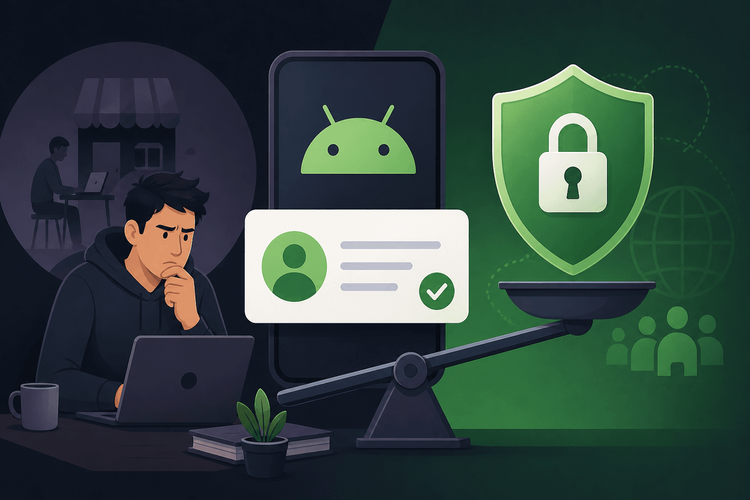
Android Dev Verification: Is Google’s New Rule a Security Win or Dev Burden?

SitePoint TeamPublished inMobile·Web Security·
August 1, 2026
SitePoint Premium
Stay Relevant and Grow Your Career in Tech
- Premium Results
- Publish articles on SitePoint
- Daily curated jobs
- Learning Paths
- Discounts to dev tools
7 Day Free Trial. Cancel Anytime.
Google’s new developer identity verification requirements for the Play Store represent a fundamental change in who gets to publish Android apps and under what conditions. The central question facing the Android developer community is whether these measures genuinely improve security for billions of users or whether they erect barriers that disproportionately burden indie developers, hobbyists, and small studios in emerging markets.
Table of Contents
A New Gatekeeping Era for Android?
Google’s new developer identity verification requirements for the Play Store represent a fundamental change in who gets to publish Android apps and under what conditions. The policy mandates government-issued identification for individual developers, D-U-N-S numbers for organizations, and publicly displayed contact information on every Play Store listing.
The central question facing the Android developer community is whether these measures genuinely improve security for billions of users or whether they erect barriers that disproportionately burden indie developers, hobbyists, and small studios in emerging markets. The answer is not binary. What follows covers what the policy actually requires, the security rationale behind it, who stands to lose the most, how sideloading and alternative distribution factor in, and what the policy signals about Android’s longer-term trajectory.
What Exactly Is Google’s New Developer Verification Policy?
The Core Requirements
Google’s updated developer verification policy introduces tiered identity requirements depending on whether an account belongs to an individual or an organization.
For individual developers, the process now requires submission of a government-issued photo ID and verification of a physical address. Google uses third-party verification services to validate these documents, and the process may include follow-up requests for additional documentation if initial submissions are flagged as incomplete or inconsistent.
For organizations, the requirements are more extensive. Businesses must provide a D-U-N-S number, a unique nine-digit identifier issued by Dun & Bradstreet and used as a global business identification standard. In addition, organizations must submit supporting business documentation such as articles of incorporation or equivalent registration documents. A designated contact person within the organization must also complete individual identity verification.
Both account types must now display verified contact information publicly on their Play Store listings. This includes a physical address and a contact email, visible to anyone browsing the store. Google has also expanded its pre-publication review process, introducing new testing requirements that apps must pass before approval. These reviews include automated scanning as well as manual checks for policy compliance.
Policy Rollout Timeline
Google is implementing the policy in phases rather than as a single cutover. Phase 1, already in effect, applies to all new developer accounts. Anyone registering a new Play Console account must complete the full verification process before publishing any app.
Phase 2 targets existing developer accounts, and Google is enforcing it in stages through 2025. Google notifies existing developers in waves, providing compliance deadlines that vary by account age, app portfolio size, and risk signals. Google has established grace periods, but the exact duration depends on when a developer receives their notification. Check your Play Console inbox and the “Account details” page for your specific compliance window. Developers who fail to verify within their assigned window risk having their apps suspended or their accounts restricted.
Geographic rollout has not been entirely uniform. Developers in regions where Dun & Bradstreet coverage is limited or where government ID verification infrastructure is less robust have reported longer processing times and more frequent requests for supplementary documentation.
The Security Case: Why Google Says This Matters
The Malware and Fraud Problem by the Numbers
Google’s own transparency reports indicate that the company blocked 2.28 million policy-violating apps before they reached users on the Play Store in 2023 alone. Google also reported banning approximately 333,000 developer accounts that year for confirmed malware distribution and repeated policy violations. These numbers reflect the scale of a persistent problem: malicious actors create throwaway developer accounts, publish harmful apps, get banned, and immediately re-register under new identities.
App cloning scams, where bad actors replicate the appearance and name of popular apps to trick users into downloading malware-laden imitations, have been a recurring issue. High-profile incidents involving banking trojans distributed through apparently legitimate Play Store listings have drawn regulatory scrutiny and media attention, putting pressure on Google to tighten its vetting processes.
How Verification Addresses the Threat Model
The core logic of the new policy is accountability. By linking real, verified identities to developer accounts, Google aims to raise the cost and risk of malicious behavior. A developer who must submit a government ID and verifiable business credentials cannot simply spin up a new account after being banned. The friction is the point.
When creating a new developer account required nothing more than a Gmail address and a $25 fee, the barrier to re-entry after a ban was negligible. Identity verification makes that cycle significantly harder to sustain.
This approach also targets the throwaway account churn that has been a primary vector for malware distribution. When creating a new developer account required nothing more than a Gmail address and a $25 fee, the barrier to re-entry after a ban was negligible. Identity verification makes that cycle significantly harder to sustain.
Google’s approach brings the Play Store closer to parity with Apple’s App Store, which has long required identity verification, D-U-N-S numbers for organizations, and annual enrollment fees. Apple’s model has not eliminated App Store fraud entirely, but it has made coordinated, high-volume abuse harder to execute. Apple’s own 2023 fraud prevention report claimed $1.8 billion in blocked fraudulent transactions, though the company does not break out how much identity verification specifically contributed to that figure.
The Developer Burden: Who Gets Hurt?
Indie Developers and Solo Makers
Solo developers and indie makers face friction that goes beyond filling out a form. Obtaining a D-U-N-S number is freeke up to 30 business days; expedited processing is available for a fee. Developers who do not operate as a registered business may need to establish a formal business entity first, which involves its own costs and administrative overhead depending on jurisdiction
Privacy is a significant concern. The requirement to display a physical address publicly on the Play Store means solo developers working from home must either expose their residential address or obtain a registered agent or virtual office address, adding ongoing cost. Developers who previously published pseudonymously or with minimal personal exposure must now attach a verified name and address to every listing.
Developers in regions where government ID verification processes are unreliable, inconsistent, or exclusionary face additional hurdles. Reports from developers in parts of Africa, South Asia, and Southeast Asia describe extended verification timelines, rejected submissions due to document format issues, and limited recourse when automated verification systems fail to recognize valid identification documents.
The policy discourages casual app publishing and experimentation. Developers who maintain free, ad-free utility apps as side projects or open- commercial publishers. For hobbyists who publish an app to solve a niche problem and share it with a small community, the overhead of formal identity verification may outweigh the motivation to publish at all
This stands in stark contrast to the web’s open publishing model, where anyone can deploy a web application, progressive web app, or website without submitting identification to a gatekeeper.
This stands in stark contrast to the web’s open publishing model, where anyone can deploy a web application, progressive web app, or website without submitting identification to a gatekeeper. The gap between web publishing freedom and app store gatekeeping widens with each new requirement.
Small Studios and Startups in Emerging Markets
Small studios in countries with less formalized business infrastructure face compounded bureaucratic hurdles. D-U-N-S number availability varies significantly by country, and the documentation required to establish one may not align with local business registration formats. Language barriers in the verification process, which Google primarily conducts in English, add another layer of difficulty.
The risk is the creation of a two-tier developer ecosystem: well-rence overhead versus smaller teams in emerging markets that are effectively priced out or delayed indefinitely
Sideloading and Alternative Distribution: The Escape Hatch?
The State of Android Sideloading in 2025
Android continues to permit sideloading, the installation of apps fromriction than it once did. Users must explicitly enable installation from unknownemains an active distribution channel, particularly for open-
F-Droid, the open-source app repository, continues to operate as an alternative storefront with no developer identity verification requirements. F-Droid does review submitted app source code for inclusion, but this is a code-quality and freedom-of-software review rather than a developer identity check. GitHub releases and direct APK distribution from developer websites also remain viable channels. The EU’s Digital Markets Act (DMA) has further strengthened the legal basis for alternative app stores on Android, requiring Google to permit third-party storefronts and prohibiting technical barriers that would disadvantage them.
Google’s Counter-Moves Against Sideloading
While sideloading remains technically possible, Google has introduced mechanisms that create practical disadvantages for apps distributed outside the Play Store. The Play Integrity API, which replaced the deprecated SafetyNet Attestation API, allows apps to verify the integrity of the device and the installation were installed from the Play Store and can restrict functionality for sideloaded installations
Google’s app signing changes, particularly the migration to Play App Signing where Google holds the app signing key; developers retain the upload key used to authenticate uploads. This ties the app signing identity to Play Store infrastructure. Developers who use Play App Signing cannot distribute identical APKs outside the Play Store without additional signing configurations.
This creates a tension between regulatory pressure for openness, exemplified by the DMA, and Google’s security narrative, which frames Play Store distribution as the only safe channel.
Is Sideloading a Realistic Alternative for Most Developers?
For the majority of developers, sideloading is not a practical replacement for Play Store distribution. The Play Store remains the dominant discovery mechanism for Android apps, and apps distributed outside it face significant discovery and trust challenges. The “unknownions actively discourages typical users
Monetization is another constraint. Developers who rely on in-app purchases or subscriptions through Play Billing cannot easily replicate that infrastructure outside the Play Store. While alternative payment processing is possible, it requires additional development effort and lacks the integration that users expect.
Technical Preparation: What Developers Should Do Now
Compliance Checklist for the New Verification Rules
The following checklist provides a structured reference for developers preparing for compliance:
- Confirm whether your Play Console account is registered as an individual or an organization, as verification requirements differ.
- For individuals: gather a valid government-issued photo ID (passport or national ID card) and proof of address (utility bill or bank statement dated within the last 90 days). For organizations: gather your D-U-N-S number, business registration documents, and identity verification for the designated contact person.
- If you need a D-U-N-S number, request one from Dun & Bradstreet at no cost via their self-service portal. Allow up to 30 business days for processing. Expedited processing is available for a fee.
- Decide whether to use a home address or obtain a registered agent or virtual office address for your public listing. Ensure the contact email is monitored and professional.
- Log into Play Console and check for any verification deadlines assigned to your account. Note the specific compliance window.
- Google may request additional documentation or periodic re-verification. Maintain copies of all submitted documents.
- Audit your Play Store listing visibility and ensure no unintended personal information is exposed beyond what the policy requires.
- If verification is delayed or denied, have an alternative distribution channel ready (F-Droid, GitHub releases, direct APK download from a project website). Ensure signing key consistency across distribution channels if you intend to support both Play and direct APK distribution.
- Submit verification documents as soon as the process is available for your account. Do not wait until the deadline.
- Screenshot confirmation pages and save all correspondence with Google’s verification team for dispute resolution if needed.
Integrating Play Integrity API
Developers should understand the Play Integrity API not only as a security tool but as the mechanism through which Google enforces its distribution preferences. The Play Integrity API requires Google Play Services on the device and is unavailable on devices without GMS (e.g., Huawei AppGallery devices, AOSP builds). Handle IntegrityServiceException gracefully and check GoogleApiAvailability.getInstance().isGooglePlayServicesAvailable(context) before calling requestIntegrityToken.
Quota: The standard tier allows 10,000 integrity API calls per app per day. Implement client-side rate limiting or request a quota increase in Play Console for high-volume apps.
Gradle dependency (module build.gradle):
implementation 'com.google.android.play:integrity:1.3.0'The following Kotlin example demonstrates requesting an integrity token, validating the nonce, guarding against missing Google Play Services, and interpreting the result. Call this from a viewModelScope or lifecycleScope coroutine — do not call from the main thread directly.
import com.google.android.play.integrity.IntegrityManagerFactoryimport com.google.android.play.integrity.IntegrityTokenRequestimport com.google.android.play.integrity.IntegrityServiceExceptionimport com.google.android.play.integrity.IntegrityErrorCodeimport com.google.android.gms.common.GoogleApiAvailabilityimport com.google.android.gms.common.ConnectionResultimport kotlinx.coroutines.tasks.awaitimport kotlinx.coroutines.withTimeoutprivateconstval INTEGRITY_TIMEOUT_MS =15_000Lsealedclass IntegrityResult {dataclassSuccess(val token: String):IntegrityResult()dataclassFailure(val errorCode: Int?,val message: String):IntegrityResult()object GmsUnavailable :IntegrityResult()}suspendfunrequestIntegrityVerdict(context: android.content.Context,nonce: String): IntegrityResult {require(nonce.isNotEmpty()){"Nonce must not be empty."}val decodedLen =try{android.util.Base64.decode(nonce,android.util.Base64.URL_SAFE or android.util.Base64.NO_WRAP).size}catch(ex: IllegalArgumentException){return IntegrityResult.Failure(null,"Nonce is not valid URL-safe Base64:${ex.message}")}require(decodedLen in16..500){"Nonce decoded length must be 16–500 bytes; got$decodedLen."}val gmsStatus = GoogleApiAvailability.getInstance().isGooglePlayServicesAvailable(context)if(gmsStatus != ConnectionResult.SUCCESS){return IntegrityResult.GmsUnavailable}val integrityManager = IntegrityManagerFactory.create(context)val request = IntegrityTokenRequest.builder().setNonce(nonce).build()returntry{val response =withTimeout(INTEGRITY_TIMEOUT_MS){integrityManager.requestIntegrityToken(request).await()}val integrityToken = response.token()sendTokenToServer(integrityToken)}catch(e: IntegrityServiceException){val result =when(e.errorCode){IntegrityErrorCode.TOO_MANY_REQUESTS ->IntegrityResult.Failure(e.errorCode,"Quota exceeded; retry with backoff.")IntegrityErrorCode.PLAY_STORE_NOT_FOUND,IntegrityErrorCode.PLAY_STORE_VERSION_OUTDATED ->IntegrityResult.Failure(e.errorCode,"Play Store unavailable or outdated.")IntegrityErrorCode.NETWORK_ERROR ->IntegrityResult.Failure(e.errorCode,"Network error; check connectivity.")else->IntegrityResult.Failure(e.errorCode,"Integrity API error:${e.message}")}handleIntegrityError(e.errorCode, result.message)result}catch(e: kotlinx.coroutines.TimeoutCancellationException){val result = IntegrityResult.Failure(null,"Integrity request timed out after${INTEGRITY_TIMEOUT_MS}ms.")handleIntegrityError(null, result.message)result}catch(e: Exception){throw e}}privatesuspendfunsendTokenToServer(token: String): IntegrityResult {throwNotImplementedError("sendTokenToServer must be implemented. POST token to your backend endpoint "+"and call Google's Play Integrity decodeIntegrityToken API server-side.")}privatefunhandleIntegrityError(errorCode: Int?, message: String){android.util.Log.e("PlayIntegrity","Integrity check failed [errorCode=$errorCode]:$message")}The server-side decryption of the integrity token returns a verdict payload that includes deviceRecognitionVerdict, appRecognitionVerdict, and accountLicensingVerdict. The appRecognitionVerdict field is particularly relevant in the context of distribution policy: a value of PLAY_RECOGNIZED confirms the app was installed from the Play Store and matches the expected signing certificate. UNRECOGNIZED_VERSION indicates the app’s signing certificate or version is not recognized by Play — this applies to sideloaded builds, builds signed outside Play App Signing, and modified APKs. It does not exclusively identify sideloaded installs. UNEVALUATED means the verdict was not computed, not that the app is necessarily safe or unsafe.
Verifying App Signing and Distribution Channel
Developers building for multiple distribution channels need to detect at runtime whether their app was installed from the Play Store or sideloaded. The following Kotlin example uses the PackageManager API to check the installationstallingPackageName and initiatingPackageName; modern app stores that use session-based installs may populate initiatingPackageName rather than installingPackageName, so both fields should be checked
import android.content.Contextimport android.content.pm.PackageManagerimport android.os.BuildprivatefunmapInstallerName(pkg: String?): String =when(pkg){"com.android.vending"->"Google Play Store""com.amazon.venezia"->"Amazon Appstore""org.fdroid.fdroid","org.fdroid.basic","com.machiav3lli.fdroid"->"F-Droid"null->"Sideloaded or unknown source"else->"Other:$pkg"}fungetInstallationSource(context: Context): String {val packageManager = context.packageManagerval packageName = context.packageNamereturnif(Build.VERSION.SDK_INT >= Build.VERSION_CODES.R){try{val installSourceInfo = packageManager.getInstallSourceInfo(packageName)val installer = installSourceInfo.installingPackageName?: installSourceInfo.initiatingPackageNamemapInstallerName(installer)}catch(e: PackageManager.NameNotFoundException){"Package not found"}}else{@Suppress("DEPRECATION")val installer = packageManager.getInstallerPackageName(packageName)mapInstallerName(installer)}}This detection enables conditional logic: developers can display different messaging, disable certain features for unverified installations, or log distribution channel analytics. Note that getInstallerPackageName was deprecated as of API 30 (Android 11). It remains functional below API 30; getInstallin the code reflects
Industry and Community Reaction
Developer community sentiment, as expressed across Reddit’s r/androiddev, Hacker News threads, and X (formerly Twitter), has been divided but skews critical. Developers repeatedly cite the privacy cost of mandatory address disclosure, the disproportionate burden on developers in countries with limited Dun & Bradstreet coverage, and frustration with Google’s verification processing times and opaque rejection reasons.
Indie developers have been particularly vocal. Multiple threads on r/androiddev document cases of verification requests being rejected with generic error messages and no clear path to resolution. Digital rights organizations have raised broader concerns about app store gatekeeping and its impact on software freedom, documented across community forums and public statements.
Google’s public statements have emphasized user safety and the reduction of fraudulent apps as the primary motivations, framing the policy as a natural evolution of Play Store trust and safety infrastructure.
Comparative Analysis: How Other Platforms Handle Verification
| Criterion | Google Play (New) | Apple App Store | Microsoft Store | F-Droid |
|---|---|---|---|---|
| Identity verification required | Yes | Yes | Partial | No |
| Business registration needed | Yes (orgs) | Yes (orgs) | Yes (orgs) | No |
| Annual fee | $25 (one-time) | $99/year | Free | Free |
| Sideloading permitted | Yes (with friction) | Limited (EU only, as of iOS 17.4) | Yes | N/A (open) |
| Privacy of developer identity | Low | Low | Medium | High |
The most striking difference is sideloading: Android still permits it globally, while Apple restricts it to the EU under DMA compliance as of iOS 17.4 (March 2024). On identity verification, Google’s updated requirements bring the Play Store into near-parity with Apple’s App Store while retaining the lower cost structure (a one-time $25 fee versus Apple’s annual $99). F-Droid stands at the opposite end, requiring no identity verification, which makes it the most accessible distribution channel but also the one with the least accountability infrastructure.
The Bigger Picture: What This Signals About Android’s Future
The Slow Closing of the Open Ecosystem
Android’s openness was once its primary competitive differentiator against iOS. Over the past several years, a convergence of policies has gradually narrowed that gap. Play Integrity API enforcement, mandatory Play App Signing, and now identity verification each carry a defensible security rationale, but their cumulative effect is a publishing environment that increasingly resembles Apple’s. Google’s 2024 Play Console changelog, the expansion of Play Integrity enforcement to game distribution, and I/O 2024 sessions on “trusted distribution” all point in the same direction.
Regulatory Wildcards
The DMA, ongoing antitrust actions against Google in the EU and the United States, and proposed app store legislation in multiple jurisdictions could force reversals or modifications to these policies. Regulators have explicitly targeted practices that limit developer access to distribution channels, and verification requirements that effectively exclude developers in certain regions could attract scrutiny.
What Developers Should Watch For Next
Three concrete signals suggest further tightening. First, Google may extend verification requirements to app updates, not just new accounts and initial submissions. Second, integration with Google Wallet identity verification, which Google is expanding for age verification and government ID use cases, is a likely future step. Third, Play Console changelog entries and I/O session titles are the earliest public indicators of policy direction. Watch those sources before relying on blog post announcements.
Security Win, Developer Burden, or Both?
Google’s new developer verification policy delivers real security gains. Linking verified identities to developer accounts raises the cost of malicious behavior and disrupts the throwaway account cycle that has fueled Play Store malware distribution for years. The statistics on blocked apps and banned accounts make the problem’s scale undeniable.
The burden is not evenly distributed. Indie developers, hobbyists maintaining free utilities, and small studios in emerging markets face disproportionate friction, from privacy exposure to bureaucratic delays to outright exclusion where verification infrastructure does not function reliably. The policy’s legitimacy will depend on its implementation: whether Google processes verifications within a predictable window (currently 30+ days for D-U-N-S alone), publishes clear rejection reasons, supports non-English documentation, and provides an appeals path when automated systems fail.
Diversifying distribution strategies is no longer a theoretical best practice; it is a practical necessity in an ecosystem where the rules of access are actively shifting.
Developers should prepare now by completing verification early, establishing alternative distribution channels, and engaging with Google’s policy feedback mechanisms. Diversifying distribution strategies is no longer a theoretical best practice; it is a practical necessity in an ecosystem where the rules of access are actively shifting.
Sharing our passion for building incredible internet things.
