



Community Article
Community articles are authored by SitePoint Premium contributors. Content is screened before publication, and SitePoint reserves the right to moderate or remove articles that violate our guidelines. Views expressed are those of the authors and do not necessarily reflect those of SitePoint.
How to Build an Accessible Gold Value Calculator in Vanilla JavaScript
MASM Ahmad ShahmirPublished inJavaScript·Web·HTML & CSS·
November 10, 2026
·Updated:November 10, 2026
The AI briefing for Developers
Stay up to date with AI tools, model releases, and developer workflows that matter.
Weekly. Free. One click to leave.
SitePoint Premium
Stay Relevant and Grow Your Career in Tech
- Premium Results
- Publish articles on SitePoint
- Daily curated jobs
- Learning Paths
- Discounts to dev tools
7 Day Free Trial. Cancel Anytime.
Ask anyone selling an old chain or a broken ring what they want to know, and it’s one thing: what is this worth? A small calculator can answer that in a second, but most of the ones you find online get the details wrong. They ignore troy ounces, treat 14K as 58.5% one day and 58.3% the next, or show a “value” that no buyer will ever pay.
In this tutorial, we’ll build a gold value calculator that gets those details right. It runs on plain HTML and JavaScript, updates as the user types, works with a screen reader, keeps its state in a shareable URL and pulls a live spot price through a small Node.js endpoint. The calculation lives in one pure function, so we can test it in a few lines.
Key Takeaways
- Gold value is weight × purity × spot price, but spot is quoted per troy ounce (31.1035 g), so you need a unit conversion.
- Melt value and what a buyer pays are different numbers. Show both, or users will feel misled.
- Keep the math in a pure function with no DOM access, so it’s easy to test and reuse on the server.
- Labels, an
<output>element andaria-livemake the result readable by assistive technology. - Fetch the spot price from your own server, with a cache and a fallback, never straight from the browser with an API key.
How Is Gold Value Calculated?
Every gold calculator comes down to three inputs: how much the item weighs, how much of that weight is actually gold, and what pure gold is trading for today.
Purity is measured in karats, out of 24. A 14K ring is 14 parts gold and 10 parts other metals, so it’s 14 ÷ 24 = 58.3% gold. You’ll also see 14K stamped as “585”, which is the hallmark many manufacturers use for the same alloy. For a calculator, the karat fraction is the safer default:
| Karat | Gold content | Common hallmark |
|---|---|---|
| 10K | 41.7% | 417 |
| 14K | 58.3% | 583 or 585 |
| 18K | 75.0% | 750 |
| 22K | 91.7% | 916 or 917 |
| 24K | 99.9% in practice | 999 |
The second detail most tutorials miss is the unit. Gold spot prices are quoted in USD per troy ounce, which is 31.1035 grams, not the 28.35-gram ounce on a kitchen scale. Jewelers also use pennyweight (dwt), which is 1.5552 grams. If your calculator multiplies grams by a per-ounce price without converting, every result is wrong by a factor of 31.
Put together, the formula looks like this:
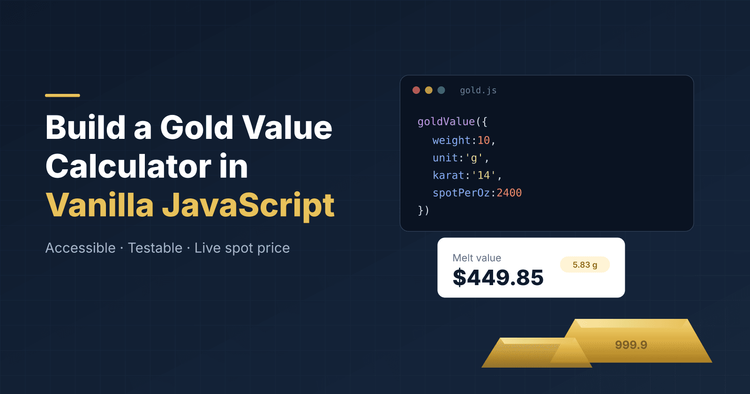
pure gold(g)=weight(g) × puritymelt value = pure gold(g)×(spot price per troy oz ÷ 31.1035)buyer payout = melt value × payout percentageFor example, with gold at $2,400 per troy ounce, 10 grams of 14K gold contains 5.83 grams of pure gold, which is worth $449.85 at melt.
Why melt value is not the price a buyer pays
That $449.85 is the value of the gold content alone. Refiners and buyers pay a percentage of it, because refining, assaying and handling cost money. Depending on the buyer, the item and the market, the payout can sit well below melt value.
That gap is why good production tools separate the two numbers. A dedicated scrap jewelry gold calculator, like the one The Alloy Market offers, lets sellers estimate what their gold is worth from its weight and karat before they send anything in. Our calculator does the same job with a payout field: leave it at 100% to see melt value, or enter a buyer’s rate to see a realistic offer.
Step 1: Write Accessible Form Markup
Start with real form controls and a visible <label> for each one. Placeholder text is not a label: it disappears as soon as the user types, and screen readers handle it inconsistently. The W3C forms tutorial covers the rules in detail.
<formid="gold-calc"class="gold-calc"method="get"novalidate><fieldset><legend>Estimate your gold's value</legend><labelfor="weight">Weight</label><divclass="row"><inputid="weight"name="weight"type="number"inputmode="decimal"min="0"step="0.01"requiredaria-describedby="weight-hint"><selectid="unit"name="unit"aria-label="Weight unit"><optionvalue="g">grams</option><optionvalue="dwt">pennyweight</option><optionvalue="ozt">troy ounces</option></select></div><pid="weight-hint"class="hint">Weigh the metal only. Remove stones if you can.</p><labelfor="karat">Purity</label><selectid="karat"name="karat"><optionvalue="10">10K (41.7%)</option><optionvalue="14"selected>14K (58.3%)</option><optionvalue="18">18K (75%)</option><optionvalue="22">22K (91.7%)</option><optionvalue="24">24K (99.9%)</option></select><labelfor="spot">Gold spot price (USD per troy ounce)</label><inputid="spot"name="spot"type="number"inputmode="decimal"min="0"step="0.01"requiredaria-describedby="spot-note"><pid="spot-note"class="hint"></p><labelfor="payout">Buyer payout (% of melt value)</label><inputid="payout"name="payout"type="number"inputmode="numeric"min="0"max="100"step="1"value="100"><buttontype="submit">Calculate</button></fieldset><outputid="result"for="weight unit karat spot payout"aria-live="polite"></output><pid="error"class="error"role="alert"hidden></p></form><scripttype="module"src="app.js"></script>A few choices here matter more than they look:
inputmode="decimal"shows a number pad with a decimal point on phones. See MDN’s inputmode reference.- The
<output>element (MDN reference) is the semantic home for a calculated result, and itsforattribute ties it to the inputs it depends on. aria-live="polite"tells screen readers to announce the new result after the user pauses, without interrupting them.- The form uses
method="get", so even before any JavaScript runs, submitting it puts every value in the URL. We’ll use that in Step 5.
A little CSS gives touch-friendly controls. Keeping inputs at 16px (1rem) also stops iOS Safari from zooming in when a field gets focus.
.gold-calc{max-width:28rem;}.gold-calc label{display: block;margin-top:1rem;font-weight:600;}.gold-calc input,.gold-calc select{width:100%;min-height:44px;font-size:1rem;}.gold-calc.row{display: flex;gap:0.5rem;}.gold-calc.row select{width: auto;}.gold-calc.hint{margin:0.25rem00;font-size:0.875rem;color:#555;}.gold-calc output{display: block;margin-top:1.25rem;font-size:1.25rem;}.gold-calc.error{color:#b00020;}Step 2: Keep the Math in a Pure Function
The biggest problem with most calculator snippets is that the math is buried inside an event handler, mixed with getElementById calls. You can’t test it, and you can’t reuse it on a server. Put the calculation and validation in their own module instead:
exportconstGRAMS_PER_UNIT={g:1,dwt:1.55517384,ozt:31.1034768};exportconstPURITY={10:0.417,14:0.583,18:0.75,22:0.917,24:0.999};exportfunctiongoldValue({ weight, unit, karat, spotPerOz, payoutPct =100}){const grams = weight *GRAMS_PER_UNIT[unit];const pureGrams = grams *PURITY[karat];const meltValue = pureGrams *(spotPerOz /GRAMS_PER_UNIT.ozt);return{ pureGrams, meltValue,payout: meltValue *(payoutPct /100)};}exportfunctionvalidate({ weight, unit, karat, spotPerOz, payoutPct }){if(!Number.isFinite(weight)|| weight <=0)return'Enter a weight greater than zero.';if(!(unit inGRAMS_PER_UNIT))return'Choose a weight unit.';if(!(karat inPURITY))return'Choose a purity.';if(!Number.isFinite(spotPerOz)|| spotPerOz <=0)return'Enter the current spot price.';if(!Number.isFinite(payoutPct)|| payoutPct <0|| payoutPct >100){return'Payout must be between 0 and 100%.';}returnnull;}Both functions take plain values and return plain values. They don’t know a DOM exists, which means the same file can run in the browser, in Node.js and in your test runner.
Notice that we don’t round inside the calculation. Rounding happens once, at display time. Rounding in the middle of a chain of multiplications is a classic way to end up a few cents off.
Step 3: Update the Result as the User Types
Now connect the form to the module. Listening for the input event on the form itself catches changes from every field, including the dropdowns, so there’s no need to wire up each control separately.
import{ goldValue, validate }from'./gold.js';const form =document.getElementById('gold-calc');const result =document.getElementById('result');const error =document.getElementById('error');const spotNote =document.getElementById('spot-note');const usd =newIntl.NumberFormat('en-US',{style:'currency',currency:'USD'});functionreadInputs(){const data =newFormData(form);return{weight:Number.parseFloat(data.get('weight')),unit: data.get('unit'),karat: data.get('karat'),spotPerOz:Number.parseFloat(data.get('spot')),payoutPct:Number.parseFloat(data.get('payout')),};}functionrender({ showErrors =false}={}){const inputs =readInputs();const problem =validate(inputs);error.hidden=!(problem && showErrors);error.textContent= problem && showErrors ? problem :'';if(problem){result.textContent='';return;}const{ pureGrams, meltValue, payout }=goldValue(inputs);let text =`${pureGrams.toFixed(2)}g of pure gold · melt value${usd.format(meltValue)}`;if(inputs.payoutPct<100) text +=`· estimated payout${usd.format(payout)}`;result.textContent= text;}functionsyncUrl(){const params =newURLSearchParams(newFormData(form));history.replaceState(null,'',`?${params}`);}functionrestoreFromUrl(){const params =newURLSearchParams(location.search);for(const[name, value]of params){if(form.elements[name]) form.elements[name].value= value;}}asyncfunctionloadSpot(){const spot = form.elements.spot;if(spot.value)return;try{const res =awaitfetch('/api/gold-spot');if(!res.ok)return;const{ price, fetchedAt, stale }=await res.json();spot.value= price.toFixed(2);const time =newDate(fetchedAt).toLocaleTimeString();spotNote.textContent=`Spot price as of${time}${stale ?' (delayed)':''}. You can edit it.`;render();}catch{}}form.addEventListener('input',()=>{render();syncUrl();});form.addEventListener('submit',(event)=>{event.preventDefault();render({showErrors:true});syncUrl();});restoreFromUrl();render();loadSpot();With the markup, CSS and script in place, here’s the finished calculator showing our 10 g, 14K example with an 80% buyer payout:
Here’s what this code is doing:
FormDatareads every field by itsname, so adding a field later doesn’t mean touching the reading logic.- Intl.NumberFormat formats currency correctly, including the thousands separator. Swap the locale and currency to serve other markets.
- The result is written with
textContent, notinnerHTML. Nothing here needs HTML, andtextContentcan’t accidentally inject markup. - Errors only appear on submit. While someone is still typing, a half-filled form isn’t an error, so we clear the result quietly instead of announcing “Enter a weight” on every keystroke.
Step 4: Fetch a Live Spot Price from Your Server
Asking users to type the spot price works, but prefilling it is friendlier. Don’t call a metals price API straight from the browser, though. Your API key would be visible to anyone who opens DevTools, and every visitor would spend one of your API calls.
Instead, put a small endpoint in front of your price provider and cache the result. This example uses Express and the fetch built into Node.js 18 and later:
importexpressfrom'express';const app =express();constTTL_MS=5*60*1000;let cache ={price:null,fetchedAt:0};app.get('/api/gold-spot',async(req, res)=>{if(cache.price&&Date.now()- cache.fetchedAt<TTL_MS){return res.json({...cache,stale:false});}try{const upstream =awaitfetch(process.env.METALS_API_URL,{headers:{Authorization:`Bearer${process.env.METALS_API_KEY}`},signal:AbortSignal.timeout(3000),});if(!upstream.ok)thrownewError(`Upstream returned${upstream.status}`);const{ pricePerOz }=await upstream.json();cache ={price: pricePerOz,fetchedAt:Date.now()};res.json({...cache,stale:false});}catch(err){if(cache.price)return res.json({...cache,stale:true});res.status(503).json({error:'Spot price unavailable'});}});app.use(express.static('public'));app.listen(3000);Three things keep this endpoint dependable:
- A short cache. Spot gold moves during the trading day, but a price that’s five minutes old is fine for an estimate, and it keeps you well inside your provider’s rate limits.
- A timeout.
AbortSignal.timeout(3000)stops a slow upstream from hanging your page. - A stale fallback. If the provider is down, the endpoint returns the last good price with
stale: true, and the page says “delayed”. Only if there’s no cached price at all does it return a 503.
On the page, the loadSpot() function from Step 3 fills the field and shows the time of the price. The field stays editable, so a seller who has a quote from a specific buyer can type that instead.
A seller comparing offers might want to send their numbers to a family member, or come back to them tomorrow. Because every input has a name, turning the form into a query string is one line with URLSearchParams.
The syncUrl() function in Step 3 runs on every change and uses history.replaceState instead of pushState, so typing doesn’t fill the back button with dozens of entries. On load, restoreFromUrl() puts the values back. A link like this opens with the form already filled in:
/gold-calculator?weight=10&unit=g&karat=14&spot=2400&payout=80This is also the progressive enhancement story. If JavaScript fails to load, the form still submits as a GET request. Your server can read the same parameters, import the same gold.js and render the result in HTML.
Step 6: Test the Calculation
Because goldValue() is a pure function, testing it needs no browser and no mocks. Node.js ships with a built-in test runner, so there’s nothing to install:
import{ test }from'node:test';importassertfrom'node:assert/strict';import{ goldValue, validate }from'./gold.js';test('10 g of 14K at $2,400 per troy ounce',()=>{const{ pureGrams, meltValue }=goldValue({weight:10,unit:'g',karat:'14',spotPerOz:2400});assert.equal(pureGrams.toFixed(2),'5.83');assert.equal(meltValue.toFixed(2),'449.85');});test('applies the buyer payout percentage',()=>{const{ payout }=goldValue({weight:10,unit:'g',karat:'14',spotPerOz:2400,payoutPct:80});assert.equal(payout.toFixed(2),'359.88');});test('1 troy ounce of 24K tracks the spot price',()=>{const{ meltValue }=goldValue({weight:1,unit:'ozt',karat:'24',spotPerOz:2400});assert.equal(meltValue.toFixed(2),'2397.60');});test('rejects a zero weight',()=>{const inputs ={weight:0,unit:'g',karat:'14',spotPerOz:2400,payoutPct:100};assert.match(validate(inputs),/weight/);});Run it with node --test. (Add "type": "module" to your package.json so Node treats the files as ES modules.) The troy ounce test is the one worth keeping forever: if anyone “simplifies” the conversion later, it fails immediately.
Before You Ship It
A quick checklist for putting this calculator on a real store:
- Show the formula and the spot price timestamp near the result. People trust a number they can check.
- Label the result as an estimate. Actual offers depend on testing the item, and some pieces aren’t the gold they’re stamped as.
- Load
app.jsas a module (modules are deferred by default), so the calculator never blocks page rendering. - Test with a keyboard only, then with VoiceOver or NVDA, and confirm the result is announced after each change.
- If you sell internationally, add grams vs. ounces as a remembered preference and switch the
Intl.NumberFormatcurrency to match.
Wrapping Up
A gold calculator looks like a ten-line script, but the details are what make it useful: converting troy ounces properly, separating melt value from payout, keeping the math testable and making the result accessible and shareable. The same pattern of a pure calculation module, a thin DOM layer and a cached server endpoint works for any calculator where the price depends on several inputs, from shipping estimates to currency conversion.
Frequently Asked Questions
Mathematically, 14K is 14 ÷ 24 = 58.3%. Many manufacturers stamp 14K jewelry “585” and alloy it to that standard, so both numbers are common. Pick one, state it in the dropdown, and use it consistently.
Should the calculator use grams or troy ounces?
Let the user choose. Most people weigh jewelry in grams, but spot prices are quoted per troy ounce, so the calculator should accept either and convert internally.
Can I build this without a server?
Yes. Drop Step 4 and let users type the spot price, or have a scheduled job write the current price into a static JSON file. Everything else runs entirely in the browser.
