



Community Article
Community articles are authored by SitePoint Premium contributors. Content is screened before publication, and SitePoint reserves the right to moderate or remove articles that violate our guidelines. Views expressed are those of the authors and do not necessarily reflect those of SitePoint.
Designing Connected Products That Are Easier to Debug, Repair, and Use
SASaifullah AdenwallaPublished inDesign & UX·Accessibility·Hardware·JavaScript·Python·
October 6, 2026
·Updated:October 6, 2026
The AI briefing for Developers
Stay up to date with AI tools, model releases, and developer workflows that matter.
Weekly. Free. One click to leave.
SitePoint Premium
Stay Relevant and Grow Your Career in Tech
- Premium Results
- Publish articles on SitePoint
- Daily curated jobs
- Learning Paths
- Discounts to dev tools
7 Day Free Trial. Cancel Anytime.
A connected product has two interfaces: the one customers use and the one the development team uses to understand what went wrong.
The first might be a dashboard, a mobile app, or a physical button. The second includes diagnostic logs, test points, firmware identifiers, and recovery controls.
When teams design only the customer interface, problems become difficult to explain. A dashboard says “Offline,” but nobody knows whether the device lost power, disconnected from Wi-Fi, stopped publishing data, or encountered a sensor fault.
Designers and developers can address this together. By treating diagnostics and recovery as part of the product experience, they can build prototypes that are easier to investigate and interfaces that help users take meaningful action.
This guide uses a connected environmental sensor as an illustrative example. The principles also apply to interactive installations, custom controllers, and other products that combine hardware with a web interface.
1. Define What Each Product State Actually Means
Before drawing a dashboard or writing a connection handler, agree on the states the product can report.
A single online flag rarely explains enough. A device may have a working network connection while its sensor has stopped responding.
Separate different aspects of health:
{"deviceId":"sensor-014","firmwareVersion":"1.3.2","lastSeenAt":"2026-10-06T09:00:00Z","sensorStatus":"not_responding","reading":{"value":24.6,"unit":"C","measuredAt":"2026-10-06T08:58:20Z"}}This structure lets the interface distinguish connectivity from measurement health.
| Condition | Useful interface message | Appropriate next step |
|---|---|---|
| Recent heartbeat and valid measurement | Device connected | Continue normal use |
| Recent heartbeat but sensor fault | Device connected; sensor unavailable | Check the sensor connection |
| Old measurement but recent heartbeat | Reading is out of date | Investigate measurement collection |
| No recent heartbeat | Device has not checked in | Check power and connectivity |
| Recovery operation underway | Recovery in progress | Show progress and prevent conflicting actions |
Choose heartbeat and freshness thresholds according to the product’s reporting schedule. A device designed to publish every hour should not appear disconnected after five minutes.
Designers should specify the wording and behavior of each state. Developers should document which evidence produces it.
2. Design Recovery Flows Before the Success Screen
A polished success screen tells you little about how a product behaves during failure.
Prototype the difficult journeys early:
- Initial setup cannot find the device.
- A Wi-Fi password is incorrect.
- A sensor becomes unavailable.
- A command is accepted but never confirmed.
- A firmware update is interrupted.
- A user returns after a long period without data.
For each journey, answer three questions:
- What does the system know?
- What remains uncertain?
- What action can the user take safely?
Consider a configuration change. The server receiving a request does not necessarily mean the device applied it.
Represent the operation with distinct stages:
Requested → Accepted → AppliedAlso provide explicit failure or timeout outcomes.
The interface can say “Change requested” immediately, then “Setting updated” after device confirmation. If confirmation does not arrive, explain the uncertainty instead of presenting success.
Use an operation identifier to connect the original request with its eventual acknowledgement. Otherwise, a delayed acknowledgement could accidentally confirm a newer action.
Diagnostic information becomes more useful when teams agree on its structure.
Start with a compact vocabulary:
const diagnosticCodes ={SENSOR_UNAVAILABLE:"SENSOR_UNAVAILABLE",CONFIGURATION_REJECTED:"CONFIGURATION_REJECTED",DEVICE_RESTARTED:"DEVICE_RESTARTED"};Keep machine-readable codes separate from interface copy. A code provides a stable reference for logs and support tools; its explanation can change or be translated.
- Its trigger.
- Its severity.
- Whether it is recoverable.
- The recommended action.
- Which details ordinary users should see.
For example, a customer might see:
The device is connected, but the sensor is not responding. Check that the sensor cable is securely attached.
An authorized technician might additionally see a diagnostic code, board revision, and firmware version.
This approach extends a design system beyond colors and components. It creates reusable patterns for system behavior. SitePoint’s Design Systems book is useful background for teams building that shared vocabulary.
4. Make Physical Prototypes Observable
Software logs cannot explain every electrical fault.
During prototype reviews, check whether the board provides access to the signals needed for investigation. Depending on the design, useful provisions may include:
- Clearly labeled power and ground test points.
- Documented serial debug access.
- Accessible reset and recovery controls.
- Identifiable board revisions.
- Connectors that can be inspected without damaging the enclosure.
For ESP32-based designs, consult the official Espressif hardware design guidelines for the specific chip and board requirements. espressif.com
Enclosure design matters too. A debug connector that is accessible on an uncovered board may become unreachable after assembly.
Designers and developers should review the assembled prototype together. Check cable access, component clearance, label visibility, and the steps required to inspect or replace a module.
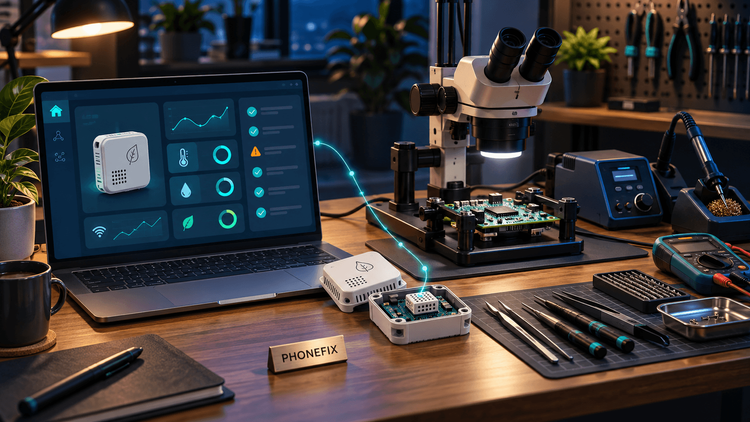
For controlled board modifications, such as attaching a wire to a documented debug pad or replacing an accessible surface-mounted component, a Micro soldering station can be part of the prototyping setup. Choose equipment around the task, alongside magnification, a secure board holder, and suitable inspection tools.
Disconnect power and batteries before rework, follow component-specific assembly guidance, and practice on sacrificial boards first. Repairing a joint should follow diagnosis rather than serve as an experiment on the only working prototype.
5. Present Measurements With Their Context
A large number on a dashboard can look authoritative even when it is old or invalid.
Present the measurement together with its unit, age, and quality:
<section aria-labelledby="temperature-heading"><h2 id="temperature-heading">Temperature</h2><p>24.6 °C</p><p>Last measured 2 minutes ago</p><p id="sensor-status" role="status">Sensor unavailable.Showing the last valid reading.</p></section>For changing status text, an appropriate live region can help assistive technology announce updates without moving keyboard focus. W3C’s guidance on status messages explains the accessibility requirement and relevant techniques. W3C
Avoid announcing every sensor update. Frequent announcements can make the interface difficult to use. Prioritize meaningful changes, such as entering an error state or completing a requested operation.
Do not communicate health through color alone. Pair visual indicators with text, and ensure the interface remains understandable without the colored badge.
SitePoint’s introduction to web accessibility provides additional background for accessible interface design.
6. Build a Simulator Before Depending on Live Hardware
Physical prototypes are valuable, but they are inconvenient for repeatedly testing the same failure.
Create a small simulator that produces controlled scenarios:
const scenarios ={healthy:{connection:"connected",sensor:"ok",reading:24.6},sensorFault:{connection:"connected",sensor:"not_responding",reading:null},disconnected:{connection:"disconnected",sensor:"unknown",reading:null}};Use these fixtures to review interface behavior before the firmware or board is complete.
Extend the simulator to exercise timing:
- A command takes longer than expected.
- A status update arrives twice.
- An old reading arrives after a new one.
- The connection drops during configuration.
- The device restarts while an operation is pending.
Designers can evaluate whether the interface explains these situations. Developers can test whether the application handles them correctly.
SitePoint’s guide to mocking REST APIs with json-server offers a starting point for serving fixtures to a frontend.
A simulator does not replace hardware testing. It makes interface tests reproducible while physical tests investigate electrical and mechanical behavior.
7. Verify Repairs Against the Original User Journey
A successful boot is useful evidence, but it does not prove that the original problem is resolved.
Suppose a prototype lost readings when a cable moved. After repairing the connection, verify the complete journey:
- Power on the device.
- Confirm the expected firmware build.
- Start measurement collection.
- Exercise the original failure condition.
- Check that readings reach the backend.
- Confirm that the dashboard presents current data.
- Repeat recovery and reconnection checks.
Record the setup so another team member can reproduce it. Include the board revision, firmware version, power
Keep conclusions proportional to the evidence. A bench test can show that a specific fault did not recur during the test; it does not establish long-term product reliability.
Finally, feed the findings into the next design revision. A recurring connector fault might require strain relief. Confusing recovery instructions might require better labeling. Missing diagnostics might require a new firmware event.
Conclusion
A connected product’s usability depends on how well it explains and recovers from failure.
Designers contribute clear states, accessible feedback, and understandable recovery journeys. Developers contribute reliable event handling, diagnostic evidence, and reproducible tests. Physical prototyping connects those decisions to the actual device.
When teams design these elements together, users receive more useful guidance, and the people maintaining the product have a clearer path from symptom to solution
