



Tailwind CSS v4 Migration: Decouple Vite and PostCSS Pipelines

SitePoint TeamPublished inHTML & CSS·Web·Design & UX·
September 13, 2026
The AI briefing for Developers
Stay up to date with AI tools, model releases, and developer workflows that matter.
Weekly. Free. One click to leave.
SitePoint Premium
Stay Relevant and Grow Your Career in Tech
- Premium Results
- Publish articles on SitePoint
- Daily curated jobs
- Learning Paths
- Discounts to dev tools
7 Day Free Trial. Cancel Anytime.
Developers upgrading to Tailwind CSS v4 face a structural shift that goes well beyond new utility classes. The framework’s architecture has fundamentally changed: Tailwind CSS v4 ships its own build engine and integrates directly with Vite through a dedicated plugin, eliminating the PostCSS middleware that defined the v3 era. This guide walks through how to surgically decouple Vite and PostCSS pipelines during migration, without breaking production or losing functionality from other PostCSS plugins in the chain.
How to Migrate Tailwind CSS v4 by Decoupling Vite and PostCSS
- Audit your current
postcss.config.jsto inventory every plugin and classify each as Tailwind-specific, Vite-redundant, or independently required. - Install
tailwindcss@4and@tailwindcss/vite, then remove the legacy@tailwindcss/postcssadapter. - Register the
tailwindcss()plugin in yourvite.config.jsplugins array. - Convert your
tailwind.config.jstheme values to CSS@themedirectives in your main stylesheet. - Replace the three
@tailwinddirectives with a single@import "tailwindcss"statement. - Remove the
tailwindcssentry frompostcss.config.js, and delete the file if no plugins remain. - Enable Lightning CSS in Vite to replace
autoprefixerandcssnano, or retain them explicitly. - Verify dev HMR and production builds produce correct output with no duplicate styles or unprocessed directives.
Table of Contents
Prerequisites
You need Node.js 18 or later, which Tailwind CSS v4 requires as a minimum runtime. Vite 4.4+ is also required for Lightning CSS support, though Vite 5+ is recommended. Make sure all changes are committed to version control before beginning any destructive steps like config file deletions. Examples below use npm and pnpm; substitute yarn or bun equivalents as needed.
Note: Code examples show
@vitejs/plugin-reactas the framework plugin. The Tailwind migration steps are framework-agnostic; substitute your framework’s Vite plugin as needed.
Why Your Tailwind v3 Build Pipeline Is Now Technical Debt
How Tailwind v3 Relied on PostCSS as Its Build Engine
In Tailwind CSS v3, the entire framework operated as a PostCSS plugin. The postcss.config.js file served as the central orchestrator, chaining tailwindcss alongside autoprefixer and any other PostCSS plugins the project needed. Vite read this configuration automatically file on every build and every HMR update
A typical v3 setup looked like this:
module.exports={plugins:[require('tailwindcss'),require('autoprefixer'),],};import{ defineConfig }from'vite';importreactfrom'@vitejs/plugin-react';exportdefaultdefineConfig({plugins:[react()],});This architecture worked, but it made PostCSS the bottleneck through which all CSS transformations flowed, including Tailwind’s class scanning and generation.
What Changes in Tailwind CSS v4’s Architecture
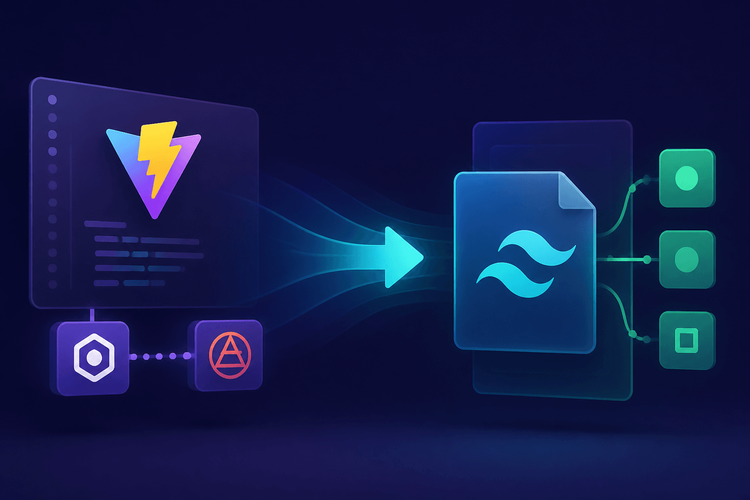
Tailwind CSS v4 introduces a high-performance core rewritten in Rust (referred to as Oxide in early documentation; now integrated directly into the v4 core). You now configure Tailwind in CSS with @theme directives instead of tailwind.config.js. The @tailwindcss/vite plugin integrates Tailwind directly into Vite’s transform pipeline, bypassing PostCSS entirely for Tailwind’s own processing.
If a project installs
@tailwindcss/vitebut leaves thetailwindcssPostCSS plugin inpostcss.config.js, both systems process Tailwind directives. Running both plugins causes longer builds, duplicated CSS output, and conflicts where the PostCSS plugin and the Vite plugin disagree on which utilities to generate.
Here is the critical implication: if a project installs @tailwindcss/vite but leaves the tailwindcss PostCSS plugin in postcss.config.js, both systems process Tailwind directives. Running both plugins causes longer builds, duplicated CSS output, and conflicts where the PostCSS plugin and the Vite plugin disagree on which utilities to generate. One pipeline may generate a utility while the other strips it, resulting in missing or duplicated styles. The two paths must be mutually exclusive.
Pre-Migration Audit: Map Your Current PostCSS Dependencies
Inventory Your PostCSS Plugin Chain
Before removing anything, developers need a complete picture of what their PostCSS configuration actually does. The postcss.config.js (or its variants: postcss.config.cjs, .postcssrc, .postcssrc.json) may contain plugins that have nothing to do with Tailwind but are essential for the project’s CSS.
To inspect the current PostCSS plugin chain, read the config file directly:
cat postcss.config.jsOr programmatically enumerate the plugins (handles both object-export and function-export configs):
node --input-type=module <<'EOF'import { pathToFileURL } from 'url';import { resolve } from 'path';const configPath = resolve('./postcss.config.js');let mod;try {mod = await import(pathToFileURL(configPath).href);} catch (e) {// Fall back to .cjs if .js fails (e.g., ESM project with CJS config)mod = await import(pathToFileURL(resolve('./postcss.config.cjs')).href);}const config = mod.default ?? mod;// Handle both object and function export formsconst resolved = typeof config === 'function' ? config({}) : config;const pluginNames = (Array.isArray(resolved.plugins)? resolved.plugins.map(p => typeof p === 'string' ? p : (p?.postcssPlugin ?? p?.name ?? String(p))): Object.keys(resolved.plugins ?? {}));console.log(JSON.stringify({ plugins: pluginNames }, null, 2));EOFNote: If your project uses
"type": "module"inpackage.json, use a.cjsextension for CommonJS configs or convert to ESM syntax. The enumeration script above handles both formats.
Common plugins in Tailwind v3 projects fall into three categories:
tailwindcss(Tailwind’s own processing, replaced by@tailwindcss/vite)postcss-import(Vite handles@importresolution natively)postcss-nesting(native CSS nesting or Lightning CSS replaces this)
autoprefixer(remove if enabling Lightning CSS; keep otherwise)postcss-preset-env(partially replaced by Lightning CSS, depending on target browsers)cssnano(Vite’s built-in minifier or Lightning CSS handles this for Vite builds)
- Custom or organization-specific plugins with no Vite-native equivalent
The goal is to classify each plugin: is it Tailwind-specific, is it redundant with Vite’s native capabilities, or is it independently necessary?
Determine Which Plugins Vite Already Handles Natively
Vite provides built-in support for CSS imports, modules, vendor prefixing, and nesting, all of which PostCSS plugins historically handled. CSS @import resolution is native to Vite’s CSS processing pipeline (Vite 3.0+ for standard @import paths). If your project imports CSS from node_modules using bare specifiers (e.g., @import 'some-package/styles.css'), verify resolution works before removing postcss-import. CSS modules work out of the box with .module.css file naming. And as of Vite 4.4+, you can enable Lightning CSS as an alternative CSS transformer, providing vendor prefixing, CSS nesting, and minification without PostCSS.
Plugins like postcss-import and postcss-nesting are redundant in a Vite project when you use standard import paths and target browsers with native nesting support (Chrome 112+, Firefox 117+, Safari 16.5+). If your browser targets include older versions, keep postcss-nesting until you can narrow the support matrix. autoprefixer becomes unnecessary if Lightning CSS is enabled, since Lightning CSS handles vendor prefixes as part of its lowering step.
Interactive Migration Matrix
The following matrix covers the most common PostCSS plugins found in Tailwind projects. For each, it identifies whether Vite handles the functionality natively and what action to take during migration:
| PostCSS Plugin | Purpose | Vite Native Equivalent | Action |
|---|---|---|---|
tailwindcss | Utility class generation | @tailwindcss/vite plugin | Remove from PostCSS |
autoprefixer | Vendor prefixing | Lightning CSS (optional) | Remove if using Lightning CSS; otherwise Keep |
postcss-import | @import resolution | Vite built-in (Vite 3.0+, standard paths) | Remove (verify node_modules imports still resolve) |
postcss-nesting | CSS nesting syntax | Native CSS nesting / Lightning CSS | Remove (after verifying browser targets) |
postcss-preset-env | Modern CSS polyfills | Lightning CSS (partial) | Replace or Keep depending on target browsers |
cssnano | CSS minification | Vite built-in (esbuild CSS minifier) / Lightning CSS | Remove for Vite builds; Keep for non-Vite pipelines. Note: esbuild CSS minification covers whitespace and basic compression; advanced cssnano transformations (e.g., calc() reduction, z-index normalization) are not replicated. Retain cssnano if you rely on these. |
postcss-custom-properties | CSS variable fallbacks | Native browser support | Remove (unless supporting IE11) |
postcss-flexbugs-fixes | Flexbox bug workarounds | Largely obsolete | Remove |
| Custom plugins | Project-specific transforms | No equivalent | Keep and scope carefully |
Step-by-Step: Decouple Vite from PostCSS for Tailwind
Step 1: Install the Tailwind CSS v4 Vite Plugin
Begin by installing the v4 packages and removing the v3 PostCSS integration:
npminstall tailwindcss@4 @tailwindcss/vitenpm uninstall @tailwindcss/postcssnpmls tailwindcssIf @tailwindcss/postcss (the v4 PostCSS adapter, used for non-Vite pipelines) is also present, the command above already removes it. If it was not installed, the uninstall is a harmless no-op.
pnpmadd tailwindcss@4 @tailwindcss/vitepnpm remove @tailwindcss/postcsspnpmls tailwindcssThen update vite.config.js to register the new plugin:
import{ defineConfig }from'vite';importreactfrom'@vitejs/plugin-react';importtailwindcssfrom'@tailwindcss/vite';exportdefaultdefineConfig({plugins:[react(),tailwindcss(),],});The @tailwindcss/vite plugin hooks directly into Vite’s transform pipeline. It does not read postcss.config.js for Tailwind processing.
Step 2: Convert tailwind.config.js to Native CSS @theme
Tailwind v4 replaces JavaScript-based configuration with CSS @theme directives. Custom theme values that previously lived in tailwind.config.js move into the main stylesheet.
module.exports={theme:{extend:{colors:{brand:'#3b82f6',surface:'#f8fafc',},fontFamily:{heading:['Inter','sans-serif'],},screens:{'3xl':'1920px',},},},};@import"tailwindcss";@theme{--color-brand:#3b82f6;--color-surface:#f8fafc;--font-heading:'Inter', sans-serif;--breakpoint-3xl:1920px;}Note the naming conventions: colors use --color-*, font families use --font-*, and breakpoints use --breakpoint-*. These map directly to utility classes like bg-brand, font-heading, and 3xl:grid-cols-4.
Step 3: Replace @tailwind Directives with CSS @import
The v3 directives @tailwind base, @tailwind components, and @tailwind utilities are replaced by a single import.
@tailwind base;@tailwind components;@tailwind utilities;@import"tailwindcss";That single @import statement loads all of Tailwind’s layers. The @tailwindcss/vite plugin intercepts this import and handles it within Vite’s pipeline.
If your project uses @layer components for custom component styles, these continue to work in v4. Declare @layer components blocks directly in your CSS after the @import "tailwindcss" line:
@import"tailwindcss";@theme{--color-brand:#3b82f6;--color-surface:#f8fafc;--font-heading:'Inter', sans-serif;--breakpoint-3xl:1920px;}@layer components{.btn-primary{@apply rounded bg-brand px-4 py-2 text-white;}}Step 4: Strip Tailwind from postcss.config.js
Remove the tailwindcss plugin entry from postcss.config.js. If autoprefixer is the only remaining plugin and Lightning CSS is being enabled in Vite, remove that too.
If no plugins remain after removal, delete the file entirely:
rm postcss.config.jsdel postcss.config.jsVite will skip PostCSS processing entirely when no config file is present, which is the desired state.
To enable Lightning CSS as the replacement for autoprefixer and minification, first install the required peer dependency:
npminstall --save-dev lightningcssimport{ defineConfig }from'vite';importreactfrom'@vitejs/plugin-react';importtailwindcssfrom'@tailwindcss/vite';importbrowserslistfrom'browserslist';import{ browserslistToTargets }from'lightningcss';exportdefaultdefineConfig({plugins:[react(),tailwindcss()],css:{transformer:'lightningcss',lightningcss:{targets:browserslistToTargets(browserslist()),},},build:{cssMinify:'lightningcss',},});Note: The
browserslistandlightningcsspackages must both be installed:npm install --save-dev lightningcss browserslist. ThebrowserslistToTargetscall reads your.browserslistrcorpackage.json"browserslist"field to ensure vendor prefixes target the correct browsers.
Step 5: Handle Remaining PostCSS Plugins Independently
Some projects have PostCSS plugins that serve purposes unrelated to Tailwind. These need to stay, but they must be scoped so they do not interfere with Tailwind’s Vite pipeline.
module.exports={plugins:[require('postcss-custom-media'),require('postcss-preset-env')({stage:2}),],};Note: If your project uses "type": "module" in package.json, you must use the .cjs extension for CommonJS syntax (postcss.config.cjs). Alternatively, use ESM syntax in postcss.config.js:
exportdefault{plugins:[(awaitimport('postcss-custom-media')).default,(awaitimport('postcss-preset-env')).default({stage:2}),],};Because @tailwindcss/vite operates outside the PostCSS pipeline, Vite routes Tailwind-imported CSS through the Vite plugin, not through PostCSS. These remaining plugins will only process non-Tailwind CSS. There is no conflict as long as the tailwindcss PostCSS plugin is not present.
Verify the Decoupled Pipeline
Run the Dev Server and Inspect Output
Start the dev server and watch for clean initialization:
npx viteKey indicators of a healthy setup: no warnings about PostCSS plugin conflicts, no “double processing” messages, and HMR updates that reflect Tailwind utility class changes quickly. The exact log format may differ by Vite and plugin version; what matters is the absence of PostCSS conflict warnings. If adding a class like bg-brand to a component triggers an instant style update without a full page reload, the Vite plugin is working correctly.
Validate the Production Build
Run the production build and inspect output:
npx vite buildConfirm no v3 artifacts remain and that the build is healthy (replace dist/ with your configured build.outDir if different):
grep-r"@tailwindb" dist/ &&echo"WARNING: unprocessed v3 directives found"||echo"OK: no @tailwind directives"find dist/ -name"*.css"-execwc-c{} + |sort-rn|head-5grep-r"bg-brand|--color-brand|#3b82f6" dist/ &&echo"OK: custom theme tokens present"||echo"WARNING: custom theme tokens missing — @theme may not have been processed"The output CSS should contain only the utilities actually used in the project. Tailwind’s Oxide engine tree-shakes at scan time, not through PostCSS purging.
Common Errors and Fixes
| Error | Cause | Fix |
|---|---|---|
Cannot apply unknown utility class | @theme variable name doesn’t follow v4 naming convention | Use --color-*, --font-*, --breakpoint-* prefixes |
@theme is not a recognized at-rule | PostCSS is still processing Tailwind files | Remove tailwindcss from postcss.config.js |
| Duplicate styles in output | Both @tailwindcss/vite and PostCSS plugin active | Ensure only one pipeline processes Tailwind |
@import "tailwindcss" not resolved | @tailwindcss/vite not registered in vite.config.js | Add tailwindcss() to the plugins array |
| Vendor prefixes missing in production | autoprefixer removed but Lightning CSS not enabled | Enable css.transformer: 'lightningcss' in Vite config and install lightningcss |
Cannot find module 'lightningcss' | Peer dependency not installed | Run npm install --save-dev lightningcss |
ERR_REQUIRE_ESM loading PostCSS config | postcss.config.js uses module.exports in an ESM project | Rename to postcss.config.cjs or convert to ESM export default syntax |
PostCSS Cleanup Checklist
Copy this checklist and work through it sequentially after completing the migration steps above. Ensure all changes are committed to version control before performing any destructive steps (file deletions).
- Installed
tailwindcssv4 and@tailwindcss/vite - Removed
@tailwindcss/postcssif present (npm uninstall @tailwindcss/postcss) - Added
tailwindcss()tovite.config.jsplugins array - Converted
tailwind.config.jstheme values to CSS@themedirectives - Replaced
@tailwind base/components/utilitieswith@import "tailwindcss" - Preserved
@layer componentsblocks (if used) after the@import "tailwindcss"line (order matters; see Step 3) - Removed
tailwindcssentry frompostcss.config.js - Evaluated
autoprefixernecessity and enabled Lightning CSS if replacing it (includingnpm install --save-dev lightningcss browserslistand explicittargetsinvite.config.js) - Removed or retained remaining PostCSS plugins with documented rationale for each
- If retaining PostCSS plugins: converted
pluginsconfig to array form (not object shorthand) for guaranteed execution order - If retaining PostCSS config in an ESM project: used
.cjsextension or ESMexport defaultsyntax - Committed all changes to version control, then deleted
tailwind.config.jsonly after confirmingnpx vite buildsucceeds (if fully migrated to@theme) - Deleted
postcss.config.js(if no plugins remain) - Verified dev server HMR responds to Tailwind utility class changes
- Verified production build output contains no v3 artifacts and custom theme tokens are present
- Verified
npm ls tailwindcssshows v4.x.y - Updated CI/CD scripts to remove PostCSS-specific flags or environment variables
Performance Gains and Why This Matters Long-Term
Build Speed Benchmarks
Tailwind CSS v4’s Oxide engine, written in Rust, eliminates the PostCSS serialization/deserialization overhead and runs class scanning and CSS generation in compiled Rust rather than interpreted JavaScript. According to the Tailwind CSS v4.0 announcement, Tailwind Labs reports that full builds run up to 10x faster and incremental rebuilds (the kind that drive HMR) up to 100x faster compared to v3. These numbers come from Tailwind Labs’ own benchmarks; gains on your project will depend on template count, total file size, and hardware.
Future-Proofing Your CSS Toolchain
All evergreen browsers now support CSS @layer. Native CSS nesting ships in Chrome 112+, Firefox 117+, and Safari 16.5+; verify your project’s browser support matrix before removing postcss-nesting. color-mix() and other modern functions reduce the need for preprocessor transformations (check browser support for color-mix() against your targets). Lightning CSS adoption in Vite, esbuild’s continued development, and the shift toward Rust-based tooling all point in the same direction: PostCSS as an optional escape hatch rather than a required layer.
A Cleaner Stack, One Config at a Time
The core principle behind this migration is straightforward: remove the intermediary and let each tool own its layer. Vite handles module bundling and dev serving, Tailwind’s Oxide engine handles utility CSS generation, and Lightning CSS handles lowering and prefixing. PostCSS stays only if a project has genuinely irreplaceable plugins.
Consult the official Tailwind CSS v4 upgrade guide for edge cases specific to plugin compatibility and content detection changes.
Sharing our passion for building incredible internet things.
