



Community Article
Community articles are authored by SitePoint Premium contributors. Content is screened before publication, and SitePoint reserves the right to moderate or remove articles that violate our guidelines. Views expressed are those of the authors and do not necessarily reflect those of SitePoint.
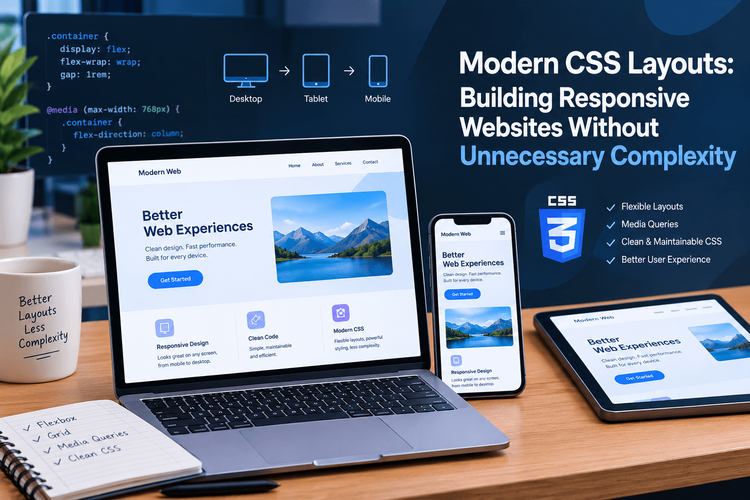
Modern CSS Layouts: Building Responsive Websites Without Unnecessary Complexity
BUBusinessnewsbreak USAPublished inWeb·HTML & CSS·
October 12, 2026
·Updated:October 13, 2026
The AI briefing for Developers
Stay up to date with AI tools, model releases, and developer workflows that matter.
Weekly. Free. One click to leave.
SitePoint Premium
Stay Relevant and Grow Your Career in Tech
- Premium Results
- Publish articles on SitePoint
- Daily curated jobs
- Learning Paths
- Discounts to dev tools
7 Day Free Trial. Cancel Anytime.
Responsive web design has become a fundamental part of modern web development. Websites must work across a wide range of screen sizes, from compact mobile devices to large desktop displays, while remaining readable, accessible, and easy to navigate.
CSS provides powerful layout tools for meeting these requirements. Flexbox, Grid, container queries, and responsive sizing functions allow developers to build adaptable interfaces without relying on excessive media queries or complicated JavaScript calculations.
However, using these features effectively requires more than knowing their syntax. Developers need to understand how layout decisions affect content, maintainability, and user experience.
This article explores practical CSS techniques for building responsive websites, with examples that demonstrate how modern layout features can simplify everyday development tasks.
1. Start With a Content-First Layout
A common responsive design mistake is to begin with fixed dimensions and then add multiple media queries to correct the layout on smaller screens.
For example, a container with a fixed width of 1,200 pixels may overflow on a narrow device. Developers can introduce several breakpoints to compensate, but this often creates unnecessary complexity.
A more flexible approach is to define a maximum width while allowing the container to shrink naturally.
.page-container{width:min(100%-2rem,75rem);margin-inline: auto;}The min() function selects the smaller of the available width and the specified maximum. This allows the container to maintain comfortable spacing on small screens without becoming excessively wide on large displays.
The margin-inline: auto declaration centers the container horizontally in common left-to-right layouts while respecting writing direction.
This pattern works well for article pages, documentation, product listings, and other content-driven interfaces.
A content-first approach also encourages developers to choose breakpoints based on when the layout stops working well, rather than targeting a fixed list of popular devices.
2. Use Flexbox for One-Dimensional Layouts
Flexbox is particularly useful when elements need to be arranged in a row or column and distributed according to the available space.
Navigation bars, button groups, toolbars, and simple content headers are common examples.
Consider a website header containing a logo and a navigation menu:
<headerclass="site-header"><aclass="site-logo"href="/">DevSpace</a><navaria-label="Main navigation"><ulclass="site-nav"><li><ahref="/articles">Articles</a></li><li><ahref="/tutorials">Tutorials</a></li><li><ahref="/about">About</a></li></ul></nav></header>The layout can be implemented with a small amount of CSS:
.site-header{display: flex;align-items: center;justify-content: space-between;gap:1.5rem;padding:1rem;}.site-nav{display: flex;flex-wrap: wrap;gap:1rem;margin:0;padding:0;list-style: none;}.site-nav a{display: inline-block;padding:0.5rem;}The justify-content property distributes space between the logo and navigation, while align-items aligns them along the cross axis.
Using flex-wrap: wrap allows navigation items to move onto another line when space becomes limited. This can be useful for simple navigation menus, although more complex headers may need a dedicated mobile navigation pattern.
The important principle is to use Flexbox when the primary layout concern is arranging elements along one dimension. When both rows and columns need coordinated control, CSS Grid may be a better choice.
3. Build Adaptive Card Layouts With CSS Grid
Card layouts appear throughout modern websites, including blog archives, product catalogs, portfolios, and re
A traditional approach defines separate column counts for different screen widths. Although media queries remain useful, Grid can often handle simple responsive card collections without explicit breakpoints.
<sectionclass="resource-grid"aria-label="Development resources"><articleclass="resource-card"><h2>HTML Fundamentals</h2><p>Learn how semantic markup structures web content.</p></article><articleclass="resource-card"><h2>Modern CSS</h2><p>Explore flexible layouts and responsive styling.</p></article><articleclass="resource-card"><h2>JavaScript Essentials</h2><p>Understand events, functions, and application logic.</p></article></section>.resource-grid{display: grid;grid-template-columns:repeat(auto-fit,minmax(min(100%,16rem),1fr));gap:1.25rem;}.resource-card{padding:1.5rem;border:1px solid #d7dce2;border-radius:0.75rem;background:#fff;}.resource-card h2{margin-top:0;font-size:1.25rem;}The combination of auto-fit and minmax() allows the browser to determine how many columns fit into the available space. Each card attempts to maintain a useful minimum width, then expands to fill its share of the row.
The nested min() function prevents the minimum column width from exceeding the entire available container width. This helps avoid overflow when the grid is narrower than the preferred card size.
This technique reduces the need for several device-specific breakpoints and works particularly well when the cards are independent items rather than parts of a rigid editorial grid.
Developers should still inspect the layout at narrow widths and high zoom levels. A responsive grid should preserve readable text and usable spacing instead of forcing every card into a predetermined arrangement.
4. Make Typography Responsive Without Excessive Breakpoints
Typography affects both readability and the overall visual hierarchy of a page. A heading that looks balanced on a desktop screen may become too large on a mobile device or too small on a wide display.
CSS provides the clamp() function to define a preferred value within minimum and maximum limits.
.page-title{font-size:clamp(2rem,1.25rem+2.5vw,3.5rem);line-height:1.15;max-width:18ch;}.article-content{max-width:70ch;margin-inline: auto;line-height:1.7;}The heading grows with the viewport but cannot fall below 2rem or exceed 3.5rem. The ch unit provides a useful approximate character-based measure for controlling line length.
For long-form content, limiting line length can make paragraphs easier to follow. However, the ideal measure depends on font size, font design, language, and user preferences.
Responsive typography should also respect browser zoom and user-defined text sizing. Avoid fixed-height containers around text, because enlarged text or translated content may require additional vertical space.
The objective is not to make every text element scale continuously. Instead, use fluid sizing where it improves the experience and maintain clear minimum and maximum values.
5. Use Container Queries for Component-Level Responsiveness
Traditional media queries respond to characteristics of the viewport, such as its width. This works well for page-level layouts, but reusable components may appear in containers of very different sizes.
For example, a product card might occupy half a desktop page in one context and a narrow sidebar in another. Its ideal layout depends on the space available to the component, not necessarily the overall screen width.
CSS container queries address this problem.
.product-list{container-type: inline-size;}.product-card{display: grid;grid-template-columns:1fr;gap:1rem;}@container(min-width:36rem){.product-card{grid-template-columns:10remminmax(0,1fr);align-items: start;}}Here, .product-list establishes an inline-size query container. When that container reaches the specified width, its product cards switch to a two-column layout.
The minmax(0, 1fr) definition allows the flexible column to shrink instead of being forced wider by certain types of content.
Container queries make reusable components easier to adapt across page layouts. They are particularly valuable in design systems, dashboards, editorial platforms, and component-based front-end applications.
When using container queries, developers should test components in both narrow and wide contexts. The query threshold should reflect the component’s actual content requirements rather than an arbitrary device category.
6. Create Accessible Interactive States
Responsive layouts must remain usable for people who navigate with a keyboard, use assistive technologies, or need stronger visual indicators.
Interactive elements should have clear focus styles, adequate contrast, and meaningful labels.
a,button{transition: background-color 150ms ease;}a:focus-visible,button:focus-visible{outline:3px solid #2457d6;outline-offset:3px;}@media(prefers-reduced-motion: reduce){*,*::before,*::after{scroll-behavior: auto !important;animation-duration:0.01ms!important;animation-iteration-count:1!important;transition-duration:0.01ms!important;}}The :focus-visible selector provides a clear focus indicator for keyboard navigation. The reduced-motion media query limits motion effects for users who have requested reduced animation.
The example is a broad starting point; complex animations may require more targeted alternatives rather than simply shortening their duration.
Developers should also verify that hover is not the only way to reveal important information. Touchscreen users may not have a conventional hover interaction, and keyboard users need equivalent access to interactive features.
Accessibility is most effective when it is considered during layout and interaction design instead of being treated as a final styling adjustment.
7. Test Layouts Based on Content, Not Just Device Sizes
Responsive design cannot be fully evaluated by checking a page at a few familiar screen widths.
Real websites contain different types of content, including long headings, translated text, unusually large images, and user-generated information. These variations can expose problems that a standard test page may not reveal.
A practical testing process should include the following checks:
Resize the viewport gradually and observe where the layout begins to break down.
Test narrow widths and browser zoom without losing access to content or controls.
Check long words, large headings, and navigation labels for unexpected overflow.
Verify that images retain appropriate proportions and do not exceed their containers.
Navigate through interactive elements using only a keyboard.
Test components in different container sizes when using container queries.
Check contrast and reduced-motion behavior where relevant.
Browser developer tools can help identify overflow, inspect computed styles, and test responsive conditions. Automated accessibility and visual regression tools can also support ongoing quality checks.
However, automated tests cannot fully replace human evaluation. A page may technically fit within the viewport while still presenting confusing navigation or difficult-to-read content.
The strongest responsive layouts combine CSS capabilities with realistic content and deliberate testing.
Conclusion
Modern CSS makes responsive web development more flexible than ever. Flexbox simplifies one-dimensional arrangements, Grid creates adaptive two-dimensional layouts, fluid sizing supports readable typography, and container queries allow components to respond to their immediate environment.
These features are most effective when developers choose them according to the layout problem rather than applying every available technique to every component.
A content-first approach, clear component boundaries, accessible interaction states, and systematic testing can reduce unnecessary CSS while improving the experience across devices.
Responsive design is not simply about making a desktop layout fit a smaller screen. It is about creating interfaces that adapt naturally to their content, environment, and users.
