



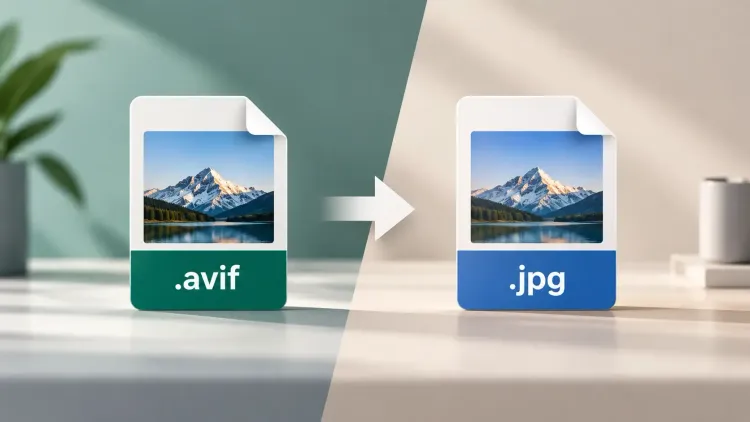
Serving AVIF, Working in JPG: A Developer’s Guide to Living Between Image Formats

SitePoint SponsorsPublished inPerformance·Web·Best Practices·
September 14, 2026
The AI briefing for Developers
Stay up to date with AI tools, model releases, and developer workflows that matter.
Weekly. Free. One click to leave.
SitePoint Premium
Stay Relevant and Grow Your Career in Tech
- Premium Results
- Publish articles on SitePoint
- Daily curated jobs
- Learning Paths
- Discounts to dev tools
7 Day Free Trial. Cancel Anytime.
Web developers currently inhabit two image-format eras at once. On the serving side, modern formats like AVIF are a straightforward win: dramatically smaller files at equivalent quality, broad browser support, and real improvements to Core Web Vitals with almost no downside. On the working side, the ecosystem lags: design tools, QA utilities, CMS plugins, email clients, stakeholder laptops, and half the SaaS platforms a project touches still expect the classics. The result is a daily, low-grade friction that nobody scopes: the site correctly serves AVIF, someone saves an image from it, and the file bounces off the next tool in the chain. Handling this gracefully is a small competency, but it is one that separates smooth teams from teams that keep losing twenty minutes at a time.
The serving side: ship modern formats without fear
Delivering next-generation formats to browsers is a solved problem, and the solution is progressive enhancement baked into HTML itself. The picture element, specified in the WHATWG HTML standard, exists precisely to let a user agent choose among sources by format support, media conditions, and resolution, falling back to the plain img element when nothing better matches. In practice that means listing an AVIF source first, a WebP source second, and a JPG fallback last, and letting each browser take the best format it understands. Add a CDN or image service that negotiates formats automatically via the Accept header and most projects never hand-manage this at all: the origin stores one master, and the edge serves whatever each visitor’s browser prefers. There is no compatibility argument left against serving AVIF; the fallback machinery is standardized, mature, and free.
The working side: where the newer format bites back
The friction lives everywhere except the browser. Content editors save an image from the staging site to tweak a crop, and their editor of choice shrugs at the extension. A QA engineer attaches a saved image to a bug tracker that renders it as a broken paperclip. Marketing pulls product imagery from the live site into an email tool that refuses the upload. A client’s CMS, built in a previous geological era, accepts three formats and AVIF is not among them. None of these are browser problems, so none of them are solved by the picture element; they are working-copy problems, and they multiply with every non-developer who touches the project’s imagery.
The bridge: convert at the point of friction
The pragmatic answer is to make conversion so cheap that format mismatches stop being events. For the everyday case, a browser tool does it: running files through an AVIF to JPG converter such as Cloudinary’s free one takes a drag, a drop, and a download, handles batches, preserves visual quality, and installs nothing, which makes it usable on locked-down corporate machines and shareable as a link in the team wiki when a stakeholder hits the problem at 6 p.m. For recurring cases, the same conversion belongs in automation, whether through an image service’s API or a build step, so that, for example, every asset entering the documentation pipeline is normalized without anyone thinking about it. The principle either way: the person who encounters the friction should be able to resolve it in under a minute, without filing a ticket.
Choosing the right target format, quickly
Down-converting to JPG is the common case but not the universal one, and a three-line decision rule covers nearly everything. JPG for photographic content headed to tools, platforms, or people whose format support you cannot verify; it is the universal passport and the correct default for email, decks, tickets, and third-party uploads. PNG when the image is UI, text, or line art, where lossy compression smears edges, or when transparency must survive the trip. Keep the AVIF original whenever the destination is a modern pipeline you control, because it is the smallest faithful copy and the best master for future exports. The mistake to avoid is renaming: changing .avif to .jpg converts nothing and creates a file that lies about itself, which produces exactly the confusing, intermittent failures that eat an afternoon.
A format policy that fits in a README
Teams stop relitigating formats by writing the policy down once. A serviceable version fits in five lines: masters live in the asset repository exactly as sourced; the site serves negotiated formats via the image pipeline; anything leaving the pipeline for human tools defaults to JPG or PNG per the rule above; the conversion bookmark lives at this URL; and extensions are never edited by hand. Add a line about where store-bound and email-bound assets live, and onboarding a new content editor no longer includes the ritual discovery of the AVIF problem. Like linting rules and commit conventions, the value is not that the policy is clever; it is that it ends the conversation.
Friction now, invisible later
Every format transition in web history has followed the same arc: the new format wins on merit, serving infrastructure adopts it early, the long tail of tooling follows years later, and developers bridge the gap in the meantime. GIF to PNG walked this road, JPG to WebP walked it, and AVIF is mid-journey now. The bridge period rewards exactly two things: shipping the modern format to users, because the performance win is real, and keeping a frictionless conversion path for the humans and tools still living in the previous era. Do both and the format wars become somebody else’s problem, which is precisely where infrastructure debates belong.
Sponsored posts are provided by our content partners. Thank you for supporting the partners who make SitePoint possible.
