



Community Article
Community articles are authored by SitePoint Premium contributors. Content is screened before publication, and SitePoint reserves the right to moderate or remove articles that violate our guidelines. Views expressed are those of the authors and do not necessarily reflect those of SitePoint.
AI Testing Tools: Benefits, Limitations, and Best Practices
DJDiv JohnPublished inBest Practices·Developer Tools·
October 29, 2026
·Updated:October 29, 2026
The AI briefing for Developers
Stay up to date with AI tools, model releases, and developer workflows that matter.
Weekly. Free. One click to leave.
SitePoint Premium
Stay Relevant and Grow Your Career in Tech
- Premium Results
- Publish articles on SitePoint
- Daily curated jobs
- Learning Paths
- Discounts to dev tools
7 Day Free Trial. Cancel Anytime.
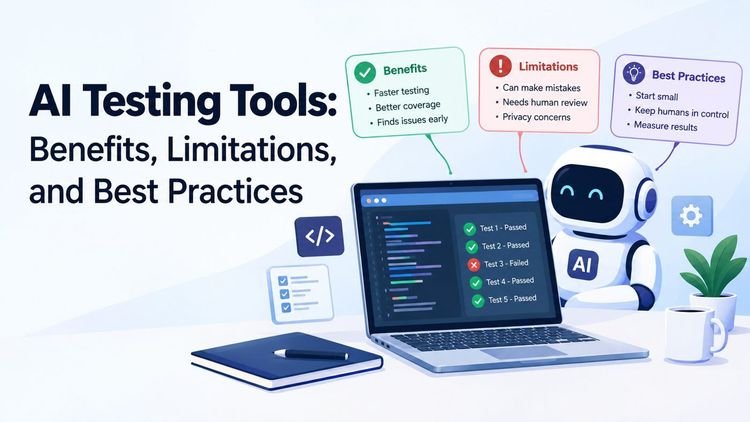
Every vendor says the same thing: buy our AI, and testing gets easy. Don’t believe it. AI testing tools do help, though. Some teams save real hours with them, while others waste a quarter and a budget. The difference usually comes down to how they start.
What AI testing tools actually do
They support your QA team by writing test cases, running them, spotting failures and suggesting repairs. Some tools read a requirements document. Others watch real users click around and then replay what they did. Playwright, for instance, now ships built-in test agents: a planner that explores your app and writes a test plan, a generator that turns the plan into test files, and a healer that runs the suite and tries to repair failing tests.
Old-school automation needs a person to write every script. Then a developer moves one button and the whole thing falls over. Somebody loses a morning to repairs, and QA engineers hate that part of the job.
The jobs AI handles well
- Repairs. A developer renames a field, and a normal script just fails. A self-healing tool notices the change and adjusts, so you never see the false alarm. Flaky and broken tests are a long-standing cost for large codebases; Google’s testing team has written about flaky tests and how they mitigate them.
- First drafts. Type a feature description in plain English and you get a set of test cases back. Some are weak and some are great, but you are editing rather than starting from zero.
- Visual checks. A logo slips ten pixels, or an image does not load. You would miss that on screen forty, and the tool will not.
- Test prioritization. Picture a suite of 5,000 tests that takes six hours. A tool can look at what code changed and run the likeliest troublemakers first, giving you a rough answer in twenty minutes while the full suite runs overnight.
Where it falls apart
Quality is the big worry. Generated tests can look clever and prove nothing. A tool might confirm that a checkout page opens and then mark checkout as covered, but opening a page is not testing it. Even Playwright’s documentation says generated tests may contain initial errors and that you should review what the healer changes before accepting it. A person has to read the output every time.
Business logic is the next problem. The tool has no idea that your refund window dropped from 30 days to 14, and it cannot feel that a signup form is confusing. Intent lives in people’s heads.
Privacy matters more than most teams admit. Some AI tools send your test data, and sometimes your stored or whether it is used to train models. Read the vendor’s privacy policy and data-processing terms before you connect the tool to a real codebase, and use synthetic or anonymized test data wherever you can. The NIST AI Risk Management Framework is a useful voluntary checklist for thinking through these risks
Coverage numbers can mislead. A dashboard says 90%, and the room relaxes. Meanwhile, the odd edge cases nobody thought of sit untouched. Bugs do not read dashboards.
Starting small
- Pick one pain point. Maybe your regression run takes forever, or two days of every sprint go to fixing broken scripts. Choose the one that annoys your team most.
- Run a pilot. Use one team and one product area for about a month. Set targets before you begin (hours saved, bugs found, false alarms) and write them down. Skip this step and you will judge the tool by whichever demo impressed you most.
- Keep your testers in charge. The AI drafts; testers review, edit and decide what joins the main suite. They also own the strategy. If the tool starts running the show, something has gone wrong.
- Check integrations. Good tools talk to GitHub, GitLab, Jenkins and Jira. A tool that forces a new workflow on you is not worth the trouble.
Picking a tool
Check fit first. Does it cover web, mobile and API tests, and does it work with your stack? Ask before any sales call, not after. Then test its honesty: when something fails, a good tool tells you why. A vague red mark costs your team time because nobody can verify it. Read the pricing page slowly, too, since some vendors charge per seat and some per test run.
Finally, throw your ugliest feature at it. Demos use tidy little apps, but your product has pop-ups, slow pages and odd corners. Watch how the tool handles those.
Mistakes teams keep making
Expecting instant results. People switch the tool on and wait for magic. What they get is noisy reports and grumpy engineers. Some managers even cut QA headcount right away, which is a bad idea: somebody has to tune the tool and handle the cases it cannot. Good testers become more valuable, not less.
Skipping training. Your team needs to learn how the tool behaves. Two short workshops and a shared doc go a long way.
Trusting machine-written text without a second look. AI tools now draft test descriptions, bug reports and release notes too. If your team wants to know how much of a document was machine-generated, an AI-content checker such as ZeroGPT can give a rough signal. Treat the result as a hint rather than proof, because such detectors make mistakes and publish their own accuracy claims.
What’s next
Agents are the obvious next step. Instead of running fixed scripts, they poke around your app like a curious user, clicking, typing and reporting anything strange. Early versions already exist, and they are rough but improving.
Editors will change as well. Your code editor may soon suggest a test the moment you finish a function, and some bug reports may arrive with a fix attached. The wall between development and QA is getting thin.
So, should you use it?
Yes, but carefully. AI testing tools will not replace your QA team. They take the boring work off testers’ hands and spot patterns people might miss, but they still need a human to say “that result is wrong.” Start small, measure what happens and keep your testers close to the tool. Do that, and you will ship faster without losing control.
