




Unplugging your PC during a blackout might be exactly what saves it.
Power outages don’t usually come with a schedule. And when one hits, most people focus on finding the nearest flashlight rather than thinking about their electronics. But if your PC is still plugged into the wall when the lights come back, it could be in danger.
Many assume that a PC (unwillingly) shutting down is enough to keep it safe during an outage, but it isn’t. Even a powered-off computer remains connected to your home’s electrical wiring, and that connection is exactly how damage occurs. PCs are particularly vulnerable, since components like the motherboard, RAM and SSD are built with delicate circuits that are sensitive to unexpected voltage spikes.
The scale of risk is worth understanding. When power cuts unexpectedly, whether due to grid overload, equipment failure or a tripped breaker, the electrical system doesn’t simply go quiet. Voltage can fluctuate sharply in the moments before and after an outage, and the surge that arrives when power is restored is often more damaging than the outage itself. Standard household circuits in the US operate at 120 volts; even moderate spikes above those levels are enough to permanently damage sensitive computer components.
Understanding how to protect your setup can save you from costly repairs, loss of data and the headache of tracking down replacement parts.
Turning off your PC isn’t enough
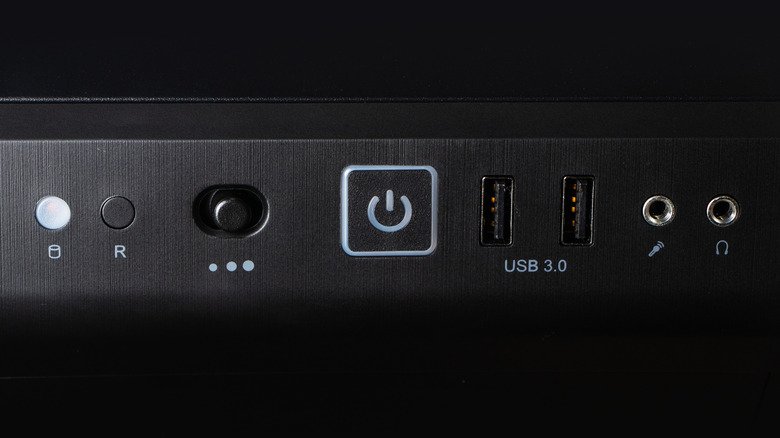
Even if you turned off your PC before the power outage, it’s not necessarily safe. Electricity can still travel through the cord and reach internal components once power comes back on, even while the machine is dark.
Power surges are the most common cause of this; they happen when there’s a sudden jump in electrical current, often triggered by lightning or damage to nearby power lines. Even a strike that doesn’t directly hit your house can send a surge through your local transformer and into your home’s wiring. When the grid comes back online after an outage, it often delivers an additional spike, so the danger doesn’t end when the lights come back on.
On top of that, if your PC is running when the power cuts off, that sudden loss of power can cause its own problems. Any files being saved or updated may be corrupted, which could render your system unusable if it happens during OS updates. If your computer has HDDs, sudden shutdowns can also harm their mechanical heads.
How to protect your PC during a power outage

To ensure your PC doesn’t suffer any damage during a storm, shut down your system and unplug it from the wall when you know extreme weather is coming. If the power is already out, it’s still worth unplugging the machine. Do the same for the router while you’re at it, as that’s one of the most frequently fried devices in an electrical storm. You should be restarting your router regularly anyway, so unplugging it won’t hurt. Keep other expensive electronics like your TV safe by unplugging them too.
On a desktop PC, shutting off the PSU can help since that prevents current from entering the system. However, an extreme event like a lightning strike could still cause damage. A surge protector is a much better idea. A quality surge protector acts as a first line of defense, absorbing voltage spikes before they reach your equipment.
Investing in a UPS is even better. An uninterruptible power supply combines surge protection with a battery backup. While it’s not meant to keep your devices running for hours, it will prevent shutdowns during short outages and give you a window to save your work and shut down gracefully instead of losing power instantly. For broader coverage, consider having a licensed electrician install surge protection directly into your electrical panel, shielding every outlet in the house.
Also, when the power returns, don’t immediately jump at the chance to plug everything back in. Wait a few minutes to ensure it won’t go back out again. When you reconnect, plug your surge protector in first, then your PC and any peripherals.
Unplugging your PC during a power outage takes only a few seconds, but it’s one of the most effective ways to protect your investment. Paired with a surge protector or UPS, the simple habit will reduce the chance of hardware damage or data loss. Given what’s at stake, it’s a small effort to make.
