



Community Article
Community articles are authored by SitePoint Premium contributors. Content is screened before publication, and SitePoint reserves the right to moderate or remove articles that violate our guidelines. Views expressed are those of the authors and do not necessarily reflect those of SitePoint.
Porting the NDK “Endless Tunnel” to iOS: A Masterclass in Cross-Platform C++
AOAyoDeji OlukowiPublished inNovember 2, 2026
·Updated:November 2, 2026
The AI briefing for Developers
Stay up to date with AI tools, model releases, and developer workflows that matter.
Weekly. Free. One click to leave.
SitePoint Premium
Stay Relevant and Grow Your Career in Tech
- Premium Results
- Publish articles on SitePoint
- Daily curated jobs
- Learning Paths
- Discounts to dev tools
7 Day Free Trial. Cancel Anytime.
When developers talk about high-performance mobile games, the Android NDK samples by Bruno Oliveira are often cited as the gold standard for clean, low-level C++. But as an iOS developer, I wanted to see if I could take that same “pure” C++ logic and make it sing on an iPhone.
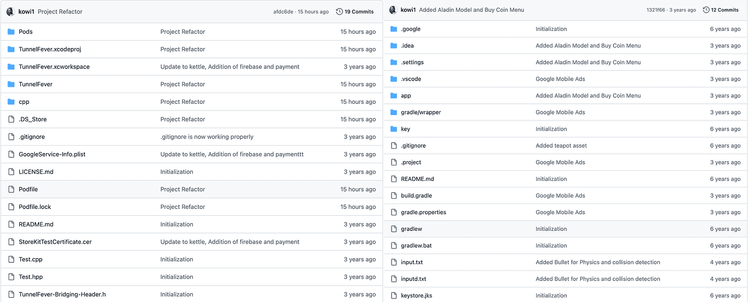
My latest project, TunnelFeveriOS, is the result of that journey. It isn’t just a port; it’s a blueprint for building a custom game engine.
**The Challenge: From .cpp to **.mm
The original Endless Tunnel is built to live within the Android lifecycle (JNI, Activity, and NDK). Moving this to iOS required more than just hitting “compile.” I had to build a Platform Abstraction Layer.
1. The Objective-C++ Bridge
To make the C++ engine talk to the iOS UI, I utilized Objective-C++ (.mm** files)**. This allowed me to keep the game’s high-speed math and geometry in native C++ while using Cocoa Touch to manage the windowing and touch input. In TunnelFeveriOS, you’ll see how the view controller manages the game loop, feeding time deltas and touch coordinates directly into the C++ core.
2. Rendering with GLKit
Since the original game uses OpenGL ES, I leveraged iOS’s GLKit framework. The trick was ensuring that the shaders and vertex buffer objects (VBOs) originally written for Android were correctly initialized within the iOS EAGLContext. The result? 60 FPS performance that feels native because, at the machine level, it is.
Beyond the Gameplay: Monetization
A port is only “production-ready” if it handles modern app requirements. I integrated Google Mobile Ads (AdMob) to trigger Interstitial ads during game-over states.
This presented a unique threading challenge:
- The game engine runs on a high-priority loop.
- The AdMob SDK requires UI-thread interaction for displaying overlays.
I implemented a messaging system that allows the C++ core to “request” an ad, which the Objective-C wrapper then catches and executes on the main thread — preventing the game from hanging or crashing.
Why This Matters for Custom Engines
This project proves that you don’t need a heavy engine like Unity or Unreal to achieve cross-platform results. By keeping the “brain” of your game in C++ and building thin “shells” for each platform (Android NDK or iOS/XCode), you gain:
- Total Control: No “black box” engine bugs.
- Minimal Binary Size: Only the code you actually need.
- Portability: This same C++ core could theoretically be moved to Windows, macOS, or even a web browser via WebAssembly.
Check Out the Code
If you’re interested in how to bridge the gap between low-level C++ and high-level iOS development, check out the full
👉 GitHub: kowi1/TunnelFeveriOS
What’s Next?
Now that the foundation is laid, I’m looking into implementing a Metal-based renderer to fully embrace the future of Apple graphics. If you’ve worked on C++ to Metal bridges, I’d love to hear your thoughts in the comments!
#Cpp #iOSDev #GameDev #Ndk #AdMob #Programming #XCode #OpenGLES
