



Automating DevSecOps Static Analysis with GitHub Actions and Agent Skills

SitePoint TeamPublished inDevOps·Web Security·Programming·
September 26, 2026
The AI briefing for Developers
Stay up to date with AI tools, model releases, and developer workflows that matter.
Weekly. Free. One click to leave.
SitePoint Premium
Stay Relevant and Grow Your Career in Tech
- Premium Results
- Publish articles on SitePoint
- Daily curated jobs
- Learning Paths
- Discounts to dev tools
7 Day Free Trial. Cancel Anytime.
The “shift-left” mantra has circulated through engineering organizations for years, yet static security analysis in most projects remains either absent or bolted on as a gate that developers learn to ignore. This article builds a solution on three components: GitHub Actions for orchestration, an Agent Skill for sandboxed scanning logic, and SARIF v2.1.0 output for native GitHub code annotations.
How to Automate DevSecOps Static Analysis with GitHub Actions and Agent Skills
- Define a
SKILL.mdmanifest declaring inputs, outputs, and sandbox constraints for the scanning skill. - Create an AST-based TypeScript vulnerability scanner (
audit-runner.ts) with rules for secrets, eval, innerHTML, and prototype pollution. - Configure a
package.jsonwithtypescript,tsx, andglobdependencies, then generate and commit the lockfile. - Author a GitHub Actions workflow (
security-audit.yml) triggered on pull requests and pushes tomain. - Execute the scanner via
npx tsxin the workflow, outputting findings as a SARIF v2.1.0 file. - Upload the SARIF report using
github/codeql-action/upload-sarif@v3to surface inline PR annotations and Security tab alerts. - Enforce the audit by adding the workflow as a required status check in branch protection rules.
- Validate end-to-end by pushing a deliberately vulnerable test fixture and confirming annotations appear on the PR diff.
Table of Contents
Why Static Security Analysis Still Falls Through the Cracks
The “shift-left” mantra has circulated through engineering organizations for years, yet static security analysis in most projects remains either absent or bolted on as a gate that developers learn to ignore. Pull requests merge with known warnings because nobody has wired a scanning step that produces actionable, inline feedback at the point where a developer is already reading code. Multiple industry reports document this cost asymmetry: remediating vulnerabilities in production costs more than catching them during development, and teams merging dozens of PRs daily cannot review each one for security by hand.
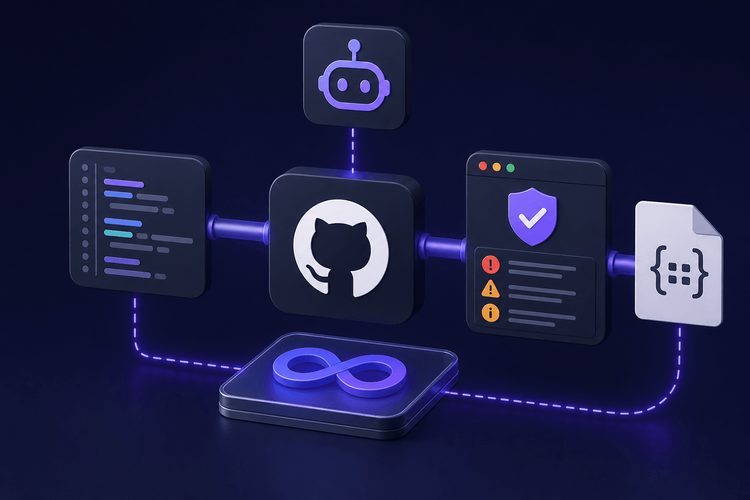
This article builds a solution on three components. GitHub Actions provides orchestration, triggering a security audit on every pull request without requiring a dedicated CI server. The scanning logic lives inside an Agent Skill, a convention for sandboxed, composable capability bundles, so it can be swapped, extended, or invoked by AI coding assistants and CI runners alike. Output follows SARIF v2.1.0, the OASIS standard for static analysis results, which GitHub consumes natively to surface findings as inline code annotations on the pull request diff and as entries in the repository’s Security tab.
Prerequisites and Tech Stack Overview
Required Tools and Versions
The tutorial targets Node.js 22 (check nodejs.org/en/about/releases for current LTS status) and TypeScript 5.x. The runner script uses tsx for direct TypeScript execution without a separate compile step.
- Add
tsxas a devDependency:npm install --save-dev tsx. The examples were tested with tsx 4.x. - A GitHub repository with Actions enabled is required.
- To upload SARIF results and surface them in the Security tab, the repository must either be public (which grants access to code scanning) or have GitHub Advanced Security licensed for private repositories.
- The workflow uses
actions/checkout@v4,actions/setup-node@v4, andgithub/codeql-action/upload-sarif@v3.
Concepts You Should Know
Readers should have working familiarity with GitHub Actions YAML syntax, including job steps, environment variables, and permissions blocks. The scanner relies on Abstract Syntax Tree (AST) traversal via the TypeScript Compiler API, so understanding what an AST is and how tree walking works will make the rule-matching logic straightforward. The output format follows the SARIF v2.1.0 schema maintained by OASIS (the full specification is available at https://docs.oasis-open.org/sarif/sarif/v2.1.0/sarif-v2.1.0.html; the JSON schema is at https://json.schemastore.org/sarif-2.1.0.json).
Understanding the AgentSkills Convention
What Are Agent Skills?
An Agent Skill is a self-contained, sandboxed capability bundle that an AI agent, a CI runner, or a human developer can discover, validate, and execute through a consistent interface. Note: the AgentSkills format used in this article is a convention; no ratified public standard currently governs the SKILL.md format. Each skill consists of a manifest (conventionally named SKILL.md) and one or more implementation scripts. The manifest declares the skill’s name, a human-readable description, its expected inputs and outputs, and any sandbox constraints governing file-system access, network calls, or execution time. Because the manifest is a Markdown file, it is readable by both tooling and people without requiring a specialized parser.
Why Agent Skills Fit a DevSecOps Pipeline
The practical advantage is composability: swap the scanning strategy by replacing or modifying the implementation scripts while leaving the workflow YAML untouched. Sandboxing constraints declared in the manifest make it explicit which directories the skill may read and where it writes output, reducing the attack surface of the CI step itself. AI coding assistants can discover skills by reading SKILL.md and invoking the scanner manually, though no native automatic discovery is currently documented for Copilot or Cursor.
Swap the scanning strategy by replacing or modifying the implementation scripts while leaving the workflow YAML untouched.
The following manifest defines the security audit skill used throughout this article:
# SKILL.md — Security Audit Skill## Namestatic-security-audit## DescriptionAST-based static security scanner for TypeScript projects. Detects hardcodedsecrets, dangerous function calls (`eval`, `Function`), unsanitized `innerHTML`assignments, and prototype-pollution-prone patterns. Emits SARIF v2.1.0.## Inputs|-------------------|--------|----------|--------------|------------------------------------------||SOURCE_GLOB|string|no|`src/**/*.ts`|Glob pattern for files to scan||SEVERITY_THRESHOLD|string|no|`warning`|Minimum severity to report: `note`, `warning`, or `error`|## Outputs|-------------|--------|------------------------------------||SARIF_PATH|string|Path to the generated SARIF file|Default output path: `results.sarif`## Sandbox Constraints-**File-system read:** limited to repository working directory.-**File-system write:** limited to `results.sarif` in the working directory root.-**Network:** none required.-**Max execution time:** 120 seconds.This manifest defines the contract between the workflow and the scanner. Any consumer, whether a GitHub Actions step or an AI agent, can read it to understand exactly what the skill expects and produces.
Repository Structure
Before diving into the implementation, here is the expected directory layout:
repo-root/├── .github/│ └── workflows/│ └── security-audit.yml├── skills/│ └── security-audit/│ ├── SKILL.md│ └── scripts/│ └── audit-runner.ts├── src/│ └── (your project source files)├── test-fixtures/│ └── vulnerable.ts├── package.json├── package-lock.json└── tsconfig.jsonMinimal package.json
The workflow’s npm ci step requires a package.json and a committed package-lock.json. Create the following minimal package.json, then run npm install to generate the lockfile, and commit both files:
{"name":"security-audit-skill","private":true,"devDependencies":{"typescript":"~5.4.0","tsx":"^4.0.0","glob":"~8.1.0"}}Requires glob 8.x (globSync is not available in older versions; glob 9+ introduced breaking ESM changes). After creating this file, run npm install and commit the resulting package-lock.json to the repository. Without the lockfile, npm ci will fail immediately.
Building the AST-Based Vulnerability Scanner
Choosing an AST Strategy for TypeScript Projects
Regular expressions remain a common choice for quick-and-dirty secret detection, but they lack context awareness. A regex that flags the string eval will match comments, variable names, and other non-executable contexts. AST-based traversal eliminates those false positives by operating on the parsed syntax tree, where every node carries its syntactic role. Note that AST-based detection eliminates comment false positives but may still require parent-node context to reduce false positives from string literals. The TypeScript Compiler API provides ts.createSourceFile for parsing and ts.forEachChild for recursive traversal, requiring zero external dependencies beyond the typescript package already present in most TypeScript projects.
Defining Vulnerability Rules
Each rule is an object with an id, shortDescription, a severity level (error, warning, or note), a matcher function that receives a ts.Node and returns a boolean, and a messageTemplate string. The scanner in this article ships with four rules:
| Rule | Severity | What it catches | Caveats |
|---|---|---|---|
hardcoded-secret | error | String literals that look like high-entropy keys or tokens, where the variable name matches common secret-related identifiers. | Illustrative only; production secret detection should use a dedicated tool such as detect-secrets or trufflehog. |
eval-usage | error | Calls to eval() or new Function(). | |
innerhtml-assignment | warning | Direct assignment to .innerHTML. | |
prototype-pollution | warning | Bracket-notation property assignment using a variable key. | Flags all bracket-notation assignments with an identifier key (e.g., arr[i] = x), not only those targeting __proto__ or constructor. Expect a high false-positive rate; consider tuning or disabling this rule initially. |
The full scanner is implemented in skills/security-audit/scripts/audit-runner.ts:
import*as ts from"typescript";import*as fs from"fs";import*as path from"path";import{ globSync }from"glob";interfaceRule{id:string;shortDescription:string;severity:"error"|"warning"|"note";match:(node: ts.Node, source: ts.SourceFile)=>boolean;messageTemplate:string;}interfaceFinding{file:string;line:number;column:number;ruleId:string;message:string;severity:"error"|"warning"|"note";ruleIndex:number;}constSECRET_NAME_PATTERN=/(?:api[_-]?key|secret|token|password|credential)/i;constHIGH_ENTROPY_PATTERN=/^[A-Za-z0-9+/=_-]{20,}$/;const rules: Rule[]=[{id:"hardcoded-secret",shortDescription:"Hardcoded secret or API key",severity:"error",match:(node, source)=>{if(!ts.isStringLiteral(node))returnfalse;const text = node.text;if(!HIGH_ENTROPY_PATTERN.test(text))returnfalse;if(newSet(text).size <5)returnfalse;const parent = node.parent;if(ts.isVariableDeclaration(parent)&&ts.isIdentifier(parent.name)){returnSECRET_NAME_PATTERN.test(parent.name.text);}if(ts.isPropertyAssignment(parent)&&ts.isIdentifier(parent.name)){returnSECRET_NAME_PATTERN.test(parent.name.text);}returnfalse;},messageTemplate:"Potential hardcoded secret detected.",},{id:"eval-usage",shortDescription:"Use of eval() or Function()",severity:"error",match:(node)=>{if(ts.isCallExpression(node)&&ts.isIdentifier(node.expression)&&node.expression.text ==="eval"){returntrue;}if(ts.isNewExpression(node)&&ts.isIdentifier(node.expression)&&node.expression.text ==="Function"){returntrue;}returnfalse;},messageTemplate:"Dangerous use of eval() or Function constructor.",},{id:"innerhtml-assignment",shortDescription:"Unsanitized innerHTML assignment",severity:"warning",match:(node)=>ts.isBinaryExpression(node)&&node.operatorToken.kind === ts.SyntaxKind.EqualsToken &&ts.isPropertyAccessExpression(node.left)&&node.left.name.text ==="innerHTML",messageTemplate:"Direct innerHTML assignment may introduce XSS.",},{id:"prototype-pollution",shortDescription:"Prototype-pollution-prone pattern",severity:"warning",match:(node)=>ts.isBinaryExpression(node)&&node.operatorToken.kind === ts.SyntaxKind.EqualsToken &&ts.isElementAccessExpression(node.left)&&ts.isIdentifier(node.left.argumentExpression),messageTemplate:"Bracket-notation assignment with variable key may allow prototype pollution.",},];const severityRank: Record<string,number>={ note:0, warning:1, error:2};functionwalk(node: ts.Node,source: ts.SourceFile,file:string,findings: Finding[],threshold:string):void{for(let i =0; i < rules.length; i++){const rule = rules[i];if(severityRank[rule.severity]< severityRank[threshold])continue;if(rule.match(node, source)){const{ line, character }=source.getLineAndCharacterOfPosition(node.getStart(source));findings.push({file,line: line +1,column: character +1,ruleId: rule.id,message: rule.messageTemplate,severity: rule.severity,ruleIndex: i,});}}ts.forEachChild(node,(child)=>walk(child, source, file, findings, threshold));}functionbuildSarif(findings: Finding[]): object {const ruleIndexMap =newMap<string,number>(rules.map((r, i)=>[r.id, i]));return{$schema:"https://json.schemastore.org/sarif-2.1.0.json",version:"2.1.0",runs:[{tool:{driver:{name:"static-security-audit",version:"1.0.0",rules: rules.map((r)=>({id: r.id,shortDescription:{ text: r.shortDescription },defaultConfiguration:{ level: r.severity },})),},},results: findings.map((f)=>({ruleId: f.ruleId,ruleIndex: ruleIndexMap.get(f.ruleId)??-1,level: f.severity,message:{ text: f.message },locations:[{physicalLocation:{artifactLocation:{uri: f.file.replace(/\/g,"/").replace(/^//,""),uriBaseId:"%SRCROOT%",},region:{startLine: f.line,startColumn: f.column,},},},],})),},],};}const sourceGlob = process.env.SOURCE_GLOB??"src/**/*.ts";const severityThreshold = process.env.SEVERITY_THRESHOLD??"warning";constVALID_THRESHOLDS=newSet(["note","warning","error"]);if(!VALID_THRESHOLDS.has(severityThreshold)){console.error(`[ERROR] Invalid SEVERITY_THRESHOLD: "${severityThreshold}".`+`Must be one of: note, warning, error.`);process.exit(2);}const rawSarifPath = process.env.SARIF_PATH??"results.sarif";const sarifPath = path.resolve(rawSarifPath);const cwd = process.cwd();if(!sarifPath.startsWith(cwd + path.sep)&& sarifPath !== path.resolve(cwd,"results.sarif")){console.error(`[ERROR] SARIF_PATH resolves outside working directory:${sarifPath}`);process.exit(2);}const files =globSync(sourceGlob);if(files.length ===0){console.warn("No files matched SOURCE_GLOB:", sourceGlob);}const findings: Finding[]=[];for(const file of files){let code:string;try{code = fs.readFileSync(file,"utf-8");}catch(err){console.error(`[WARN] Could not read file:${file}:`,(err as Error).message);continue;}let source: ts.SourceFile;try{source = ts.createSourceFile(file, code, ts.ScriptTarget.Latest,true);}catch(err){console.error(`[WARN] Could not parse file:${file}:`,(err as Error).message);continue;}ts.forEachChild(source,(child)=>walk(child, source, file, findings, severityThreshold));}fs.writeFileSync(sarifPath,JSON.stringify(buildSarif(findings),null,2));const errorCount = findings.filter((f)=> f.severity ==="error").length;console.log(`Scan complete:${findings.length}finding(s) in${files.length}file(s). SARIF written to${sarifPath}`);if(errorCount >0){console.error(`${errorCount}error-level finding(s) detected.`);process.exit(1);}Generating SARIF v2.1.0 Output
The buildSarif() function maps each internal Finding to a SARIF result object. The top-level envelope includes the $schema URI pointing to the JSON schema at json.schemastore.org, a version field set to "2.1.0", and a runs array containing a single run. Inside that run, tool.driver declares the scanner’s name, version, and the rules array. Each result references its rule via both ruleId (for human readability) and ruleIndex, which the function derives from a stable ID-to-index map built at SARIF generation time to ensure consistency even if the rules array is reordered. The physicalLocation of each result carries an artifactLocation.uri normalized to forward slashes and relative to the repository root paired with uriBaseId: "%SRCROOT%" for correct path resolution, along with region.startLine and region.startColumn, which GitHub uses to render inline annotations on the exact line of the pull request diff.
Wiring It All Together with GitHub Actions
Workflow Architecture
The pipeline triggers on pull_request events and, optionally, on push to the default branch to maintain a baseline of alerts. The job runs on ubuntu-latest and proceeds through five steps: check out the repository, set up Node.js 22, install dependencies, execute the Agent Skill’s runner script, and upload the resulting SARIF file. The workflow requires security-events: write permission for SARIF upload and contents: read for checkout.
name: Security Auditon:pull_request:branches:[main]push:branches:[main]permissions:security-events: writecontents: readjobs:security-audit:runs-on: ubuntu-lateststeps:-name: Checkout repositoryuses: actions/checkout@v4-name: Set up Node.js 22uses: actions/setup-node@v4with:node-version:"22"-name: Install dependenciesrun: npm ci-name: Run security audit skillenv:SOURCE_GLOB:"src/**/*.ts"SEVERITY_THRESHOLD:"warning"SARIF_PATH:"results.sarif"run: npx tsx skills/security-audit/scripts/audit-runner.ts-name: Upload SARIF resultsif: always() && hashFiles('results.sarif') != ''uses: github/codeql-action/upload-sarif@v3with:sarif_file: results.sarifcategory: static-security-auditThe if: always() && hashFiles('results.sarif') != '' condition on the upload step ensures that SARIF results reach GitHub when the scanner exits with a non-zero code due to error-level findings, while skipping the upload if the scanner crashes before writing results.sarif. Without the hashFiles guard, a crashed scan step would cause the upload to fail with a file-not-found error rather than silently succeeding.
Understanding the SARIF Upload and GitHub Integration
When github/codeql-action/upload-sarif@v3 processes results.sarif, GitHub performs two actions. First, it renders inline annotations on the pull request’s Files changed tab, pinned to the exact file and line specified in each result’s physicalLocation. Second, it creates entries in the repository’s Security > Code scanning alerts view, where each alert can be triaged, dismissed with a reason (false positive, used in tests, won’t fix), or tracked across branches. The category field in the upload step prevents results from this scanner from colliding with results from other SARIF-producing tools such as CodeQL.
Push a pull request and the findings appear as annotations within minutes, with no third-party dashboard required.
Configuring Branch Protection to Enforce the Audit
To prevent merging pull requests that contain error-level findings, navigate to the repository’s Settings > Branches > Branch protection rules for main and enable Require status checks to pass before merging. Add security-audit as a required check. Note: the check name only appears in this UI after the workflow has completed at least one run on the default branch. Push a test commit to main first to register the check.
Because the runner script calls process.exit(1) when any error-level finding exists, the job will fail and block the merge. SEVERITY_THRESHOLD controls which severity levels cause the job to fail (non-zero exit), not which findings appear as GitHub annotations. All findings written to results.sarif are annotated on the PR regardless of threshold. To suppress specific annotation types, filter findings before writing the SARIF file.
Testing and Validating the Pipeline
Adding a Deliberately Vulnerable Test File
To verify that the scanner, SARIF output, and GitHub integration work end to end, add a test fixture containing known violations for each rule:
const api_key ="AAAAAABBBBBBCCCCCCDDDDDD";const userInput ="alert('xss')";const result =eval(userInput);const sneaky =newFunction("return document.cookie");const el = document.getElementById("output")!;el.innerHTML = userInput;functionmerge(target: Record<string,unknown>, key:string, value:unknown){target[key]= value;}This file triggers all four rules: the api_key variable name combined with the high-entropy string value matches the hardcoded-secret rule, eval(userInput) triggers eval-usage, new Function(...) also triggers eval-usage, el.innerHTML = userInput fires the innerHTML rule, and target[key] = value matches the prototype-pollution detector.
Note that the default SOURCE_GLOB is src/**/*.ts, which does not include the test-fixtures/ directory. When running locally, set SOURCE_GLOB=”test-fixtures/**/*.ts” to scan the fixture. The workflow’s SOURCE_GLOB should match your project’s actual
Running Locally Before Pushing
Before pushing to GitHub, run the scanner locally to inspect the output:
SOURCE_GLOB="test-fixtures/**/*.ts" npx tsx skills/security-audit/scripts/audit-runner.ts$env:SOURCE_GLOB="test-fixtures/**/*.ts"; npx tsx skills/security-audit/scripts/audit-runner.tsThe resulting results.sarif file can be examined with jq '.runs[0].results[] | {ruleId, level, location: .locations[0].physicalLocation}' for a compact summary, or opened in the SARIF Viewer extension for Visual Studio Code, which renders findings inline just as GitHub does.
Validating SARIF Schema Compliance
Schema compliance matters because GitHub may reject malformed SARIF with a non-descriptive error in the Actions log, which is difficult to diagnose without local validation. The @microsoft/sarif-multitool package can validate the file against the v2.1.0 schema locally (note: this is a .NET global tool that requires the .NET runtime; install with dotnet tool install -g Microsoft.Sarif.Multitool). Alternatively, the SARIF Validator web tool hosted by Microsoft accepts a file upload and returns detailed schema-violation diagnostics. Running validation before relying on the CI pipeline catches structural issues such as missing required fields or incorrect ruleIndex values that would otherwise result in upload failures with no annotations appearing on the pull request.
Extending the Skill: Next Steps
Adding New Rules Without Changing the Workflow
Adding a new rule means appending one object to the rules array in audit-runner.ts with the appropriate id, shortDescription, severity, and match function. The SARIF generation function derives ruleIndex from a stable ID-to-index map built at generation time, so no changes to the workflow YAML or the SKILL.md manifest are needed unless the new rule introduces a new input parameter. That is composability paying off in practice: the CI wiring stays stable while the scanning logic evolves independently.
Supporting Multiple Languages
The SKILL.md contract specifies inputs and outputs, not implementation language, so the Agent Skill interface is language-agnostic. To scan Python files, a team could add a parallel walker that uses Python’s built-in ast module behind the same environment-variable interface, emitting findings into the same Finding[] structure before SARIF generation. Go projects could use go/ast similarly. Note that a polyglot implementation requires additional integration work to coordinate multiple language parsers into a single runner. The SARIF envelope accommodates multiple runs, so a polyglot scanner could emit results from several language parsers in a single file, each under its own runs[] entry with a distinct tool.driver.name.
Integrating with Other Agent Skill Consumers
The SKILL.md manifest follows a structured, human-and-machine-readable format, so AI coding assistants can read it and invoke the same scanner during an interactive session. A developer using Copilot or Cursor could prompt the assistant to “run the security audit skill” against the current working tree. No native automatic discovery of SKILL.md files is currently documented for these tools, so explicit prompting is required. This collapses the feedback loop from “push and wait for CI” to “ask and see,” while guaranteeing consistency because both paths execute the same implementation scripts against the same rule set.
Changing rules means editing one file, changing the CI platform means editing another, and pointing an AI assistant at the same logic means reading the same manifest. Each concern stays behind a clean boundary.
Drop It In and Ship
This article assembled a self-contained Agent Skill that performs AST-based security scanning on TypeScript GitHub. The core files, SKILL.md, audit-runner.ts, security-audit.yml, and package.json, form a complete DevSecOps primitive that drops into any TypeScript repository with GitHub Actions enabled
Composability pays off here: changing rules means editing one file, changing the CI platform means editing another, and pointing an AI assistant at the same logic means reading the same manifest. Each concern stays behind a clean boundary.
To get started, create the directory structure shown above, copy the files into a repository, run npm install to generate the lockfile, add the test fixture, adjust the SOURCE_GLOB to match the project’s directory structure, and open a pull request. Annotations should appear within minutes. For further reading, consult the OASIS SARIF v2.1.0 specification, the GitHub Code Scanning documentation for advanced alert configuration, and community resources for additional skill patterns beyond security scanning.
Sharing our passion for building incredible internet things.
