


Close Menu
ToolTechBlogToolTechBlog

    Subscribe to Updates

    Get the latest creative news from FooBar about art, design and business.

    What's Hot

    Meta now lets AI agents handle the boring parts of WhatsApp Business setup

    September 15, 2026

    Eyeing a curved monitor? Here are the pros and cons to consider

    September 15, 2026

    4 days left to exhibit at TechCrunch Disrupt 2026

    September 15, 2026
    Facebook X (Twitter) Instagram
    ToolTechBlogToolTechBlog
    • Home
    • AI Tools
    • Web Hosting
    • Tech
    • Digital Marketing
    • Business Software
    • VPN & Cybersecurity
    ToolTechBlogToolTechBlog
    Home»Tech»How to use Meta Display glasses while driving with the Audio Only feature
    Tech

    How to use Meta Display glasses while driving with the Audio Only feature

    Tool Tech TeamBy Tool Tech TeamSeptember 15, 2026No Comments3 Mins Read
    Facebook Twitter Pinterest Telegram LinkedIn Tumblr WhatsApp Email
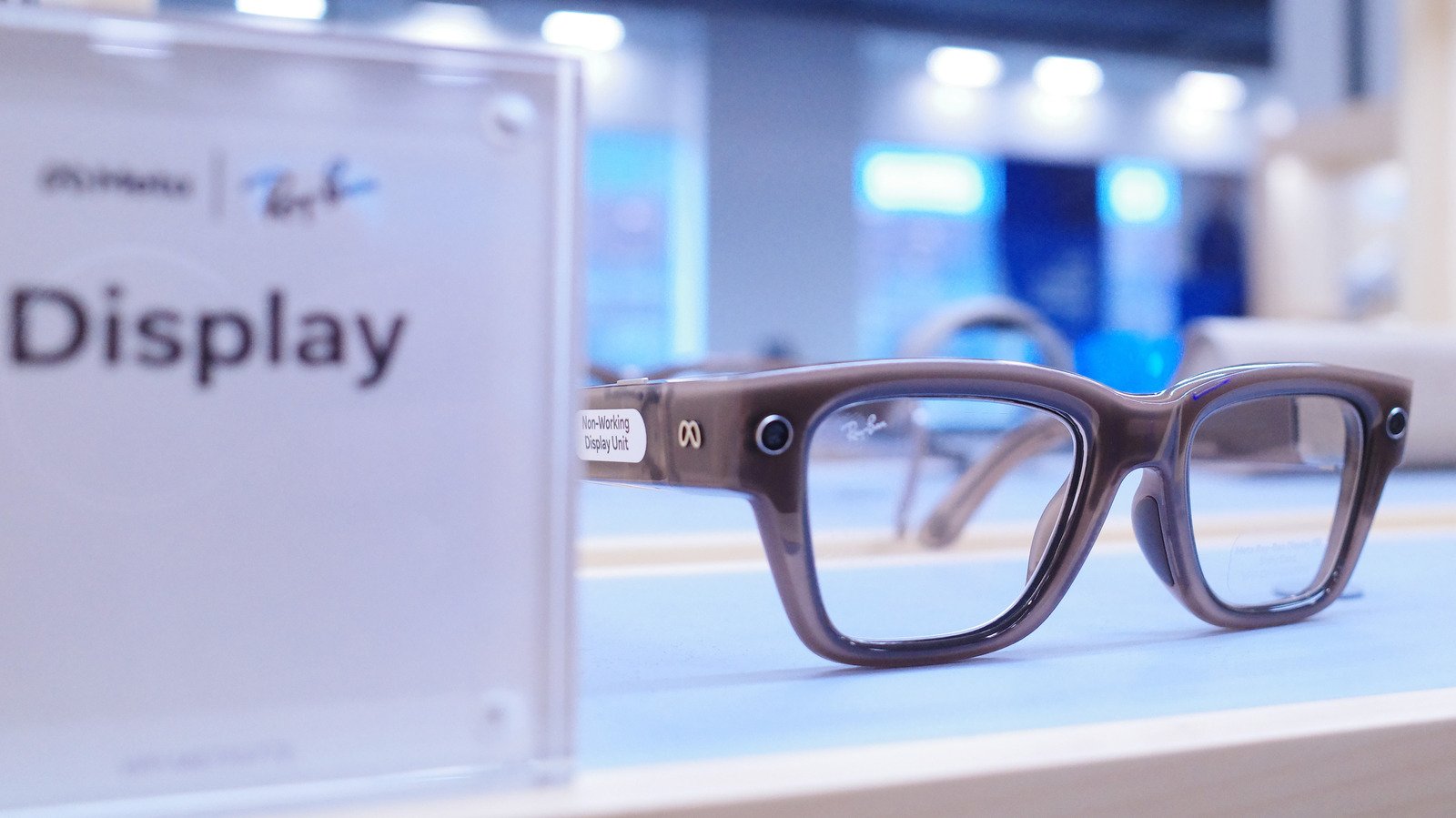
    How to use Meta Display glasses while driving with the Audio Only feature
    Share
    Facebook Twitter LinkedIn Pinterest Telegram Email

    The feature turns off the display entirely.

    Smart glasses are quietly becoming part of some people’s daily routines for things like checking notifications and making calls. Being able to do that without having to pick up your phone is really useful sometimes. But behind the wheel, that same convenience turns into a distraction fast, especially if you have one of those with a built-in display. But that doesn’t mean you have to take off your Meta Ray-Ban Display as soon as you get in the car.

    Unfortunately, Meta Display glasses were not designed to provide real-time driving directions. But if you want to keep using them in your car without getting distracted, you just need to switch them to Audio Only mode. With this mode on, the display on the glasses turns off completely. It’s almost as if you were turning them into regular Meta Ray-Ban AI glasses. You still have hands-free audio for calls and quick voice commands, but without any visual distractions.

    Setting up driving detection on your Meta Display glasses
    Meta AI app.

    Changing these settings is quite easy and you don’t have to remember to switch modes every time you get in the car. The Meta AI app includes a Driving Detection feature that handles the heavy lifting for you. When the feature is on, the glasses use their internal sensors to detect when you’re in a moving vehicle. Once the glasses realize you’re driving, they automatically disable the display.

    Setting it up only takes a few seconds. To do this, open the Meta AI app on your phone. Go to Settings, select your glasses and tap Device Settings. From there, turn on Audio Only and toggle Driving Detection to active. The glasses will handle the rest. Once you reach your destination and step out of the car, the display will turn back on automatically.

    The Meta AI app may ask you for special permission before enabling this feature. That’s because the app also needs access to your phone’s sensors to work. You can also switch modes manually if you want. Just say “Hey Meta, turn on/off audio only.”

    Meta glasses were not designed for driving navigation
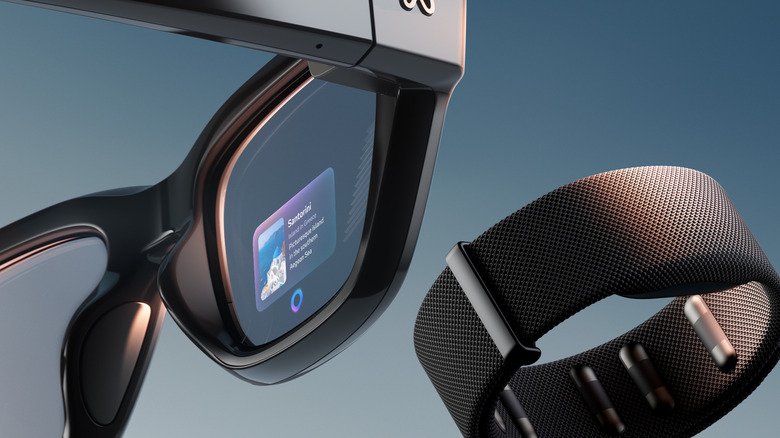
    Meta Display glasses.

    If you’re still wondering whether you can use Meta for driving directions somehow, the answer is no. These glasses currently only support pedestrian navigation. The interface is not really designed for high–speed travel and it lacks the real-time traffic updates, lane guidance and complex mapping you need on the highway. You should probably stick with the GPS on your phone or your car’s built-in navigation system for driving directions.

    Although safety is the obvious reason to use Audio Only mode, there are some other benefits too. Turning off the display while you drive can save some battery for when you really need it. Besides, it’s always good to take a break from screens and excessive notifications. And if you want to learn more about the Meta Display glasses, here’s our full review.

    Display driving glasses Meta while
    Share. Facebook Twitter Pinterest LinkedIn Tumblr Email
    Tool Tech Team
    • Website

    Related Posts

    Meta now lets AI agents handle the boring parts of WhatsApp Business setup

    September 15, 2026

    Eyeing a curved monitor? Here are the pros and cons to consider

    September 15, 2026

    What is MSI mode on Windows PCs and does it speed up your GPU?

    September 14, 2026

    MagSafe vs. USB-C: Which is better for charging your MacBook?

    September 14, 2026

    Never use harsh cleaning products to clean your smartphone — do this instead

    September 13, 2026

    What is the difference between a dead pixel and a stuck pixel?

    September 13, 2026
    Leave A Reply Cancel Reply

    Top posts
    AI Tools

    Meta now lets AI agents handle the boring parts of WhatsApp Business setup

    By Tool Tech Team
    Tech

    Eyeing a curved monitor? Here are the pros and cons to consider

    By Tool Tech Team
    Business Software

    4 days left to exhibit at TechCrunch Disrupt 2026

    By Tool Tech Team
    Editors Picks

    Meta now lets AI agents handle the boring parts of WhatsApp Business setup

    September 15, 2026

    Eyeing a curved monitor? Here are the pros and cons to consider

    September 15, 2026

    4 days left to exhibit at TechCrunch Disrupt 2026

    September 15, 2026

    Juicebox vs Metaview: Sourcing engine or interview

    September 15, 2026
    About Us

    Welcome to ToolTechBlog, your trusted source for the latest insights, reviews, and practical guides on AI tools, business software, cybersecurity, web hosting, and consumer technology.
    Our mission is simple: to help individuals, entrepreneurs, freelancers, students, and businesses discover the right digital tools to improve productivity, streamline workflows, and make informed technology decisions.

    Our Picks

    Meta now lets AI agents handle the boring parts of WhatsApp Business setup

    September 15, 2026

    Eyeing a curved monitor? Here are the pros and cons to consider

    September 15, 2026

    4 days left to exhibit at TechCrunch Disrupt 2026

    September 15, 2026
    Top Reviews

    The AI Hype Index: Unsexy AI

    July 29, 2026

    What it is and How to Fix it

    July 29, 2026

    LG to Ban Residential Proxies from Smart TV Apps

    July 29, 2026

    © 2026 tooltechblog.com. All rights reserved. Designed by DD.

    • About Us
    • Contact Us
    • Terms and Conditions
    • Privacy Policy
    • Disclaimer

    Type above and press Enter to search. Press Esc to cancel.