


Close Menu
ToolTechBlogToolTechBlog

    Subscribe to Updates

    Get the latest creative news from FooBar about art, design and business.

    What's Hot

    An honest comparison for recruiting teams

    September 12, 2026

    OpenAI’s Sam Altman says it would be ‘ill-advised’ to go public in 2026

    September 12, 2026

    Is a 256GB SSD better than a 1TB hard drive? It depends how you’re using it

    September 12, 2026
    Facebook X (Twitter) Instagram
    ToolTechBlogToolTechBlog
    • Home
    • AI Tools
    • Web Hosting
    • Tech
    • Digital Marketing
    • Business Software
    • VPN & Cybersecurity
    ToolTechBlogToolTechBlog
    Home»Tech»What is a VESA mount and how to know what type your TV has
    Tech

    What is a VESA mount and how to know what type your TV has

    Tool Tech TeamBy Tool Tech TeamAugust 24, 2026No Comments3 Mins Read
    Facebook Twitter Pinterest Telegram LinkedIn Tumblr WhatsApp Email
    What is a VESA mount and how to know what type your TV has
    Share
    Facebook Twitter LinkedIn Pinterest Telegram Email

    The VESA dimensions tell you where the mounting holes line up, but you still need to check the mount’s weight limit and hardware.

    Thankfully, VESA 400 × 400 isn’t another TV resolution you need to learn. VESA stands for Video Electronics Standards Association, and in TV-mount shopping, a VESA size or VESA pattern describes the spacing between the mounting holes on the back of a TV or display. A VESA mount isn’t one particular style of bracket; it simply supports one or more of those standardized patterns.

    What does a VESA size such as 200 × 200 mean?
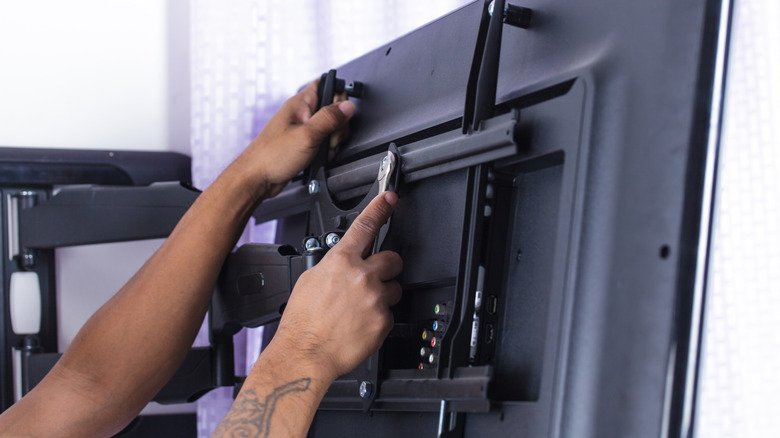
    Person tightening the mounting brackets on the back of a flat-screen TV attached to an articulating wall mount.

    Look at the back of a typical mountable TV and you’ll find threaded mounting holes, usually arranged in a square or rectangle. The VESA pattern describes the distance between those holes, measured in millimeters.

    The first number is the horizontal distance and the second is the vertical distance. So a TV with a 400 × 200 pattern has mounting holes spaced 400mm apart from left to right and 200mm apart from top to bottom. A 200 × 200 pattern measures 200mm in both directions.

    The VESA numbers don’t describe the TV’s resolution or screen dimensions. Larger TVs often use larger mounting patterns, but screen size alone doesn’t tell you which pattern a particular model uses. Checking your exact TV model is more reliable than guessing from its screen size.

    You also don’t need a mount limited to that exact VESA size. Many mounts support multiple VESA patterns, so you don’t need a bracket labeled only for your exact size. Your TV’s pattern just needs to appear on the mount’s list of supported patterns.

    How to find your TV’s VESA pattern
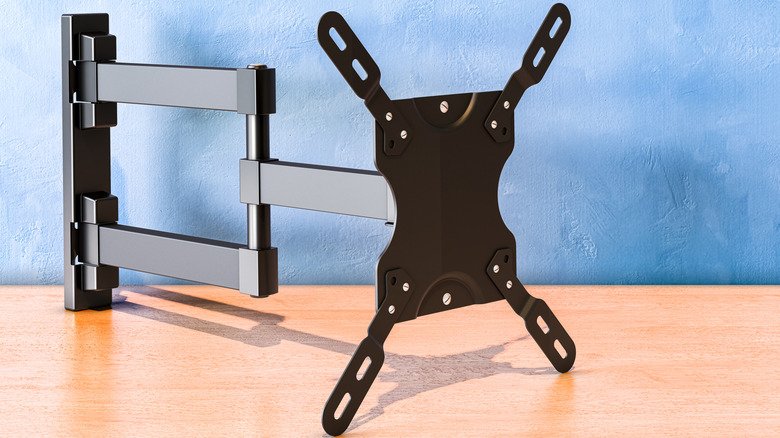
    TV wall mount with adjustable arms and a VESA mounting plate.

    The easiest method doesn’t require a ruler at all. Look up the exact TV model in its manual or on the manufacturer’s support page and find the wall-mount or VESA specifications. Manufacturers commonly list the mounting-hole pattern in millimeters.

    If you can’t find the specification, you can measure the mounting holes yourself. Measure from the center of one mounting hole to the center of the corresponding hole horizontally, then do the same vertically. Write the result as horizontal × vertical, in millimeters.

    For example, if the mounting holes are 400mm apart horizontally and 200mm apart vertically, the TV has a 400 × 200 VESA pattern. Measure in millimeters so you can compare the result directly with the mount’s specifications.

    A matching VESA pattern isn’t enough
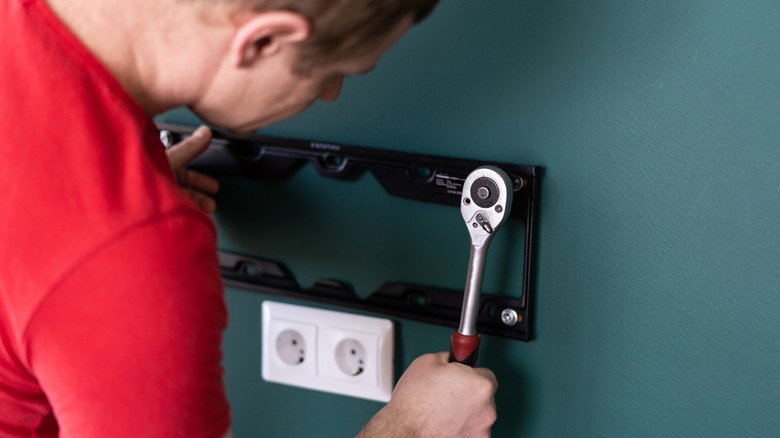
    Person using a ratchet to secure a TV wall-mount bracket to a wall.

    A matching VESA pattern tells you the bracket can line up with the TV’s mounting holes. It doesn’t tell you whether the mount can safely hold the TV, so the next specification to check is its weight limit.

    Compare the mount’s maximum load with the weight of your TV. A bracket can support the correct VESA pattern and still be unsuitable for a TV that’s too heavy.

    You should also check the hardware required by your TV. VESA compatibility also says nothing about how the bracket should attach to the wall. Once you’ve confirmed the pattern and weight rating, use the TV manufacturer’s instructions to check the required mounting screws and follow the mount manufacturer’s instructions for attaching the bracket to the wall.

    Know mount VESA What
    Share. Facebook Twitter Pinterest LinkedIn Tumblr Email
    Tool Tech Team
    • Website

    Related Posts

    Is a 256GB SSD better than a 1TB hard drive? It depends how you’re using it

    September 12, 2026

    Moss developer Polyarc has closed

    September 12, 2026

    Bose QuietComfort Headphones (2nd gen) review: Upgraded in all the right places

    September 11, 2026

    iPhone 18 Pro Max vs Samsung Galaxy S26 Ultra: How these XL phones compete

    September 11, 2026

    Insta360 Luna Pro review: Your Instagram Reels are about to get an upgrade

    September 10, 2026

    What OpenAI’s latest controversy tells us about the future of math

    September 10, 2026
    Leave A Reply Cancel Reply

    Top posts
    Web Hosting

    An honest comparison for recruiting teams

    By Tool Tech Team
    AI Tools

    OpenAI’s Sam Altman says it would be ‘ill-advised’ to go public in 2026

    By Tool Tech Team
    Tech

    Is a 256GB SSD better than a 1TB hard drive? It depends how you’re using it

    By Tool Tech Team
    Editors Picks

    An honest comparison for recruiting teams

    September 12, 2026

    OpenAI’s Sam Altman says it would be ‘ill-advised’ to go public in 2026

    September 12, 2026

    Is a 256GB SSD better than a 1TB hard drive? It depends how you’re using it

    September 12, 2026

    Y Combinator’s Garry Tan wants US open-weight AI labs to ‘distill’ frontier models, too

    September 12, 2026
    About Us

    Welcome to ToolTechBlog, your trusted source for the latest insights, reviews, and practical guides on AI tools, business software, cybersecurity, web hosting, and consumer technology.
    Our mission is simple: to help individuals, entrepreneurs, freelancers, students, and businesses discover the right digital tools to improve productivity, streamline workflows, and make informed technology decisions.

    Our Picks

    An honest comparison for recruiting teams

    September 12, 2026

    OpenAI’s Sam Altman says it would be ‘ill-advised’ to go public in 2026

    September 12, 2026

    Is a 256GB SSD better than a 1TB hard drive? It depends how you’re using it

    September 12, 2026
    Top Reviews

    The AI Hype Index: Unsexy AI

    July 29, 2026

    What it is and How to Fix it

    July 29, 2026

    LG to Ban Residential Proxies from Smart TV Apps

    July 29, 2026

    © 2026 tooltechblog.com. All rights reserved. Designed by DD.

    • About Us
    • Contact Us
    • Terms and Conditions
    • Privacy Policy
    • Disclaimer

    Type above and press Enter to search. Press Esc to cancel.