



Isolate Untrusted Code Execution with Rootless Docker and gVisor

SitePoint TeamPublished inProgramming·Web Security·Cloud·
September 23, 2026
The AI briefing for Developers
Stay up to date with AI tools, model releases, and developer workflows that matter.
Weekly. Free. One click to leave.
SitePoint Premium
Stay Relevant and Grow Your Career in Tech
- Premium Results
- Publish articles on SitePoint
- Daily curated jobs
- Learning Paths
- Discounts to dev tools
7 Day Free Trial. Cancel Anytime.
Multi-tenant code execution platforms are common across CI/CD, education, and AI agent tooling. This article demonstrates how layering rootless Docker with gVisor produces two independent containment boundaries that neutralize entire classes of kernel CVEs without requiring full virtual machines.
How to Isolate Untrusted Code with Rootless Docker and gVisor
- Provision a Linux host running kernel 5.13+ with cgroups v2 unified hierarchy and the
uidmappackage installed. - Install rootless Docker using
dockerd-rootless-setuptool.shand switch to the rootless context. - Install gVisor’s
runscbinary and register both a basic and a hardenedrunsc-sandboxruntime in~/.config/docker/daemon.json. - Create a custom seccomp profile targeting the Sentry’s host syscall surface and validate it against your runsc version.
- Build a minimal distroless runner image containing only the execution harness script.
- Define a Docker Compose service combining
read_only,cap_drop: ALL,no-new-privileges,network_mode: none, cgroup limits, and the gVisor runtime. - Invoke the sandbox from the host by piping code via stdin through a wrapper script with an outer timeout and explicit resource flags.
- Verify isolation by running escape-attempt tests against each containment layer and inspecting Sentry debug logs.
Table of Contents
Why Default Container Isolation Isn’t Enough
Multi-tenant code execution platforms are common across CI/CD, education, and AI agent tooling. Online coding playgrounds, CI runners, educational REPLs, and the newest entrant, LLM tool-use agents that dynamically generate and execute code, all share a common architectural requirement: safely running untrusted code on shared infrastructure. The standard approach is to reach for Docker containers, but default container isolation provides far less protection than most operators assume.
The core issue is the shared-kernel problem. Every container on a host shares the same Linux kernel. The kernel exposes over 300 syscalls to every containerized process by default, and a single vulnerability in any of those code paths can escalate privileges from inside the container to root on the host. This is not theoretical. CVE-2024-1086, a use-after-free in the Linux kernel’s netfilter subsystem, demonstrated exactly this class of escape: a crafted packet-filtering operation from within a container could achieve arbitrary code execution with full host root privileges. Earlier container escapes like CVE-2019-5736 (runc) and CVE-2020-15257 (containerd-shim) exploited different layers of the same shared surface.
Together, even if one layer fails, the other independently contains the threat.
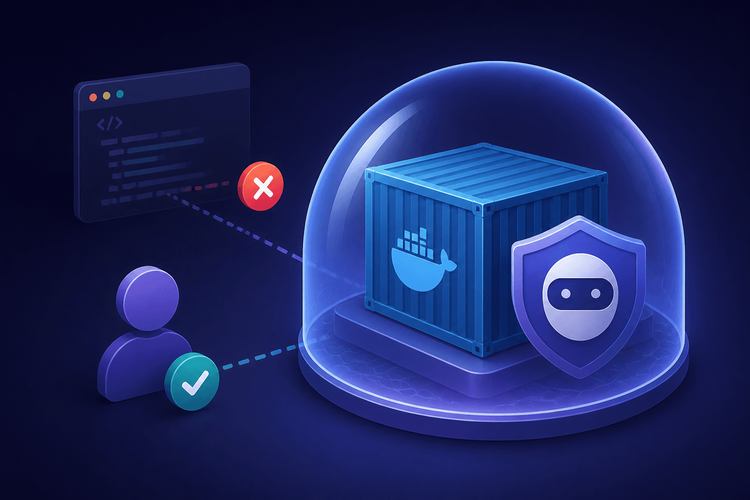
This article demonstrates how layering rootless Docker with gVisor produces two independent containment boundaries that neutralize entire classes of kernel CVEs without requiring full virtual machines. Rootless Docker uses user namespace remapping so that root inside the container maps to an unprivileged UID on the host. gVisor interposes a user-space kernel (called the Sentry) that intercepts syscalls before they ever reach the host kernel. Together, even if one layer fails, the other independently contains the threat.
The deliverable is a ready-to-deploy Docker Compose stack, custom runsc profiles, a seccomp filter, and a Node.js execution harness, all copy-paste-ready and designed to run in a single project directory.
Threat Model: What You’re Defending Against
Attack Surface of a Standard Container
A default Docker container starts with access to roughly 300+ Linux syscalls. Docker’s built-in seccomp profile blocks approximately 44 of them (as of Docker 24.x; verify against the current moby/profiles/seccomp/default.json for your version), leaving the vast majority available. Beyond syscalls, containers share several kernel subsystems: procfs, sysfs, cgroup hierarchies, and portions of the network stack. Cgroup escape vectors, while narrowed in cgroups v2, remain a documented concern. Most critically, when Docker runs in its default (rootful) mode, UID 0 inside the container is UID 0 on the host. Any privilege escalation that breaches the container boundary immediately yields full host root access.
Defining “Untrusted Code”
The term “untrusted code” covers three primary categories relevant to this architecture. Online judges and REPL platforms compile and run user-submitted code snippets, where arbitrary users supply code the platform executes. LLM agents dynamically produce scripts and invoke exec or equivalent process-spawning calls, generating tool-use code with no human review. Marketplace-style platforms run vendor-provided plugins or extensions in hosted environments, executing third-party code the operator never audited.
All three categories share the property that the platform operator has no control over, and no prior knowledge of, the code being executed.
Defense-in-Depth Goals
The architecture targets three distinct layers. Rootless Docker prevents the container process from ever running as the real host root. Even if an attacker achieves UID 0 inside the container, user namespace remapping ensures that maps to a high-numbered, unprivileged UID on the host. On top of that, gVisor’s runsc runtime prevents the container process from directly reaching the real host kernel. The Sentry reimplements the Linux syscall interface in user space, so kernel vulnerabilities like CVE-2024-1086 are not reachable from inside the sandbox. A custom seccomp profile then restricts even the Sentry’s interactions with the host kernel to a minimal surface, layered on top of gVisor’s own syscall filtering.
Architecture Overview
The execution path for sandboxed code traverses four distinct security boundaries:
┌─────────────────────────────────────────────────┐│ Host (Linux kernel ≥ 5.2, cgroups v2) ││ ││ ┌───────────────────────────────────────────┐ ││ │ Rootless dockerd (user-namespaced) │ ││ │ UID 0 → host UID 100000+ │ ││ │ │ ││ │ ┌─────────────────────────────────────┐ │ ││ │ │ containerd-shim → runsc │ │ ││ │ │ │ │ ││ │ │ ┌────────────────────────────────┐ │ │ ││ │ │ │ gVisor Sentry │ │ │ ││ │ │ │ (user-space kernel) │ │ │ ││ │ │ │ │ │ │ ││ │ │ │ ┌──────────────────────────┐ │ │ │ ││ │ │ │ │ Sandboxed workload │ │ │ │ ││ │ │ │ │ (Node.js runner) │ │ │ │ ││ │ │ │ └──────────────────────────┘ │ │ │ ││ │ │ └────────────────────────────────┘ │ │ ││ │ └─────────────────────────────────────┘ │ ││ └───────────────────────────────────────────┘ │└─────────────────────────────────────────────────┘Each boundary provides independent containment. The rootless dockerd runs the entire Docker daemon under a non-root user, with subordinate UID/GID mappings. The containerd-shim hands off to runsc instead of the standard runc. gVisor’s Sentry intercepts all syscalls from the sandboxed workload and reimplements them in user space, so the host kernel never directly processes untrusted syscall arguments. cgroups v2 in unified hierarchy mode limits CPU, memory, and PID counts.
Prerequisites and Environment Setup
Host Requirements
The host must run Linux kernel 5.2 or later for cgroups v2 unified hierarchy support; kernel 5.13+ is recommended for stable unprivileged user namespace support without sysctl configuration. The uidmap package (providing newuidmap and newgidmap) must be installed for subordinate UID/GID mapping. Verify that the setuid bit is set on both binaries: ls -la $(which newuidmap) should show -rwsr-xr-x. If not, run sudo chmod +s $(which newuidmap) $(which newgidmap). Run sudo loginctl enable-linger $USER to allow the rootless daemon’s systemd user services to persist after logout.
Installing Rootless Docker
After ensuring the prerequisites, install rootless Docker using Docker’s provided setup tool:
dockerd-rootless-setuptool.sh installdocker context use rootlessdocker info 2>/dev/null |grep-i"rootless|security"The setup tool configures systemd user services, sets DOCKER_HOST to the user’s XDG runtime socket, and creates subordinate UID/GID mappings in /etc/subuid and /etc/subgid.
Installing gVisor (runsc)
Install the runsc binary and register it as an OCI runtime. For rootless Docker, the daemon configuration lives at ~/.config/docker/daemon.json rather than /etc/docker/daemon.json:
curl-fsSL https://gvisor.dev/archive.key |sudo gpg --dearmor-o /usr/share/keyrings/gvisor-archive-keyring.gpgecho"deb [arch=$(dpkg --print-architecture) signed-by=/usr/share/keyrings/gvisor-archive-keyring.gpg] https://storage.googleapis.com/gvisor/releases release main"|sudotee /etc/apt/sources.list.d/gvisor.list > /dev/nullsudoapt-get update &&sudoapt-getinstall-y runscrunsc --versionThe runtime registration and hardened configuration are combined in the next section to avoid maintaining two separate daemon.json files.
Configuring gVisor’s runsc Runtime for Hardened Sandboxing
Choosing a gVisor Platform (ptrace vs systrap vs KVM)
gVisor supports three platforms for syscall interception. The ptrace platform uses ptrace(2) to trap syscalls and is the most broadly compatible but carries the highest per-syscall overhead. The systrap platform uses SIGSYS-based trapping, delivering roughly 2-3x lower per-syscall cost than ptrace (per gVisor’s own benchmarks) while requiring no special device access. The systrap platform requires Linux kernel 5.3 or later. The KVM platform runs the Sentry as a lightweight hypervisor guest, offering the lowest overhead but requiring access to /dev/kvm. Device passthrough requires --device /dev/kvm, which is available to rootless Docker only if the user owns or has group access to the device node.
For rootless deployments targeting untrusted code execution, systrap is the appropriate choice. It operates entirely within the rootless user’s permissions without requiring device access.
Custom runsc Flags and OCI Runtime Config
The following daemon.json registers both a basic runsc runtime (for testing) and a hardened runsc-sandbox runtime with flags selected specifically for untrusted workload isolation. This is the single, merged configuration file — place it at ~/.config/docker/daemon.json:
{"runtimes":{"runsc":{"path":"/usr/bin/runsc"},"runsc-sandbox":{"path":"/usr/bin/runsc","runtimeArgs":["--platform=systrap","--network=sandbox","--directfs=false","--fsgofer-host-uds=false","--debug-log=/var/log/runsc/%ID%.log","--debug"]}}}Create the debug log directory and ensure the rootless user has write access:
sudomkdir-p /var/log/runsc &&sudochown$USER /var/log/runscAfter writing daemon.json, restart the rootless daemon and verify both runtimes:
systemctl --user restart dockerdocker run --runtime=runsc --rm hello-worlddocker run --runtime=runsc-sandbox --rm hello-worldEach flag serves a specific purpose. --platform=systrap selects the recommended interception mode for rootless contexts. --network=sandbox forces gVisor’s built-in user-space network stack (netstack) rather than passing through the host’s network, preventing direct access to host network interfaces. Note that --network=sandbox in runtimeArgs and network_mode: none in Compose are complementary: Compose removes the network namespace, while the runsc flag configures the Sentry’s internal network handling. --directfs=false disables direct filesystem access, ensuring all file operations pass through the gofer process with mandatory security checks. --fsgofer-host-uds=false prevents the gofer from receiving host Unix domain socket file descriptors, closing a potential channel for host communication. --debug-log=/var/log/runsc/%ID%.log writes Sentry debug logs to a host-accessible file (runsc supports %ID% substitution for container IDs; the path must be a file prefix, not a directory).
Note on overlay flags: Overlay is disabled by default in runsc. If you need to change overlay behavior, verify available flags with runsc --help for your installed version, as flag names and accepted values vary across releases.
Applying a Custom Seccomp Profile
gVisor’s Sentry already reimplements and filters syscalls in user space, but the Sentry itself makes host syscalls to manage memory, threads, and I/O. A custom seccomp profile applied at the Docker level restricts which syscalls the Sentry process and the gofer can issue to the host kernel.
Important: This profile restricts the Sentry’s host syscalls, not the sandboxed application’s syscalls. The Sentry requires syscalls beyond what the sandboxed workload uses (e.g., epoll_create1, epoll_ctl, epoll_wait, eventfd2, memfd_create, prctl, arch_prctl, socket, recvmsg, sendmsg, getsockopt). You must verify the complete Sentry syscall surface with strace -f runsc … or use gVisor’s own generated seccomp profile as a baseline before deploying. The list below is a starting point that includes known Sentry requirements, but your runsc version may require additional syscalls.
Architecture note: This profile targets x86_64. For arm64 hosts (AWS Graviton, Apple Silicon Linux VMs), replace SCMP_ARCH_X86_64 with SCMP_ARCH_AARCH64 and audit for architecture-specific syscall differences.
{"defaultAction":"SCMP_ACT_ERRNO","defaultErrnoRet":38,"architectures":["SCMP_ARCH_X86_64"],"syscalls":[{"names":["read","write","close","fstat","lseek","mmap","mprotect","munmap","brk","rt_sigaction","rt_sigprocmask","rt_sigreturn","ioctl","access","pipe","select","sched_yield","mremap","clone","clone3","execve","exit","wait4","kill","uname","fcntl","getdents64","getcwd","chdir","openat","readlinkat","newfstatat","exit_group","clock_gettime","futex","set_tid_address","set_robust_list","prlimit64","getrandom","sigaltstack","epoll_create1","epoll_ctl","epoll_wait","epoll_pwait","eventfd2","memfd_create","prctl","arch_prctl","socket","bind","listen","accept4","connect","recvmsg","recvfrom","sendmsg","sendto","getsockopt","setsockopt","getsockname","getpeername","tgkill","gettid","getpid","getppid","nanosleep","clock_nanosleep","madvise","mincore","sched_getaffinity","pipe2","dup","dup2","dup3","pread64","pwrite64","readv","writev","splice","fallocate","ftruncate","truncate","mkdir","unlink","unlinkat","getuid","getgid","geteuid","getegid","getgroups","setgroups","rt_sigtimedwait","signalfd4","timerfd_create","timerfd_settime","timerfd_gettime","statx","statfs","fstatfs","shutdown","socketpair","sched_setaffinity","sched_getparam","sched_setparam","sched_getscheduler","sched_setscheduler","process_vm_readv","process_vm_writev","seccomp","landlock_create_ruleset","ppoll","pselect6"],"action":"SCMP_ACT_ALLOW"}]}Save this as sandbox-seccomp.json in the project directory. After saving, validate that the profile does not break sandbox startup:
docker run --runtime=runsc-sandbox --security-opt seccomp=sandbox-seccomp.json --rm hello-worldIf this fails with “operation not permitted” or runsc exits with status 2, use strace -f runsc … to identify the missing syscalls and add them to the whitelist. Updating runsc to a new version may change the Sentry’s syscall surface, so re-validate after upgrades.
Note: Run strace -f -e trace=all runsc --platform=systrap … hello-world 2>&1 | awk '{print $2}' | sort -u against your specific runsc version to get the exact required set. The above is a hardened-but-functional baseline. The defaultErrnoRet is set to 38 (ENOSYS) rather than 1 (EPERM) so that programs probing for syscall availability receive the correct “not implemented” signal rather than a misleading permissions error.
Docker Compose Stack for Sandboxed Code Execution
Compose Service Definition
The following Compose file brings together all security layers into a single deployable service:
services:sandbox-runner:image: sandbox-runner:latestruntime: runsc-sandboxread_only:truestdin_open:truesecurity_opt:- no-new-privileges:true- seccomp=sandbox-seccomp.jsoncap_drop:- ALLnetwork_mode: nonetmpfs:- /tmp:size=10M,noexec,nosuid,nodevdeploy:resources:limits:cpus:"0.5"memory: 128Mpids:32environment:- NODE_ENV=productionentrypoint:["node","/app/harness.js"]Every directive serves a security purpose. read_only: true makes the root filesystem immutable, preventing the workload from modifying binaries or configuration. cap_drop: ALL removes every Linux capability, including CAP_NET_RAW, CAP_SYS_ADMIN, and CAP_SYS_PTRACE. no-new-privileges prevents setuid binaries and capability escalation via execve. The cgroups v2 resource limits cap CPU to half a core, memory to 128MB (hard limit, OOM-killed on breach), and process IDs to 32 (fork bomb containment). The tmpfs mount at /tmp provides the only writable surface, capped at 10MB with noexec to prevent executing binaries written to it.
Important: The deploy.remode semantics). When using docker compose run, pass reids-limit 32
Building a Minimal Runner Image
The runner image should contain the absolute minimum required to execute code. A multi-stage build isolates build dependencies from the final image:
FROM node:20-slim AS buildWORKDIR /appCOPY harness.js .RUN node --check /app/harness.jsFROM gcr.io/distroless/nodejs20-debian12:nonrootCOPY--from=build /app/harness.js /app/harness.jsUSER nonroot:nonrootENTRYPOINT ["node", "/app/harness.js"]The distroless base image contains no shell, no package manager, and no utilities that an attacker could use for reconnaissance or lateral movement. The nonroot user ensures the process runs as a non-root UID even within the container’s user namespace. For reproducible builds, pin the base image to a digest: gcr.io/distroless/nodejs20-debian12:nonroot@sha256:<digest>.
Note: The distroless nonroot tag runs as UID 65532, not 65534 (nobody). The harness relies on the container’s USER directive for least-privilege rather than attempting setuid/setgid at runtime, which would require capabilities dropped by cap_drop: ALL.
Volume and Network Restrictions
No host bind mounts are used. The host pipes coderee of host filesystem exposure. The network_mode: none directive removes the container’s network namespace entirely. For workloads that legitimately need to fetch dependencies or call APIs, operators can replace this with a user-defined bridge network combined with an egress proxy, but for pure code execution and evaluation, no network access should be the default
Execution Harness: Running Untrusted Code Safely
Harness Design Goals
The harness accepts code as a string on stdin, executes it in an isolated subprocess, captures stdout and stderr separately, enforces a wall-clock timeout, detects OOM kills and output buffer overflow separately, and returns a structured JSON result. It must itself be minimal and defensively written, as it runs inside the sandbox.
Node.js Execution Harness Script
"use strict";const{ execFile }=require("child_process");const{ writeFileSync, unlinkSync }=require("fs");constTIMEOUT_MS=5000;constMAX_BUFFER=1024*256;constMAX_CODE_SIZE=1024*512;let code ="";let codeSize =0;process.stdin.resume();process.stdin.setEncoding("utf8");process.stdin.on("data",(chunk)=>{codeSize +=Buffer.byteLength(chunk,"utf8");if(codeSize >MAX_CODE_SIZE){const result ={stdout:"",stderr:"Input code exceeded maximum allowed size.",exitCode:1,timedOut:false,oomKilled:false,bufferExceeded:false,inputExceeded:true,};process.stdout.write(JSON.stringify(result)+ "");process.exit(0);}code += chunk;});process.stdin.on("end",()=>{const tmpPath =`/tmp/user-code-${process.pid}-${Date.now()}.js`;writeFileSync(tmpPath, code,{mode:0o444});execFile(process.execPath,["--max-old-space-size=64", tmpPath],{timeout:TIMEOUT_MS,maxBuffer:MAX_BUFFER,cwd:"/tmp",encoding:"utf8",env:{},},(error, stdout, stderr)=>{try{unlinkSync(tmpPath);}catch(_){}const timedOut =!!(error && error.killed);const exitCode = error?(typeof error.code==="number"? error.code:(error.killed?1:1)):0;const oomKilled = exitCode ===137;const bufferExceeded =!!(error && error.code==="ERR_CHILD_PROCESS_STDIO_MAXBUFFER");const result ={stdout: stdout ||"",stderr: stderr ||"",exitCode,timedOut,oomKilled,bufferExceeded,};process.stdout.write(JSON.stringify(result)+ "");process.exit(0);});});The harness writes the user code to the tmpfs-backed /tmp with a unique filename, executes it as a subprocess with --max-old-space-size=64 to cap V8 heap allocation, and enforces an input size cap of 512 KB to prevent exhausting the 10 MB tmpfs before execution begins. The empty env: {} ensures no environment variables leak to the untrusted code. The timedOut field checks for error.killed being true, which Node.js sets whenever the timeout fires, regardless of whether the final signal was SIGTERM or SIGKILL. The oomKilled field detects cgroup OOM kills via exit code 137 (128 + SIGKILL) rather than matching stderr strings, which would be spoofable by untrusted code. The temp file is cleaned up in the callback to prevent accumulation on the tmpfs in reused containers.
Note on maxBuffer behavior: When the buffer limit is exceeded, Node.js sets error.code to "ERR_CHILD_PROCESS_STDIO_MAXBUFFER" and truncates the captured output. The stdout and stderr fields in the result may be empty or incomplete when bufferExceeded is true.
Invoking the Sandbox from the Host
#!/usr/bin/env bashset-euo pipefailTMPCODE=$(mktemp)trap'rm -f "$TMPCODE" "$TMPOUT"' EXITcat>"$TMPCODE"TMPOUT=$(mktemp)docker_exit=0timeout15docker compose run --rm-T--cpus0.5--memory 128m --pids-limit 32sandbox-runner <"$TMPCODE"|head-c1048576>"$TMPOUT"||docker_exit=$?if["$docker_exit"-ne0];thenprintf'{"error":"sandbox invocation failed","exitCode":%d}'"$docker_exit">&2exit1fijq .<"$TMPOUT"The host-side timeout 15 acts as a hard ceiling beyond the container’s internal 5-second timeout, catching cases where the container itself hangs during startup. The -T flag disables pseudo-TTY allocation, ensuring clean stdin piping. Resource limits are passed as CLI flags because docker compose run does not enforce deploy.resources.limits. Code is read from stdin into a temp file to avoid shell expansion issues with special characters, backslash sequences, or subshell injection that would occur with positional arguments. The head -c 1048576 caps captured output at 1 MB to prevent host memory exhaustion from very large workload output. The script uses set -euo pipefail to ensure pipeline failures are not silently masked.
Verifying Isolation: Proving the Sandbox Works
Escape Attempt Tests
The following commands, run from the host, validate that each containment layer functions. These use bash heredoc syntax (<<<), which requires bash rather than sh:
docker compose run --rm-T--cpus0.5--memory 128m --pids-limit 32 sandbox-runner <<<'const fs = require("fs"); console.log(fs.readFileSync("/proc/1/environ","utf8"))'docker compose run --rm-T--cpus0.5--memory 128m --pids-limit 32 sandbox-runner <<<'require("child_process").execSync("unshare -r /bin/sh")'docker compose run --rm-T--cpus0.5--memory 128m --pids-limit 32 sandbox-runner <<<'while(true){require("child_process").fork(__filename)}'Each test targets a different containment layer: Test 1 validates gVisor’s synthetic procfs, Test 2 validates the distroless image’s minimal attack surface, and Test 3 validates cgroups v2 PID limiting.
Inspecting the gVisor Sentry Logs
With --debug-log=/var/log/runsc/%ID%.log and --debug configured in daemon.json (as shown above), Sentry debug logs are written to host-accessible files named by container ID. After running a sandboxed container, inspect logs with:
ls /var/log/runsc/*.logFor rootless daemons, journalctl --user -u docker captures daemon-level events including OOM kills and container exits.
Warning: Debug logging produces significant log volume in production. Disable --debug and --debug-log in production daemon.json once initial validation is complete, or use log rotation.
Performance Considerations and Tuning
Syscall Overhead
gVisor’s user-space syscall interception adds measurable latency. I/O-heavy workloads that issue frequent open, read, and write calls can observe 2-10x higher latency compared to native runc execution, depending on the workload profile (see gVisor’s official benchmarks for methodology and current numbers). For compute-bound workloads, such as algorithmic puzzles or mathematical computations typical of coding challenges, the overhead is negligible because the hot path stays within the user-space process and V8’s JIT compiler without crossing the syscall boundary frequently.
For compute-bound workloads, such as algorithmic puzzles or mathematical computations typical of coding challenges, the overhead is negligible because the hot path stays within the user-space process and V8’s JIT compiler without crossing the syscall boundary frequently.
Operators who need lower per-syscall overhead and can configure host-level access to /dev/kvm may consider gVisor’s KVM platform, which reduces interception cost substantially but requires privileged host setup (the user must own or have group access to /dev/kvm, and the device must be passed through with --device /dev/kvm).
Cold-Start Mitigation
Container cold starts in this stack involve rootless daemon processing, runsc sandbox creation, and Sentry initialization. Cold starts typically add 1-3 seconds of latency before code execution begins. To reduce this for interactive use cases, operators can pre-warm a pool of paused containers using docker create followed by docker start on demand, eliminating the cold-start penalty entirely. Note that docker compose run creates a new container on each invocation and will not reuse pre-created containers; pre-warming requires direct docker create/docker start orchestration outside of Compose.
Production Hardening Checklist
| Control | Layer | Config Directive | Enabled by Docker Default? |
|---|---|---|---|
| User namespace remapping | Rootless | dockerd-rootless-setuptool.sh | Yes (rootless mode) |
| Drop all capabilities | Container | cap_drop: ALL | No (default keeps several) |
| Read-only root filesystem | Container | read_only: true | No |
| No new privileges | Container | no-new-privileges: true | No |
| Custom seccomp profile | Seccomp | seccomp=sandbox-seccomp.json | No (uses Docker default) |
| gVisor systrap platform | gVisor | --platform=systrap | No (requires explicit runtime) |
| Network disabled | Container | network_mode: none | No (default is bridge) |
| PID limit | Cgroup | pids: 32 | No (unlimited by default) |
| Memory hard limit | Cgroup | memory: 128M | No (unlimited by default) |
| CPU quota | Cgroup | cpus: "0.5" | No (unlimited by default) |
| tmpfs size cap | Container | tmpfs: /tmp:size=10M,noexec | No (no tmpfs by default) |
| Sentry log auditing | gVisor | --debug-log | No (logging disabled) |
Every row marked “No” represents a control that a standard Docker deployment leaves open. This architecture explicitly closes each one.
When This Architecture Fits (and When It Doesn’t)
This rootless Docker plus gVisor stack is well-suited for the untrusted-code categories described above: platforms where operators run code they did not write and cannot audit in advance. The two independent containment boundaries provide defense-in-depth that withstands individual layer failures, and the entire configuration runs without host root access.
The architecture is not appropriate in several scenarios. Workloads requiring GPU passthrough cannot use gVisor, as GPU device access and driver compatibility remain limited. Use cases demanding sub-millisecond execution latency should evaluate Firecracker microVMs, which provide VM-level isolation with lower per-invocation overhead for high-frequency, short-lived workloads (Firecracker advertises cold-start times around 125 ms; see the Firecracker documentation for current benchmarks). Non-Linux hosts cannot run rootless Docker or gVisor at all.
The complete set of configuration files presented in this article, docker-compose.yml, sandbox-seccomp.json, daemon.json, Dockerfile, harness.js, and run-sandbox.sh, are designed to be placed in a single project directory and invoked with echo '<code>' | ./run-sandbox.sh. Operators should run the verification tests against their deployment, review the seccomp whitelist against their specific language runtime’s syscall requirements (using strace -f to capture the Sentry’s actual syscall surface), and adjust cgroup limits based on workload profiling.
Sharing our passion for building incredible internet things.
