


Close Menu
ToolTechBlogToolTechBlog

    Subscribe to Updates

    Get the latest creative news from FooBar about art, design and business.

    What's Hot

    How to watch every 2026 NFL Thanksgiving game on streaming

    November 25, 2026

    I gave Gemini access to my Wallet, and it immediately started saving me money

    November 25, 2026

    How to Build Conference Talk Slides With AI Without Looking Generic

    November 25, 2026
    Facebook X (Twitter) Instagram
    ToolTechBlogToolTechBlog
    • Home
    • AI Tools
    • Web Hosting
    • Tech
    • Digital Marketing
    • Business Software
    • VPN & Cybersecurity
    ToolTechBlogToolTechBlog
    Home»Business Software»I gave Gemini access to my Wallet, and it immediately started saving me money
    Business Software

    I gave Gemini access to my Wallet, and it immediately started saving me money

    Tool Tech TeamBy Tool Tech TeamNovember 25, 2026No Comments4 Mins Read
    Facebook Twitter Pinterest Telegram LinkedIn Tumblr WhatsApp Email
    I gave Gemini access to my Wallet, and it immediately started saving me money
    Share
    Facebook Twitter LinkedIn Pinterest Telegram Email

    ZDNET’s key takeaways

    • Personal Intelligence can now analyze your Wallet transactions.
    • Once you connect Wallet, you can use Search for spending advice.
    • The feature can’t move or spend any money.

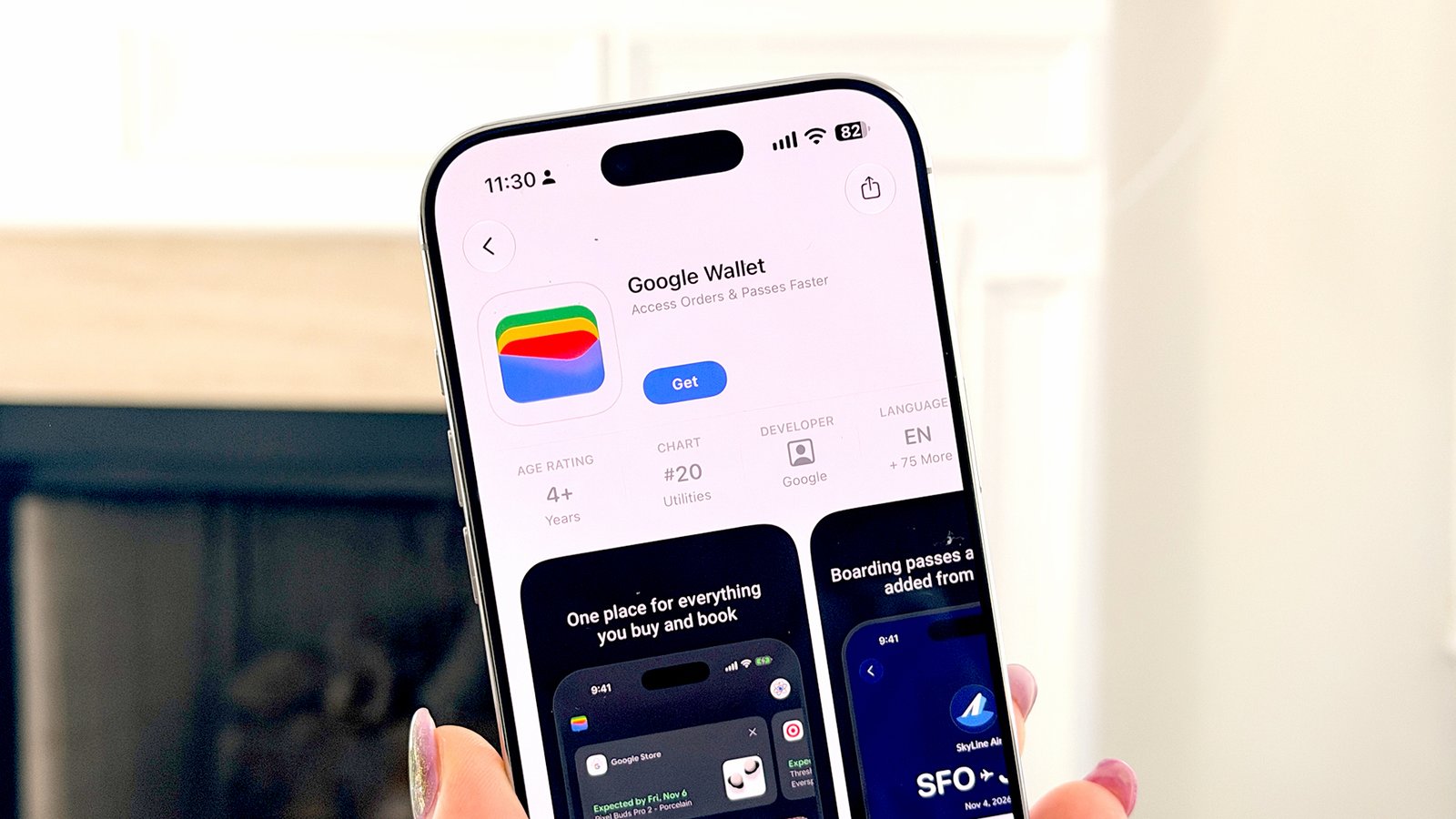
    Google has added Wallet integration to Personal Intelligence in AI Mode, letting you learn about your spending habits, plan a budget, maximize credit card rewards, and more with a simple Search.

    Starting today, Google announced, Personal Intelligence for Search is expanding to more apps, including Wallet and Drive. Google can’t move or manage any money, but it can give you tailored, personalized search results about your finances, like showing where you spend the most, identifying recurring subscriptions you might not be aware of, and suggesting which credit card might be best to use for travel. All you have to do is ask in a search.

    Also: I tried Personal Intelligence in Android Auto – and it knew exactly where I wanted to go

    This feature comes just over a week after Google introduced Personal Intelligence to Wallet.

    How to use Personal Intelligence to analyze your spending

    To turn on the feature, go to https://gemini.google.com. Once you’re there, click on the Settings gear icon, and then “Personal Intelligence.” Choose “Connected Apps,” and you’ll see all available apps. When you choose Wallet, you might need to log in to your bank account to access it fully.

    Once your Wallet is connected, it takes a few minutes to fully sync. Once it’s finished, you can ask questions through AI mode in Search. 

    Personal Intelligence tells me what I don’t want to hear

    I decided to give it a try for myself, starting off with a simple query: “Based on my spending, what’s a quick way I can save money?” I could have told you one of the primary culprits, but Google happily responded with what I already knew: far too much of my money goes to fast food and coffee. 
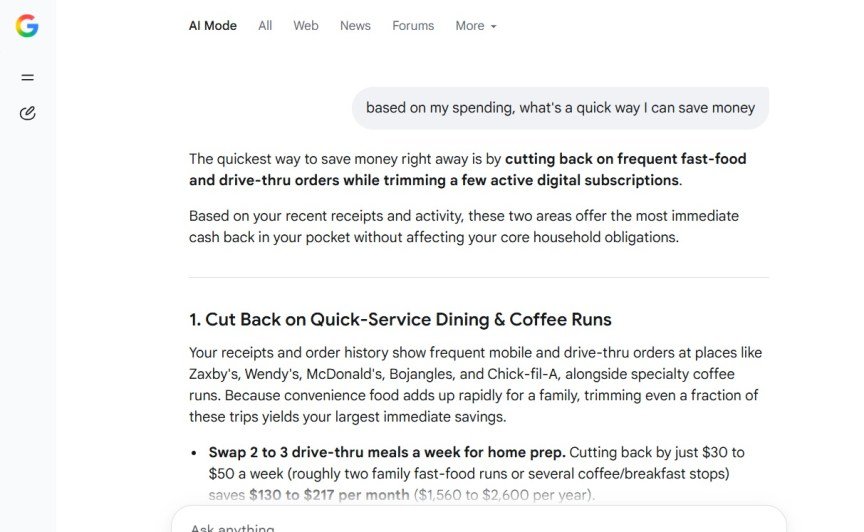

    “You frequently grab quick-service meals,” the response said, pointing out several fast food places that I do indeed frequent, “and specialty coffees throughout the week.” If I just cut that down to two meals and two coffees a week, Gemini explained, I’d save about $30 a week, or $1,500 a year.  

    Also: This powerful Gemini setting made my AI results way more personal and accurate

    When I asked it to find recurring subscriptions, Gemini noted that I had several monthly charges. What I didn’t ask for, but it did, was to break down those subscriptions into an easy-to-see chart, complete with the name, price, category, the card it’s being charged to, and the timeframe it usually comes out. Gemini even offered a few free alternatives to services I was paying for. 

    Since Gemini also knows what cards are linked to your Wallet, it’s able to offer advice there, too. I’m planning a trip to New York City, so I asked which cards might be best to use for the hotels and airfare. Gemini was able to analyze my card benefits, considering things like rewards and built-in travel insurance, and make a recommendation. 

    Also: Slow Android phone? How to speed it back up in 4 easy steps

    While Gemini Personal Intelligence can access your Gmail to learn more about your spending, it can’t access your bank account. The only information it knows about your finances and spending comes from receipts in your inbox or from your Wallet transaction history. I do use Wallet often (mostly when ordering through online apps), but it’s not quite my go-to option when I’m in a store. Given how useful this feature can be, though, I might just start using Wallet more to give it more information to work with.

    access gave Gemini immediately wallet
    Share. Facebook Twitter Pinterest LinkedIn Tumblr Email
    Tool Tech Team
    • Website

    Related Posts

    Jensen Huang still thinks a succession plan creates unnecessary hierarchy

    November 24, 2026

    How to save your Google Nest app videos before the January shutdown

    November 24, 2026

    Claude can ship code for you now – how to try it (if you dare)

    November 24, 2026

    Anthropic launches Claude Ship, letting AI agents review, fix, and approve code changes

    November 23, 2026

    Meta Muse booked an Airbnb without permission – and that’s not the worst of it

    November 23, 2026

    ‘You Can See Everything’ has made more than $100M worldwide

    November 22, 2026
    Leave A Reply Cancel Reply

    Top posts
    Tech

    How to watch every 2026 NFL Thanksgiving game on streaming

    By Tool Tech Team
    Business Software

    I gave Gemini access to my Wallet, and it immediately started saving me money

    By Tool Tech Team
    Web Hosting

    How to Build Conference Talk Slides With AI Without Looking Generic

    By Tool Tech Team
    Editors Picks

    How to watch every 2026 NFL Thanksgiving game on streaming

    November 25, 2026

    I gave Gemini access to my Wallet, and it immediately started saving me money

    November 25, 2026

    How to Build Conference Talk Slides With AI Without Looking Generic

    November 25, 2026

    What’s Coming in WordPress 7.2? (Features and Screenshots)

    November 25, 2026
    About Us

    Welcome to ToolTechBlog, your trusted source for the latest insights, reviews, and practical guides on AI tools, business software, cybersecurity, web hosting, and consumer technology.
    Our mission is simple: to help individuals, entrepreneurs, freelancers, students, and businesses discover the right digital tools to improve productivity, streamline workflows, and make informed technology decisions.

    Our Picks

    How to watch every 2026 NFL Thanksgiving game on streaming

    November 25, 2026

    I gave Gemini access to my Wallet, and it immediately started saving me money

    November 25, 2026

    How to Build Conference Talk Slides With AI Without Looking Generic

    November 25, 2026
    Top Reviews

    The AI Hype Index: Unsexy AI

    July 29, 2026

    What it is and How to Fix it

    July 29, 2026

    LG to Ban Residential Proxies from Smart TV Apps

    July 29, 2026

    © 2026 tooltechblog.com. All rights reserved. Designed by DD.

    • About Us
    • Contact Us
    • Terms and Conditions
    • Privacy Policy
    • Disclaimer

    Type above and press Enter to search. Press Esc to cancel.