



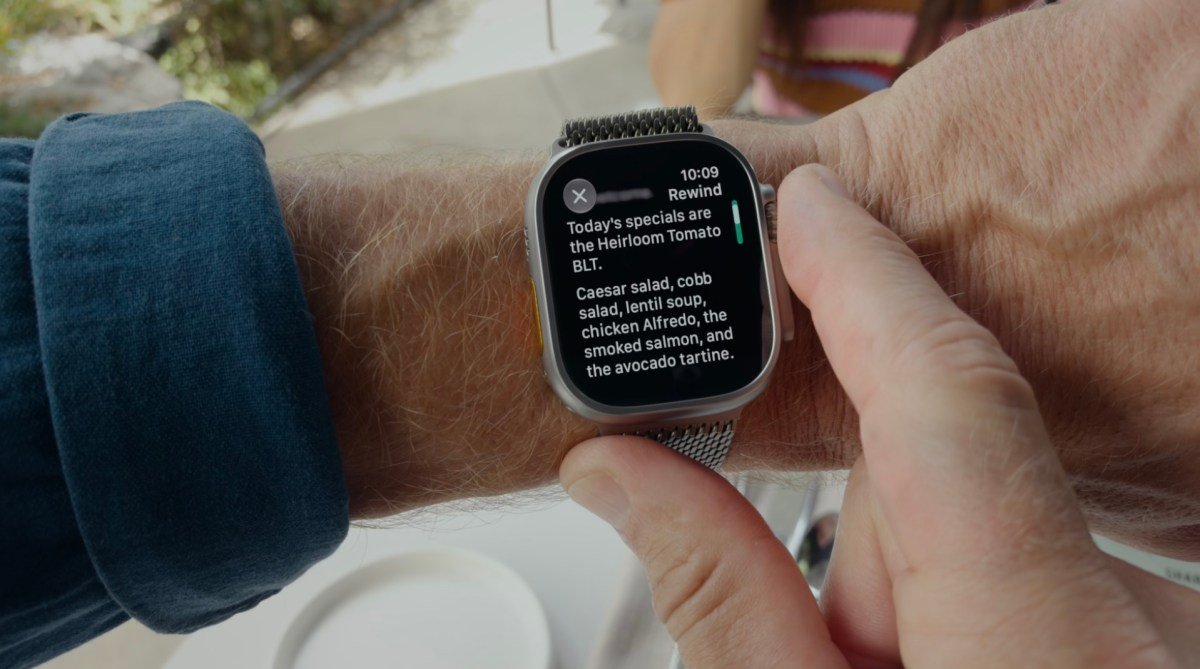
On Tuesday, Apple rolled out a potentially controversial set of Audio Intelligence features into testing with the first developer beta versions of iOS 27.3 and watchOS 27.3. The betas bring four new AI features that allow Apple Watch Series 12 wearers to detect important sounds, identify songs, catch up on conversations, and take notes.
After just a day with Apple’s Siri Recaps feature on my Apple Watch, I can already see how its value may ultimately outweigh any creepiness factor that comes from the AI-powered audio recording and summarization it provides. However, I also see areas where AI-assisted note-taking can go too far, capturing things that aren’t worth remembering, and where there’s room for improvement.
The first two, sound and song detection, don’t represent potential privacy concerns; they are designed to detect either important sounds — like an alarm or doorbell — or identify a song using Shazam’s technology. The former helps deaf and hard-of-hearing users navigate the world, and the latter is something we’ve already done with our iPhone for nearly two decades now.
It’s the two other features, Live Rewind and Siri Recaps, that have raised concerns. The features record and then transcribe or summarize the conversations happening with and around the Apple Watch’s owner. Live Rewind lets you go back to see what was said in the past 15 seconds, while Siri Recaps summarize audio throughout your day, saving notes of the important things that were said.
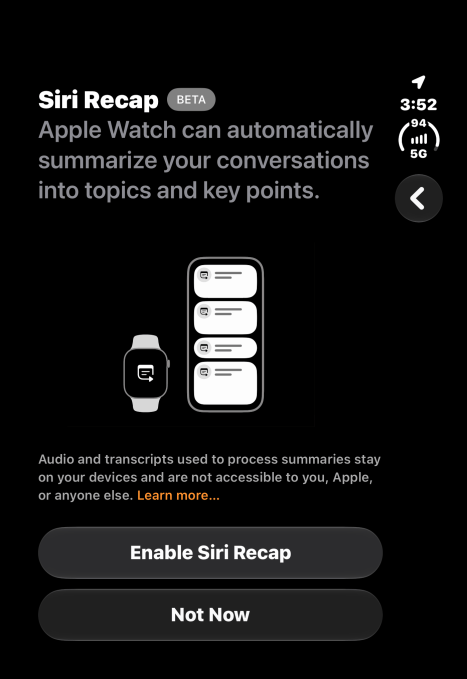
Apple has taken care to ensure the privacy of these AI features by processing the audio and running AI models on-device, when possible, and by not identifying speakers, storing raw audio files, and redacting private information, like government ID numbers or personal account information.
Still, some are put off by the idea that we’re now normalizing the idea that technology is always listening.
I find myself sympathizing with both camps. I often lament that we’ve allowed technology to become so pervasive in our daily lives, but I still see the value in what Apple has built.
I haven’t yet had an appropriate time to test Live Rewind, nor do I think this will be a feature I use as often. I’m more likely to say “sorry, what?” or “can you repeat that?” if I missed something that was said, before turning to my Apple Watch for help.
But with Siri Recaps, I immediately saw how this could become a feature I rely on regularly to save important notes for later.
I was able to test the feature in a real-world scenario yesterday, when we were dropping off my teen’s car for repairs and picking up a rental. At both places, employees shared a lot of information about time frames, prices, and policies that were delivered verbally. The information came too fast to stop and write anything down. Yet when I returned to Siri Recaps later in the day, it had captured key details that I may need to refer back to.
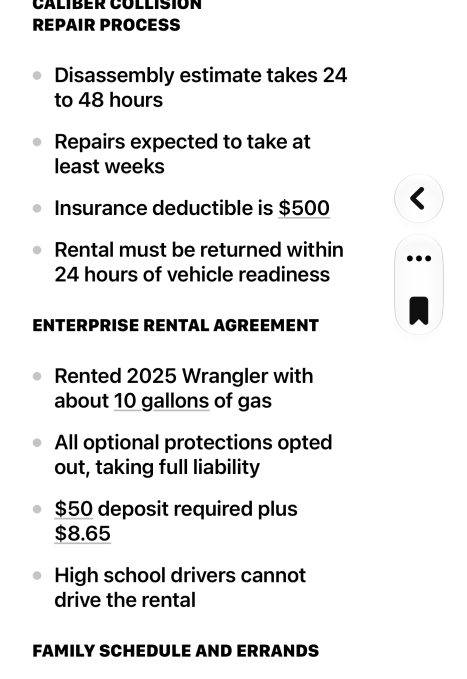
For instance, it noted the deductible, the repair time frame, the amount of gas we had in the rental at the start, and other things I wanted to remember.
One complaint is that Siri Recaps had mixed this information with other topics that were later discussed in the home, like an errand we needed to run and what time babysitting was this week, something we were discussing in order to create an appointment on the family calendar with an appropriate alert time frame.
I think these items should have been saved in a separate note titled “family schedule and errands,” rather than in the same note with the car repairs, but under a separate heading.
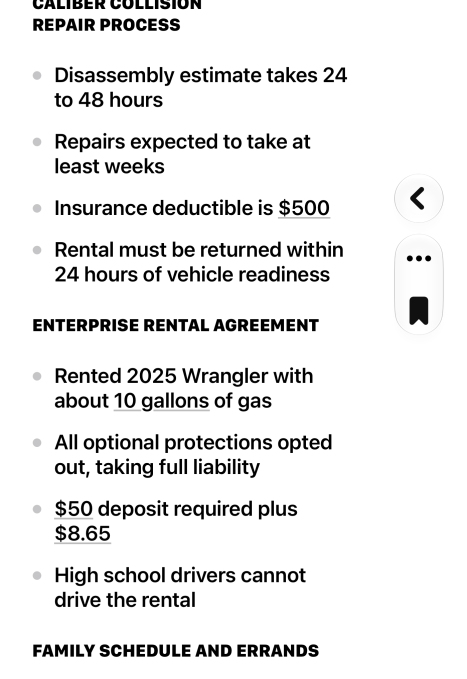
Because I configured Siri Recaps to run at all times, it also captured non-essential things, like our “plan” to watch the midterms coverage on TV, which is not the kind of thing you’d normally jot down a note about. It also was a stark reminder that the feature was listening in on our everyday conversations. That’s something that could feel invasive in different scenarios, if the subject being discussed was more personal in nature.
This had me considering turning off the Recap feature while at home in the evening, so family dinner table chatter doesn’t become note fodder.
While I appreciated that the Recap picked up a reminder about an errand I needed to run from one of the family conversations, other tidbits it saved — like what we were watching on TV — would only be valuable if you were exporting a Siri Recap note to Apple’s Journal app, because it was something you wanted to record for personal reasons.
I’d like to see these sorts of extraneous details saved as separate notes — or at least as dedicated sections that could be exported or deleted on their own at the end of the day.
I’d also love to be able to swipe left on an individual bullet point to remove it from the Siri Recap entirely, rather than having to enter edit mode, place the cursor, and then start deleting the text I don’t need.
Another option I’d like to have would be a setting that would allow you to automatically export any saved Siri Recap (the ones you click the bookmark icon to save) to Apple’s Notes app, instead of that being an extra step.
These Recaps could go into their own folder in the Notes app for easy reference. I can understand why this option is not the default, given how many different ways people use a general-purpose app like Notes. However, it would be useful for those of us who want to keep Notes as the central starting point for all our jotted-down reminders and to-dos.
Though I wasn’t immediately warmed up to the idea that my Watch was always listening, so to speak, I see the value of this sort of automated note-taking in daily life.
