



Community Article
Community articles are authored by SitePoint Premium contributors. Content is screened before publication, and SitePoint reserves the right to moderate or remove articles that violate our guidelines. Views expressed are those of the authors and do not necessarily reflect those of SitePoint.
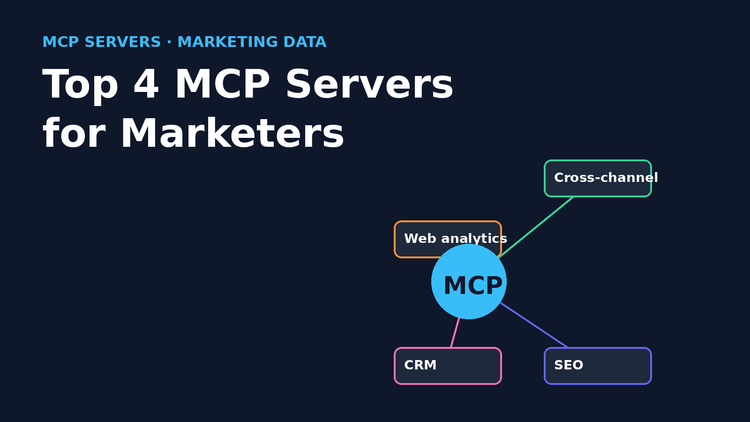
Top 4 MCP Servers for Marketers: Features, Use Cases, and Limitations
DJDiv JohnPublished inMarketing·Best Practices·
November 3, 2026
·Updated:November 3, 2026
The AI briefing for Developers
Stay up to date with AI tools, model releases, and developer workflows that matter.
Weekly. Free. One click to leave.
SitePoint Premium
Stay Relevant and Grow Your Career in Tech
- Premium Results
- Publish articles on SitePoint
- Daily curated jobs
- Learning Paths
- Discounts to dev tools
7 Day Free Trial. Cancel Anytime.
You no longer need to build a dashboard every time you want to investigate a drop in traffic or compare campaign results. With servers built on theModel Context Protocol (MCP), you can ask an AI assistant a question and let it retrieve the relevant data directly from your marketing tools.
But connecting an assistant to Google Analytics is not the same as connecting it to HubSpot or Ahrefs. Each server exposes different data, capabilities and levels of access. Some are built for quick analysis inside one platform, while others support reporting across several channels. This guide compares four servers, what they can do, how they are set up and where their limits matter. Details such as plans and tool lists change often, so confirm them against each vendor’s documentation before you commit.
Key Takeaways
- Hosting affects setup. Hosted servers connect remotely, while local servers need technical configuration but give you more control over deployment.
- Data coverage determines usefulness. Single-platform servers support detailed analysis, while cross-channel reporting benefits from consolidated datasets
- Permissions and usage limits matter. Some servers can modify records or consume API credits, so review access and costs before connecting.
What to Look for in a Marketing MCP Server
- Setup. Hosted servers generally connect through OAuth, while local servers may require Python, credentials and command-line configuration.
- Data coverage. Some servers reach one platform, others several. Cross-channel questions often need information from multiple systems.
- Permissions. Read-only tools retrieve information without changing records. Servers with write tools can perform actions, so review scopes carefully.
- Usage limits. An assistant may make several API calls to answer one question, and depending on the provider those calls can count against a monthly allowance.
- Metric consistency. Platforms calculate conversions, attribution and revenue differently, so reliable comparisons need consistent definitions and reporting periods.
Comparison Table
The summary below reflects each vendor’s documentation at the time of writing.
- Google Analytics MCP: local, read-only, best for GA4 website analytics, main limitation is technical setup.
- Coupler MCP: hosted, best for cross-channel reporting, main limitation is that it depends on the data flows you configure.
- HubSpot MCP: hosted, read plus limited write, best for CRM and lifecycle analysis, main limitation is that write support covers only some object types.
- Ahrefs MCP: hosted, best for SEO and competitor research, main limitation is monthly API unit limits.
Top 4 MCP Servers for Marketers
1. Google Analytics MCP: For Website Behavior Analysis
Google publishes an official, open-ts to the Admin and Data APIs, so it can list accounts and properties, run standard, realtime, funnel and conversion reports, and inspect custom dimensions and metrics. That makes it useful for investigating traffic changes, landing page performance and engagement trends
Example prompt: “Which landing pages lost the most engaged sessions this month compared with last month?” The assistant can pull the relevant reports and help you spot changes, and you can then check whether the decline comes from specific channels, countries or devices.
Setup: The server runs locally. Google’s documentation lists Python 3.10 or later, pipx or uvx, a Google Cloud project with the Analytics Admin and Data APIs enabled, application default credentials with the read-only Analytics scope, and at least Viewer access on the property you want to query.
Access: Google describes the server as available for read requests only, so it cannot change your Analytics configuration.
Limitations: It covers GA4 only, so it cannot combine website metrics with CRM records or advertising costs on its own. Running it locally also means you maintain the configuration yourself.
Best for: Web analysts and technical marketers who regularly investigate GA4 performance.
2. Coupler MCP: For Cross-Channel Reporting
Marketing performance usually spans several platforms. Google Ads generates clicks, GA4 tracks site activity and a CRM records leads. Seeing the whole picture means bringing those metrics together.
Coupler is a no-code data integration platform that offers MCP access to prepared business data. It lists more than 400 supported datan Ads and Shopify, and lets teams combine and transform data before an assistant queries it
Example prompt: “What was our cost per lead across Google Ads, Meta Ads and LinkedIn last quarter?” For paid search specifically, Coulper describes aGoogle Ads MCP server that lets you ask about campaigns and compare them with other connected channels.
Setup: Coupler is hosted, so there is nothing to install locally. You connect your platforms, configure data flows, choose refresh schedules and connect a compatible AI assistant. According to the vendor, queries run against the prepared datasets, which is useful for recurring reports because teams can reuse refreshed data instead of preparing exports by hand.
Limitations: Answers depend on the data included in your configured flows. Plan requirements and privacy options can vary by subscription, so check the current plan details before you rely on it.
Best for: Agencies and teams that need consistent reporting across advertising, website analytics, ecommerce and CRM platforms.
3. HubSpot MCP: For CRM and Lifecycle Analysis
HubSpot’s remote MCP server became generally available on April 13, 2026. It connects compatible AI clients to CRM data such as contacts, companies, deals, tickets and activities, and can also read marketing objects such as campaigns, landing pages and blog posts. That helps marketers investigate lead quality, pipeline performance and lifecycle trends without reviewing records one by one.
Example prompt: “Which deals created last quarter originated from webinar leads, and how many closed?” The assistant can retrieve the records and examine conversion patterns, provided the attribution data exists.
Setup: HubSpot hosts the server. In your account you create an MCP auth app under Development, then connect an MCP client that supports OAuth 2.1 with PKCE to the HubSpot endpoint. See HubSpot’sremote MCP server documentation for current steps.
Access: Unlike a purely analytical server, HubSpot supports selected create and update actions on records such as contacts, companies, deals, tickets and activities. Other objects, including marketing content, are read-only.
Limitations: Available operations differ by object type, and incomplete lead
Best for: B2B marketers and revenue operations teams that manage customers and pipeline in HubSpot.
4. Ahrefs MCP: For SEO and Competitor Research
Ahrefs offers a hosted MCP server that brings its SEO data into compatible assistants. It supports conversational research into keywords, backlinks, competing pages and organic visibility, so you can follow up with questions instead of exporting report after report.
Example prompt: “Which websites link to both of our main competitors but don’t link to us?” The assistant can retrieve backlink data and help you identify outreach targets, which you can then narrow by Domain Rating or organic traffic.
Setup: According to theAhrefs MCP documentation, the remote server is available on paid plans starting from Lite, and you authorize it through your AI client. Ahrefs also publishes agetting started guide.
Limitations: Calls made through MCP use your monthly API units in the same way as direct API usage, and rows per request depend on your plan. Ahrefs documents a default cap of 200,000 units per month for keys created through OAuth, which workspace admins can change. The data is also SEO-focused rather than first-party conversion analytics.
Best for: SEO specialists, content marketers and link builders who already use Ahrefs.
Should You Connect More Than One MCP Server?
Yes, but start with the connections your team actually needs. Each additional server adds tools the assistant has to choose between, which increases complexity. Combining Ahrefs and HubSpot, for example, supports separate SEO and CRM investigations, but connecting several servers does not automatically create a reliable cross-platform reporting system.
For recurring reports, prepare consistent datasets and validate the first results against your existing dashboards. That catches errors caused by mismatched metrics or attribution rules.
Are MCP servers safe for marketing data? Security depends on the provider, the authentication method and the permissions you grant. Use trusted servers, review access scopes, and enable write operations only when necessary.
Do I need coding skills to use MCP servers? Not necessarily. Hosted services usually need less configuration, while local servers such as Google’s need extra setup.
Which AI clients support MCP? Claude, ChatGPT, Cursor and other tools support MCP connections, though functionality and setup differ.
Do MCP servers cost extra? It depends on the provider. Some require paid plans, and others consume API credits or have usage limits.
Conclusion
Pick the server that matches the question you ask most often: Google Analytics MCP for GA4 behavior,Coupler for cross-channel reporting, HubSpot for CRM and lifecycle analysis, and Ahrefs for SEO research. Start with read-only access, check usage limits and permissions, and validate early answers against the reports you already trust.
