



When AI-Generated Documentation Is Unreadable: A CI Playbook

SitePoint TeamPublished inAI·DevOps·Programming·
October 15, 2026
The AI briefing for Developers
Stay up to date with AI tools, model releases, and developer workflows that matter.
Weekly. Free. One click to leave.
SitePoint Premium
Stay Relevant and Grow Your Career in Tech
- Premium Results
- Publish articles on SitePoint
- Daily curated jobs
- Learning Paths
- Discounts to dev tools
7 Day Free Trial. Cancel Anytime.
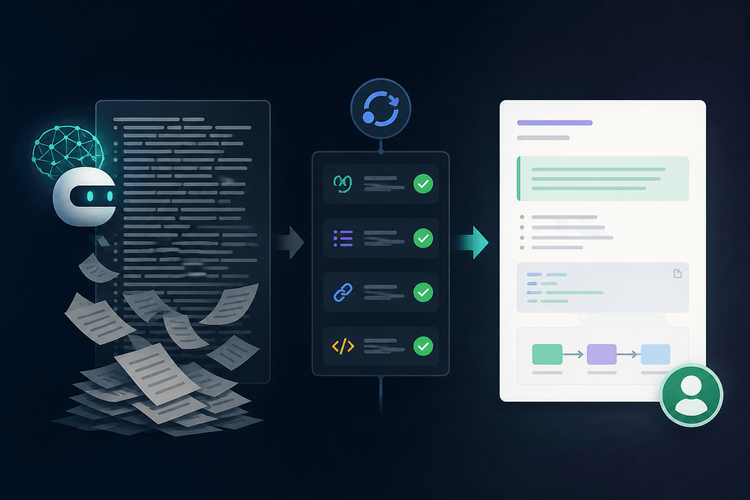
Teams adopting LLMs for documentation are running into a predictable failure mode: AI-generated documentation that looks polished but collapses under actual use. The docs compile, the formatting is clean, the headings are logical, and yet nobody can follow the procedures they describe. Worse, when AI-generated docs become the input for further AI-generated docs, the result is a feedback loop of degrading quality that no amount of manual review can sustainably catch. This playbook provides a CI-enforced system, combining a doc skeleton, PR checklist, Vale prose linting, and structural shell checks, to reject unreadable documentation before it merges.
Table of Contents
The Problem: Documentation Written by Machines, for Machines
How AI-Generated Docs Collapse into Unreadable Text
The pattern is now familiar enough that it surfaces regularly in engineering communities. Engineers describe the same frustration in community discussions: teams use LLMs to draft documentation, those docs get committed, and then other LLMs ingest them as context for generating further docs. Each generation drops decision rationale first, then environmental assumptions, leaving only bare commands wrapped in syntactically valid but semantically hollow instructions.
The symptoms are concrete and recognizable. You find giant CLI commands with unexplained flags that no reviewer questions because they “look right.” Terraform blocks stretch 200 lines, dropped in without a single annotation explaining why a particular value was chosen. Nobody writes any human context around YAML walls. Verification steps that would confirm whether the procedure actually works? Missing entirely. The documentation exists, technically, but it serves no reader.
This is not a theoretical concern. It is the default outcome when AI generates documentation without structural constraints. The text is fluent. The Markdown renders correctly. The content is wrong, or at minimum, unverifiable.
Why Standard Code Review Doesn’t Catch It
Reviewers give documentation PRs less scrutiny than code PRs. They skim them. AI-generated text is particularly dangerous here because it reads as complete and professional. Clean formatting, complete sentences, and plausible-sounding steps are enough to pass a 30-second skim, and no one is running the commands or verifying the steps during the review process.
Without structural expectations, there is no objective standard against which to reject a doc PR. A reviewer might sense that something is off but lacks a concrete rule to point at. The cost of this gap surfaces downstream: onboarding engineers who cannot follow a setup guide, incident responders who discover runbooks are wrong under pressure, and knowledge transfer failures that compound over quarters.
The Doc Skeleton: Four Required Sections
The core mechanism for enforcing readability is a four-part skeleton that every documentation file must follow. Each section exists to surface a specific failure mode.
Purpose
One to three sentences stating what the document enables the reader to do and when they would need it. The limit is deliberate. Forcing authors, whether human or AI, to articulate a document’s purpose in three sentences or fewer exposes docs that exist for no clear reason. If the purpose cannot be stated concisely, the document conflates multiple concerns and should be split.
Human Summary
A plain-language paragraph explaining the approach and key decisions, with no code, no jargon, and no implementation detail. AI-generated docs almost universally skip this section. LLMs jump straight to implementation because their training data is dominated by implementation-heavy content. The human summary forces a different register: it demands that the author (or the prompt engineer directing the AI) explain the reasoning before the recipe.
Annotated Commands
Every CLI command, configuration block, or code snippet must include inline or adjacent annotations explaining non-obvious flags, values, and choices. The rule is strict: no command block longer than 10 lines without a preceding or interleaved explanation. Ten lines is roughly one terminal screenful without scrolling; adjust to your team’s threshold. Note that this 10-line rule is a convention enforced through review and the PR checklist; the shell script described later enforces a separate section-level line limit.
What “Annotated” Means in Practice
The difference between raw AI output and annotated commands is the difference between a reference dump and a usable guide. A raw Terraform block might set min_capacity = 2 without explaining that this value was chosen to survive a single availability zone failure. An annotated version makes that reasoning visible, turning an opaque configuration into a decision record.
Here is a properly structured document following all four skeleton sections:
## PurposeThis document walks through configuring the staging VPN so thaton-call engineers can reach internal dashboards during an incident.## Human SummaryWe use WireGuard instead of OpenVPN because it requires fewerkernel dependencies on our Amazon Linux 2023 fleet. The key pairis generated per-engineer and stored in 1Password. Traffic isrouted only to the 10.0.0.0/8 range to avoid split-tunnel issues.## Annotated CommandsGenerate a WireGuard key pair for the new engineer:# umask 077 ensures the private key file is created with mode 600,# readable only by root. The private key is never transmitted off# this machine.umask 077 && wg genkey | tee /etc/wireguard/private.key | wg pubkey > /etc/wireguard/public.keyAdd the peer to the server configuration:# AllowedIPs restricts this peer to the internal range only.# PersistentKeepalive ensures NAT traversal stays open.[Peer]PublicKey = <ENGINEER_PUBLIC_KEY>AllowedIPs = 10.0.0.0/8PersistentKeepalive = 25## How to VerifyRun the following from the engineer's laptop after activating the tunnel:curl -s -o /dev/null -w "%{http_code}" https://grafana.internal.example.comExpected output: `200`. If the output is `000` or a timeout,check that the `AllowedIPs` range matches the target subnet.How to Verify
This section catches hallucinations more reliably than any other part of the skeleton. Every document must end with concrete verification steps: commands to run, expected output, or observable state that proves the procedure worked.
An LLM can generate a plausible-looking procedure, but fabricating a verification step that actually passes requires the procedure to be correct. When authors are forced to specify what “done” looks like, hollow docs become obvious.
The PR Checklist: Catching Problems Before Review
A Docs-Specific PR Template
A PR template tailored to documentation makes expectations explicit for every contributor. It shifts the burden of proof from the reviewer to the author, and it provides a concrete checklist that both humans and AI-assisted workflows can follow.
Note: GitHub only auto-applies a PR template when it is the sole template at .github/PULL_REQUEST_TEMPLATE.md. If you place the file at .github/PULL_REQUEST_TEMPLATE/docs.md as shown below, contributors must select it manually or use the ?template=docs.md query parameter when opening the PR. Document this in your contributing guide.
## Documentation PR Checklist- [ ] **Purpose** section exists and is ≤ 3 sentences- [ ] **Human Summary** exists and contains no code or jargon- [ ] No command block exceeds 10 lines without annotation- [ ] **How to Verify** section includes runnable commands- [ ] I have personally run the verification steps- [ ] All flags and non-default values are explained- [ ] Document follows the four-section skeletonThe critical item is “I have personally run the verification steps.” This is an honesty gate. It cannot be automated, but its presence in the template creates social pressure and an auditable expectation. If a doc merges with a broken verification section and this box is checked, the conversation is no longer about the doc; it is about the process violation.
Linting Prose with Vale: Enforcing Readability at CI Time
Why Vale, and What It Can (and Can’t) Catch
Vale is a prose linter, not a spell-checker. It enforces style rules against Markdown content, catching problems like excessive sentence length, passive voice, weasel words, and jargon. You extend it with YAML-based rules, and it supports multiple style packages out of the box.
What Vale cannot do is check structural requirements. It will not verify that a document contains a “How to Verify” section, nor will it enforce section length limits. The shell script described in the next section handles those structural concerns. Vale and the shell script are complementary: Vale handles prose quality, the script handles document architecture.
A Vale Configuration for House-Style Doc Rules
The .vale.ini file scopes Vale’s enforcement to the docs directory and specifies which style packages to apply. The write-good and proselint packages cover the most common AI-generated prose problems: passive constructions, hedge words, and unnecessary complexity. Package names are case-sensitive and must match the Vale package registry exactly.
StylesPath=.vale/stylesMinAlertLevel=warningPackages=write-good, proselint[docs/**/*.md]BasedOnStyles=Vale, write-good, proselintVale.Terms=YESwrite-good.Passive=YESwrite-good.Weasel=YESwrite-good.TooWordy=YESPlace this file at the repository root. The Packages directive declares which style sets to use. Run vale sync separately to download them before linting. The glob pattern docs/**/*.md restricts enforcement to Markdown files in the docs directory, avoiding false positives on READMEs or changelogs that follow different conventions.
After creating or updating .vale.ini, run vale sync once locally (the CI action in the workflow below runs it for you) to fetch the declared packages. You can verify available rules by running vale ls-config after syncing.
Writing a Custom Vale Rule: Flagging Unexplained Flags
A common AI documentation failure is consecutive code blocks with no prose between them. This produces a wall of commands with no context. A custom Vale rule can flag this pattern, with an important caveat: Vale uses Go’s RE2 regex engine, which does not support features like (?s) (DOTALL) or backreferences. The regex below is a simplified RE2-compatible version that catches the most common case. However, because Vale’s raw scope applies the regex line by line rather than across the full file buffer, this rule will not match patterns that span multiple lines. For reliable multi-line detection, the shell script’s perl-based check (described in the next section) is the authoritative mechanism.
extends: existencemessage:"Consecutive code blocks without explanatory prose between them."level: warningscope: rawraw:-'```s*ns*```'This rule uses a raw scope to scan the unprocessed Markdowny (allowing only whitespace) by an opening code fence. Due to RE2’s line-by-line evaluation in Vale’s raw scope, this rule may not fire in practice. The shell script’s perl-based consecutive-block check is the reliable enforcement mechanism for this requirement. Validate this rule against your Vale version and documentation corpus before relying on it in CI
Structural Checks with a Shell Script
What the Script Enforces
Three structural rules that Vale cannot cover: required headings exist (Purpose, Human Summary, Annotated Commands, How to Verify), no single section exceeds a configurable line-count threshold (default: 80 lines, an upper bound to prevent wall-of-text sections while accommodating sections that legitimately contain annotated code blocks), and at least one prose line exists between consecutive fenced code blocks.
Prerequisites
- OS: GNU/Linux or macOS. The script uses
perlfor multi-line regex matching (portable across both). - Shell: Bash (
#!/usr/bin/env bash). Not compatible withshordashdue toset -euo pipefailand array syntax. - Tools:
grep(any POSIX-compatible),awk(POSIX-compatible),perl(installed by default on macOS and most Linux distributions).
The Script (Starting Point, Not Production-Ready)
The following script is a starting point. I ran it against sample files with GNU awk and mawk: it passes a compliant document and flags missing headings, over-long sections, and consecutive code blocks. It has not been tested against every edge case and must be adapted to the specific repository structure and documentation conventions in use. Save this file as scripts/doc-structure-check.sh in the repository root and commit it with execute permissions (git update-index --chmod=+x scripts/doc-structure-check.sh).
#!/usr/bin/env bashset-euo pipefailMAX_SECTION_LINES="${MAX_SECTION_LINES:-80}"REQUIRED_HEADINGS=("Purpose""Human Summary""Annotated Commands""How to Verify")ERRORS=0forfilein"$@";doifgrep-m1-q'^<!-- skip-doc-lint -->' -- "$file";thenecho"SKIP [$file]: skip-doc-lint directive found, skipping checks"continuefiforheadingin"${REQUIRED_HEADINGS[@]}";doif!grep-Eqi"^#{1,6}[[:space:]]+${heading}[[:space:]]*$" -- "$file";thenecho"ERROR [$file]: Missing required heading: '$heading'"ERRORS=$((ERRORS +1))fidoneawk_out=$(awk-vmax="$MAX_SECTION_LINES"-vfile="$file"'/^#+[[:space:]]/ {if (count > max) {printf "ERROR [%s]: Section "%s" is %d lines (max %d)n", file, section, count, max}section = $0; count = 0; next}{ count++ }END {if (count > max) {printf "ERROR [%s]: Section "%s" is %d lines (max %d)n", file, section, count, max}}'"$file"2>&1)if[[-n"$awk_out"]];thenprintf'%sn'"$awk_out"ERRORS=$((ERRORS + $(printf '%sn' "$awk_out" | grep -c '^ERROR' || true)))fiif! perl -0777-ne'exit 1 if /^```[^n]*n(?:(?!```)[^n]*n)*?```[ t]*ns*```/m; exit 0'-- "$file"> /dev/null 2>&1;thenecho"ERROR [$file]: Consecutive code blocks without prose between them"ERRORS=$((ERRORS +1))fidoneexit$((ERRORS >0?1:0))Handling Edge Cases and Failures Gracefully
When the script finds a violation, it prints a human-readable error message that tells the author exactly what is missing. “Missing required heading: ‘How to Verify'” is actionable; a generic “lint failed” is not.
The <!-- skip-doc-lint --> comment provides an escape hatch for genuinely unusual documents. The script only recognizes the skip directive when it appears as a bare HTML comment line at the start of the file, not when it is embedded inside a fenced code block or elsewhere in the document. This is a social convention, not an automated enforcement: the skip directive should be visible in PR diffs so that reviewers can question its use. Consider adding a CODEOWNERS rule for files containing the directive so that skips require explicit approval. Having an override does not eliminate accountability; it channels it.
Wiring It Together: A GitHub Actions Workflow
The CI Pipeline
The workflow triggers on PRs that modify files in the docs directory. The Vale action installs Vale, syncs packages, and runs prose linting; a separate step then runs the structural shell script. If either step fails, CI posts actionable annotations on the PR.
Note: before adding the shell script to CI, validate it against your documentation corpus and address the edge cases noted above. The fail_on_error: true flag on the Vale step blocks the merge only if your repository has branch protection rules configured to require the doc-lint check to pass.
name: Documentation Linton:pull_request:paths:-'docs/**/*.md'jobs:doc-lint:runs-on: ubuntu-latestenv:MAX_SECTION_LINES:"80"steps:-name: Checkoutuses: actions/checkout@v4-name: Lint prose with Valeuses: vale-cli/vale-action@d89dee975228ae261d22c15adcd03578634d429cwith:files: docs/vale_flags:"--config=.vale.ini"reporter: github-pr-reviewfail_on_error:true-name: Structural checksrun:|# Execute bit must be committed; this chmod is a safety net only.chmod +x ./scripts/doc-structure-check.sh# Process each file individually so exit codes are not lost# across ARG_MAX boundaries.fail=0while IFS= read -r -d '' f; do./scripts/doc-structure-check.sh "$f" || fail=1done < <(find docs/ -name '*.md' -print0)exit $failThe paths filter ensures the workflow only runs when documentation files change, avoiding unnecessary CI costs on code-only PRs. The fail_on_error: true flag on the Vale step ensures that prose violations block the merge, not just warn. The Vale action is pinned to a specific commit SHA rather than a floating tag to prevent supply-chain compromises or breaking changes from silently affecting CI. The SHA above is the v2.1.1 release of vale-cli/vale-action; check that page for newer releases and update it deliberately. The action installs Vale and runs vale sync itself, so the workflow has no separate install or sync step.
Making It Stick: Culture, Not Just Tooling
When to Override the Linter
Not every document fits the four-section skeleton. Incident postmortems, architecture decision records (ADRs), and repository READMEs have different structures and serve different purposes. The skeleton is designed for procedural and operational documentation, not for every Markdown file in a repository. The skip-doc-lint directive exists for these cases, but require a comment on every override explaining why the standard structure does not apply. Making exceptions visible prevents the escape hatch from becoming the default path.
Reviewing AI-Generated Docs Like Code
The verification section should be treated the same way engineers treat tests. If a team would not merge code without passing tests, it should not merge documentation without verified procedures.
Encouraging reviewers to actually run the verification steps, rather than just reading them, closes the gap between “this looks right” and “this works.”
Key Takeaways
- AI-generated documentation degrades into unreadable text when no structural standard exists to enforce quality.
- The four-part skeleton (Purpose, Human Summary, Annotated Commands, and How to Verify) forces human-readable structure onto every doc regardless of how it was produced.
- Vale catches prose-level problems like passive voice and excessive jargon, while a shell script catches structural problems like missing sections and wall-of-text violations.
- CI enforces both automatically on every pull request. The PR template makes expectations explicit for every contributor, whether human or AI-assisted.
Sharing our passion for building incredible internet things.
